

You are using an out of date browser. It may not display this or other websites correctly.
You should upgrade or use an alternative browser.
You should upgrade or use an alternative browser.


- Joined
- Dec 21, 2012
- Messages
- 7
- Reaction score
- 0
. your SQL she did not work now

- Joined
- Nov 25, 2012
- Messages
- 139
- Reaction score
- 35
Work for WMWARE??
Noone can answer damn ... What about xen system ??? Any1 tested?

- Joined
- Dec 16, 2010
- Messages
- 460
- Reaction score
- 166
THE FILES ARE MADED FOR DEBIAN  not for centos !
not for centos !But the base cabal-server-ph-1.0-1.i386.rpm which installs services etc,.. is a RPM package used by the CentOS.
Debian uses DEB package, so you would have to convert it.
Alien is a program that converts between the rpm, dpkg, stampede slp, and slackware tgz file formats.
Everyone and everything is pointing out to CentOS.
Debian uses DEB package, so you would have to convert it.
Alien is a program that converts between the rpm, dpkg, stampede slp, and slackware tgz file formats.
Everyone and everything is pointing out to CentOS.

- Joined
- Aug 5, 2009
- Messages
- 103
- Reaction score
- 102
However, I think that is a centos
src
.init:08050624 ; File Name : LoginSvr
.init:08050624 ; Format : ELF (Executable)
.init:08050624 ; Imagebase : 8044000
.init:08050624 ; Interpreter '/lib/ld-linux.so.2'
.init:08050624 ; Needed Library 'libdl.so.2'
.init:08050624 ; Needed Library 'libACE.so.5.5.1'
.init:08050624 ; Needed Library 'libgcc_s.so.1'
.init:08050624 ; Needed Library 'libpthread.so.0'
.init:08050624 ; Needed Library 'libc.so.6'
.init:08050624 ; Needed Library 'libstdc++.so.6'
.init:08050624 ; Needed Library 'libm.so.6'
..GCC: (GNU) 4.1.2 20080704 (Red Hat 4.1.2-44)
..GCC: (GNU) 4.1.1 20070105 (Red Hat 4.1.1-52)
..GCC: (GNU) 4.1.2 20080704 (Red Hat 4.1.2-46)
src
.init:08050624 ; File Name : LoginSvr
.init:08050624 ; Format : ELF (Executable)
.init:08050624 ; Imagebase : 8044000
.init:08050624 ; Interpreter '/lib/ld-linux.so.2'
.init:08050624 ; Needed Library 'libdl.so.2'
.init:08050624 ; Needed Library 'libACE.so.5.5.1'
.init:08050624 ; Needed Library 'libgcc_s.so.1'
.init:08050624 ; Needed Library 'libpthread.so.0'
.init:08050624 ; Needed Library 'libc.so.6'
.init:08050624 ; Needed Library 'libstdc++.so.6'
.init:08050624 ; Needed Library 'libm.so.6'
..GCC: (GNU) 4.1.2 20080704 (Red Hat 4.1.2-44)
..GCC: (GNU) 4.1.1 20070105 (Red Hat 4.1.1-52)
..GCC: (GNU) 4.1.2 20080704 (Red Hat 4.1.2-46)

┌П┐(•_•)┌П┐
- Joined
- Dec 22, 2009
- Messages
- 958
- Reaction score
- 318
@toast2250, you're so right about that. oOSpikeOs has no ideea what he is talking about, just ignore him.

- Joined
- Oct 14, 2008
- Messages
- 1,291
- Reaction score
- 509
This files are not working on clean CentOS :|
I got this error's when i do like in your guide.
Edit: It's CentOS 5.8

I got this error's when i do like in your guide.
Edit: It's CentOS 5.8
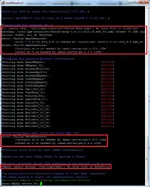
I know, you need to do the Customize now and it should work.
Desktop - Gnome < Customize now < Uncheck everything except: X Windows System and GNOME Desktop Environment
This is the drawback by not using yum update, I have already fixed this for the default installation without Customize now and added the missing RPMs.
Desktop - Gnome < Customize now < Uncheck everything except: X Windows System and GNOME Desktop Environment
This is the drawback by not using yum update, I have already fixed this for the default installation without Customize now and added the missing RPMs.
- Joined
- Oct 14, 2008
- Messages
- 1,291
- Reaction score
- 509
I can't find this values, i don't see anywhere Desktop - GNOME...i have only "About Gnome" and there are just some information's.
Sry for nobish!
Sry for nobish!
I updated the first post download link and fixed all of the above issues. (They should be fixed, except for the InitilizeGlobal)
- Repack size reduced from 300MB+ to 154MB (removed unrelated RPM repo junk)
- Added missing RPMs thus as a result fixing: dependency, libcrypto.so.4, libodbc.so.1, libssl.so.4,..
- Install script fixes/updates for both 32 and 64 bit
Redownload and run the script again, it should resolve itself. (almost) Doesn't matter what was previously installed.
- Repack size reduced from 300MB+ to 154MB (removed unrelated RPM repo junk)
- Added missing RPMs thus as a result fixing: dependency, libcrypto.so.4, libodbc.so.1, libssl.so.4,..
- Install script fixes/updates for both 32 and 64 bit
Redownload and run the script again, it should resolve itself. (almost) Doesn't matter what was previously installed.
- Joined
- Oct 14, 2008
- Messages
- 1,291
- Reaction score
- 509
Awesome, i'll give a try right now.

- Joined
- Sep 23, 2012
- Messages
- 253
- Reaction score
- 13
it works with Vmware workstation?
- Joined
- Oct 14, 2008
- Messages
- 1,291
- Reaction score
- 509
Working now, ty toast.
- Joined
- Nov 25, 2012
- Messages
- 139
- Reaction score
- 35
Nope!it works with Vmware workstation?
Any other channel template ideas?
Forcecalibur runs only on War and special channel at the default time.
All of the settings already use Kome Keto's Default Configuration for a performance boost by using more of the buffer and other stuff. Most noticeable is the AgentShop which loads instantly.
For the credits I was thinking something special and have come up with an idea, scattered ingame object monuments with txt when you open them.
There is also some other stuff that is a surprise, no additional maps, items, skills tho.
1 Normal
2 PK
3 Premium
4 Premium PK
5 War
6 Premium War
7 Maintanance
8 Trade
9 Tierra Gloriosa
10 Normal/Forcecalibur/TG
11 Normal/War/TG
12 PK/War/TG
13 Normal/PK/Premium War/TG
14 Normal/PK/War/TG
15 Normal/Premium/Premium PK/Premium War/TG
16 Normal/Premium/Forcecalibur/TG
17 Normal/Premium PK/Forcecalibur/TG
18 Normal/Premium War/TG
19 Forcecalibur/TG
20 Premium PK/Forcecalibur/TG
2 PK
3 Premium
4 Premium PK
5 War
6 Premium War
7 Maintanance
8 Trade
9 Tierra Gloriosa
10 Normal/Forcecalibur/TG
11 Normal/War/TG
12 PK/War/TG
13 Normal/PK/Premium War/TG
14 Normal/PK/War/TG
15 Normal/Premium/Premium PK/Premium War/TG
16 Normal/Premium/Forcecalibur/TG
17 Normal/Premium PK/Forcecalibur/TG
18 Normal/Premium War/TG
19 Forcecalibur/TG
20 Premium PK/Forcecalibur/TG
All of the settings already use Kome Keto's Default Configuration for a performance boost by using more of the buffer and other stuff. Most noticeable is the AgentShop which loads instantly.
For the credits I was thinking something special and have come up with an idea, scattered ingame object monuments with txt when you open them.
There is also some other stuff that is a surprise, no additional maps, items, skills tho.
- Joined
- May 10, 2013
- Messages
- 12
- Reaction score
- 0
Can someone point me in the right direction?
I'm leaveing my brains on every forum, every post about server instalation, and no mather what i do same problems ocur!
[root@localhost ~]# service cabal status
AuthDBAgent running...
DBAgent_01 running...
RockAndRollITS running...
GlobalMgrSvr is running...
GlobalDBAgent running...
CashDBAgent running...
PCBangDBAgent running...
EventDBAgent running...
PartySvr_01 running...
ChatNode_01 stopped
EventMgrSvr stopped
AgentShop_01 stopped
LoginSvr_01 stopped
WorldSvr_01_01 stopped
Tried xtornia's repack, tried toast2250's repack, manualy edited the files in the etc folder and etc/cabal ...
Dont know where is the problem and why the services are stopping.
Allso tried installing centos 5.8 on other PC with the MySQL Server on a separate one ...
Tried lots of things ... nothing works!
I'm leaveing my brains on every forum, every post about server instalation, and no mather what i do same problems ocur!
[root@localhost ~]# service cabal status
AuthDBAgent running...
DBAgent_01 running...
RockAndRollITS running...
GlobalMgrSvr is running...
GlobalDBAgent running...
CashDBAgent running...
PCBangDBAgent running...
EventDBAgent running...
PartySvr_01 running...
ChatNode_01 stopped
EventMgrSvr stopped
AgentShop_01 stopped
LoginSvr_01 stopped
WorldSvr_01_01 stopped
Tried xtornia's repack, tried toast2250's repack, manualy edited the files in the etc folder and etc/cabal ...
Dont know where is the problem and why the services are stopping.
Allso tried installing centos 5.8 on other PC with the MySQL Server on a separate one ...
Tried lots of things ... nothing works!
- Joined
- May 10, 2013
- Messages
- 12
- Reaction score
- 0
if that woult be the problem ... can you tell me how to make the connection betwen Centos and the DB server ... my ports are forwarded, firewalls are of, ports opened, what more can i do?
Try one of the following,
nmap -p 1433 -sT MSSQL-IP
nc -z MSSQL-IP 1433
isql -v EventData USERNAME PASSWORD
nmap
1433/tcp open ms-sql-s
nc
Connection to 192.168.1.55 1433 port [tcp/ms-sql-s] succeeded!
isql
Connected!
I will include this in the repack.
nmap -p 1433 -sT MSSQL-IP
nc -z MSSQL-IP 1433
isql -v EventData USERNAME PASSWORD
nmap
1433/tcp open ms-sql-s
nc
Connection to 192.168.1.55 1433 port [tcp/ms-sql-s] succeeded!
isql
Connected!
I will include this in the repack.
RaGEZONE Sponsor

About RaGEZONE
RaGEZONE® is a leading MMO and MMORPG development community offering source codes, server files, tutorials, tools, and private servers for developers and gamers.
Forum Statistics
- Members online
- 2,100
- Guests online
- 12,452
- Total visitors
- 14,552
Totals may include hidden visitors.
RaGEZONE Partners
