

You are using an out of date browser. It may not display this or other websites correctly.
You should upgrade or use an alternative browser.
You should upgrade or use an alternative browser.
- Status
- Not open for further replies.

- Joined
- Jan 20, 2009
- Messages
- 0
- Reaction score
- 4
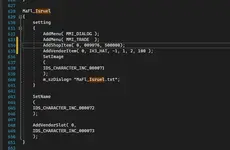
Hi, I have searched in all the forum and it didn't work. Am I doing it right? I want to add premium items to Isruel in Flaris but it's not showing. I am using the server files v18.1 VS22 Ketchup.View attachment 171323
https://forum.ragezone.com/f483/erro-npc-peach-scroll-id-1133643-post9101665/#post9101665
Upvote
0
Is this the one to set to number 4?
To view the content, you need to sign in or register

Solved it thanks! But it is showing wrong item. I wanna add azria ticket which I see in propitem as IDS_PROPITEM_TXT_009076
Last edited:
Upvote
0
- Joined
- Jan 20, 2009
- Messages
- 0
- Reaction score
- 4
Is this the one to set to number 4?To view the content, you need to sign in or register
Solved it thanks! But it is showing wrong item. I wanna add azria ticket which I see in propitem as IDS_PROPITEM_TXT_009076
Code:
AddShopItem( 0, II_SYS_TICKET_KEBARAS01, 1000 );^ Should work just fine.
Upvote
0
Code:AddShopItem( 0, II_SYS_TICKET_KEBARAS01, 1000 );
^ Should work just fine.
To view the content, you need to sign in or register
It shows like this now
Upvote
0
- Joined
- Jan 20, 2009
- Messages
- 0
- Reaction score
- 4
To view the content, you need to sign in or register
It shows like this now
Then you need to go back and start over, recheck and edit correctly.
Upvote
0
I cant go back and start over again sir. It's perfectly working now so I dont have to start again but the thing is the item is showing wrong item instead of Azria. There might be something wrong with the propItem or spec_item of the server files.Then you need to go back and start over, recheck and edit correctly.
To view the content, you need to sign in or register
Upvote
0

Newbie Spellweaver
- Joined
- Sep 7, 2021
- Messages
- 29
- Reaction score
- 5
Is it working? Maybe there is something wrong with spec_item/propitem. Maybe there is an issue with copying the code.
First, read the code you're implementing and you'll probably find out. pItemProp->dwCost gets set with Addshopitem. I don't have the other code, so can't attest to that. Well, what did you change in propitem / specitem? did you change the price of the item? Well, with addshopitem if you read it… It gets set in the character.inc. But, it's hard setting the cost and in order, meaning different shops can't have different prices.
Is dwShopable set to 1 for spec item? Do you know you modified the correct parameters in the spec_item? did you count or use libreoffice/excel to organize the data + save in same format?
First, read the code you're implementing and you'll probably find out. pItemProp->dwCost gets set with Addshopitem. I don't have the other code, so can't attest to that. Well, what did you change in propitem / specitem? did you change the price of the item? Well, with addshopitem if you read it… It gets set in the character.inc. But, it's hard setting the cost and in order, meaning different shops can't have different prices.
Is dwShopable set to 1 for spec item? Do you know you modified the correct parameters in the spec_item? did you count or use libreoffice/excel to organize the data + save in same format?
Upvote
0
Is it working? Maybe there is something wrong with spec_item/propitem. Maybe there is an issue with copying the code.
First, read the code you're implementing and you'll probably find out. pItemProp->dwCost gets set with Addshopitem. I don't have the other code, so can't attest to that. Well, what did you change in propitem / specitem? did you change the price of the item? Well, with addshopitem if you read it… It gets set in the character.inc. But, it's hard setting the cost and in order, meaning different shops can't have different prices.
Is dwShopable set to 1 for spec item? Do you know you modified the correct parameters in the spec_item? did you count or use libreoffice/excel to organize the data + save in same format?
I didn't change anything yet aside adding the item in character.inc from spec_item or itemProp.txt. I cant quiet get you sorry but I will try to study more. Can you give me steps at least? I also tried changing the dwSet from 0 to 4 and I realize it change the prize of that unknown item. Do I need to manually add that item to propItem.excel?
Upvote
0
Newbie Spellweaver
- Joined
- Sep 7, 2021
- Messages
- 29
- Reaction score
- 5
I didn't change anything yet aside adding the item in character.inc from spec_item or itemProp.txt. I cant quiet get you sorry but I will try to study more. Can you give me steps at least? I also tried changing the dwSet from 0 to 4 and I realize it change the prize of that unknown item. Do I need to manually add that item to propItem.excel?
Sorry, if you don't understand from that, then I just simply cannot help you.
 I refuse to completely solve one's problem for them! Have to put in the effort and have to understand + read .
 If you can't think like a programmer, you shouldn't even be here + trying!
Also, excel/LibreOffice is just another application that you can open + save the same format by separating columns by tabs,
that way you know what value you're changing in the spec_item . Good luck!Edit:
Also, make sure files updated on client too!
But i mentioned value in spec to already change in previous post! and u said you change something else and not that =\
Last edited:
Upvote
0
- Joined
- Jan 20, 2009
- Messages
- 0
- Reaction score
- 4
You need to slow down and start paying attention.
It's pretty clear that your half reading things and have no idea what your doing. You should also have a backup of your files at all times so that you can start over from a certain process and it not be a total loss.
I said in that other thread dwCost not dwSet and what I posted in that thread also works as you can see the other person even stated it did for them. However in this case his issue has nothing to do with yours.
Your issue is due to poor copy/pasting.
Just relax and it piece by piece and slowly or use a tool like
It's pretty clear that your half reading things and have no idea what your doing. You should also have a backup of your files at all times so that you can start over from a certain process and it not be a total loss.
I said in that other thread dwCost not dwSet and what I posted in that thread also works as you can see the other person even stated it did for them. However in this case his issue has nothing to do with yours.
Your issue is due to poor copy/pasting.
Just relax and it piece by piece and slowly or use a tool like
To view the content, you need to sign in or register
to see the differences.
Upvote
0
Sorry, if you don't understand from that, then I just simply cannot help you.
If you can't think like a programmer, you shouldn't even be here + trying!
Also, excel/LibreOffice is just another application that you can open + save the same format by separating columns by tabs,
Edit:
Also, make sure files updated on client too!
Set shoppable to 1
Set a price
Still it wont show the item properly.
What's the purpose of propItem.txt btw? Other forums are so outdated for this. It only shows IDS_PROPITEM_TXT_009076 7 Days Azria Ticket. It is also completely different to spec_item. I tried replacing the azria in the spec_item but it only changes the name.
Can I replace the Spec_item.txt to excel? its damn confusing whoever made that.
Last edited:
Upvote
0
It's clearly a "You" issue. everyone is getting along with spec_item.txt as well.Set shoppable to 1
Set a price
Still it wont show the item properly.
What's the purpose of propItem.txt btw? Other forums are so outdated for this. It only shows IDS_PROPITEM_TXT_009076 7 Days Azria Ticket. It is also completely different to spec_item. I tried replacing the azria in the spec_item but it only changes the name.
Can I replace the Spec_item.txt to excel? its damn confusing whoever made that.
You're the only one who has like millions complains.
propItem.txt -> The same as Spec_Item only on different format (v15 and lower.)
Spec_Item.txt -> Is the replace of propItem.txt on V16+.
propItem.txt.txt -> Is where you stored items name so "Spec_Item.txt" could read them.
Maybe it is possible to change the format of spec_item to excel but that's definitely require programing skills which You don't seems to have.
Anyway if you still want to delayed yourself about Spec_item setup then you can go directly to Gala and tell them that their Spec_Item formats is pretty sucks

Last edited:
Upvote
0
It's clearly a "You" issue. everyone is getting along with spec_item.txt as well.
You're the only one who has like millions complains.
propItem.txt -> The same as Spec_Item only on different format (v15 and lower.)
Spec_Item.txt -> Is the replace of propItem.txt on V16+.
propItem.txt.txt -> Is where you stored items name so "Spec_Item.txt" could read them.
Maybe it is possible to change the format of spec_item to excel but that's definitely require programing skills which You don't seems to have.
Anyway if you still want to delayed yourself about Spec_item setup then you can go directly to Gala and tell them that their Spec_Item formats is pretty sucks
I tried putting SPRO.
1. Open Spec_Item and change II_SYS_SYS_SCR_SMELPROT shoppable to 1 and set a price.
2. Open propItem.txt and did the same way.
3. Add AddShopItem(0, II_SYS_SYS_SCR_SMELPROT, 50000 ); to character.inc under Isruel
4. Merge
5. Patch
6. Item wont show completely blank
Upvote
0
recheck your edits again. You should use any compare app such as Beyond compare or WingMerge and see the differences .I tried putting SPRO.
1. Open Spec_Item and change II_SYS_SYS_SCR_SMELPROT shoppable to 1 and set a price.
2. Open propItem.txt and did the same way.
3. Add AddShopItem(0, II_SYS_SYS_SCR_SMELPROT, 50000 ); to character.inc under Isruel
4. Merge
5. Patch
6. Item wont show completely blank
Try to leech it from a source in the release section this might be more understandable for you.
Btw what do you mean "shoppable" ? did you ignored ketchups comment?
Upvote
0
recheck your edits again. You should use any compare app such as Beyond compare or WingMerge and see the differences .
Try to leech it from a source in the release section this might be more understandable for you.
Btw what do you mean "shoppable" ? did you ignored ketchups comment?
Does it have to be in the same line when comparing the two?
I didn't ignore it. dwShopAble I set it from 0 to 1 so it can be view in NPC.
Last edited:
Upvote
0
That's not what he told you to do.Does it have to be in the same line when comparing the two?
I didn't ignore it. dwShopAble I set it from 0 to 1 so it can be view in NPC.
If you still have this issues, Then you should recheck your edit as I told you, Use any compare app you want to compare all parts related to __VENDOR_UPDATE & __ADDSHOPITEM.Download this source: https://forum.ragezone.com/f457/vs19-infinity-flyff-1199111/
Copy all the edits of these 2 defines:
Make sure to add them to kCommon or w/e source your using then compile.Code:#define __VENDOR_UPDATE #define __ADDSHOPITEM
Make sure your dwCost is set to 4 in the propItem/Spec_Item
Then add your item to your npc like this:
Make the new resource using Merge.exe, copy all of ResData to your client folder.Code:AddShopItem( TAB, ITEM, COST );
I don't know what else you added and or messed up, So I recommend you to start all over again and make backups every time you add something so you could go back In case you're gonna have to.
Upvote
0
That's not what he told you to do.
If you still have this issues, Then you should recheck your edit as I told you, Use any compare app you want to compare all parts related to __VENDOR_UPDATE & __ADDSHOPITEM.
I don't know what else you added and or messed up, So I recommend you to start all over again and make backups every time you add something so you could go back In case you're gonna have to.
Got this error
To view the content, you need to sign in or register
Compared every codes already.
Solved it by adding:
#define TID_V_UPDATE_01
#define TID_GAME_PENYACOUNT_1
to
defineText

ITEMS ARE NOW SHOWING CORRECTLY!
ONCE AGAIN, I THANK YOU MY LAST HEROES OF FLYFF RZ! SORRY IF I TROUBLED YOU :/:
My communities are happy that they can buy premium items now

Upvote
0
- Status
- Not open for further replies.
RaGEZONE Sponsor

About RaGEZONE
RaGEZONE® is a leading MMO and MMORPG development community offering source codes, server files, tutorials, tools, and private servers for developers and gamers.
Forum Statistics
- Members online
- 2,242
- Guests online
- 7,691
- Total visitors
- 9,933
Totals may include hidden visitors.
RaGEZONE Partners
