

You are using an out of date browser. It may not display this or other websites correctly.
You should upgrade or use an alternative browser.
You should upgrade or use an alternative browser.


Sure;To view the content, you need to sign in or register
Thank you. I will have a look and see if we can revert them back in 100.02 in a easy way.
This parameters crashes WorlsServer:
Code:Uncomment <Seat id="885158".... from [B]NpcSeatData.xml[/B] Uncomment <ShortcutSet id="885158"... from [B]ShortcutSet.xml[/B]
Thats Temple of Temerity. He mentioned that it crashes so you shouldnt have did that change. Only do the ones below cause ToT and Dreadspire are not working and will crash.
@argeus99
I made changes to the DC for ETHM, AHHM, ACHM, BTHM. Testing now if it works.
Could not add LOTHM cause i need to find some more info for it.
EDIT: TP options work for all but BTHM...and for soem reason HP bars do not work...did i miss something?
Last edited:

- Joined
- Sep 1, 2012
- Messages
- 55
- Reaction score
- 5
Thank you for your answer,I don't think that's the reason,Because I keep restarting my server。Have you tried rebooting the system it is running on? With v100.02, I've intermittently had the game server become temporarily unavailable after leaving, and going back to the server select screen. I've found that v100.02 consumes more memory even in an idle state due to the TERA Battle Arena lobby instance also waiting to accept connections. So if the server is running at the limits of physical memory (and/or allocated memory to the virtual machine if running the server via that) and there's a lot of activity that took place in the world/dungeons (and you also have more dungeons re-enabled), there's a point where instability will set in, requiring a complete system RE-IPL/reboot unless one of those processes crashes first (and this is just in an offline/single player setup).
I think maybe it's a port issue,For some reason I deployed the frp network,May need to open some more ports。:/:
Under normal circumstances, it is only necessary to open the API port and 7801, right?

- Joined
- Mar 29, 2019
- Messages
- 1,492
- Reaction score
- 3,043
Awesome! Do we need to adjust the DC too?
Yes, to make the minimap work
Thank you. I will have a look and see if we can revert them back in 100.02 in a easy way.
Thats Temple of Temerity. He mentioned that it crashes so you shouldnt have did that change. Only do the ones below cause ToT and Dreadspire are not working and will crash.
@argeus99
I made changes to the DC for ETHM, AHHM, ACHM, BTHM. Testing now if it works.
Could not add LOTHM cause i need to find some more info for it.
EDIT: TP options work for all but BTHM...and for soem reason HP bars do not work...did i miss something?
i didn't touch anything client related yet, will check asap
Help
I suddenly can't get into the game, when I go to the server and select enter the game it doesn't respond and when I click reorganize the list disappears!
I tried to re-register my account,Tried using the old API,The problem remains unresolved。
All of my firewalls are turned off
I've been tortured for 2 days,No problem found!Request Help
My Database Settings
2800 115.115.11.10 7801 TW TERA2206 TERA2206 50 100 1 0 1 1 0 0
This is the API log
[2022-06-22 16:27:32.359] INFO: Portal API is listening at: *:991
[2022-06-22 16:27:32.360] INFO: Arbiter API is listening at: 127.0.0.1:8080
[2022-06-22 16:27:32.386] INFO: Account database connected.
[2022-06-22 16:27:32.387] INFO: Report database connected.
[2022-06-22 16:27:35.467] INFO: Portal: GET /tera/LauncherMain 200 - 6.819 ms
[2022-06-22 16:27:35.515] INFO: Portal: GET /tera/LauncherLoginForm 200 - 1.450 ms
[2022-06-22 16:27:35.579] INFO: Portal: POST /tera/GetAccountInfoByUserNo 200 - 9.064 ms
[2022-06-22 16:27:38.755] INFO: Portal: GET /tera/LauncherSignupForm 200 - 1.074 ms
[2022-06-22 16:27:52.075] INFO: Portal: POST /tera/LauncherSignupAction 200 - 16.302 ms
[2022-06-22 16:27:52.081] INFO: Portal: GET /tera/LauncherLoginForm 200 - 1.628 ms
[2022-06-22 16:27:52.110] INFO: Portal: POST /tera/GetAccountInfoByUserNo 200 - 2.624 ms
[2022-06-22 16:27:54.068] INFO: Portal: GET /tera/LauncherMaintenanceStatus 200 - 2.754 ms
[2022-06-22 16:27:54.088] INFO: Portal: GET /tera/ServerList?lang=tw 200 - 9.637 ms
[2022-06-22 16:28:15.574] INFO: Portal: GET /tera/ServerList?lang=tw 200 - 8.802 ms
Post the arbiter gateway logs (arb_gw_tw2_log)
Yes, to make the minimap work
i didn't touch anything client related yet, will check asap
I added the area details for each dungeons, added the teleporter details. I also uncommented the area files etc on server side.
Balder Temple Hard i saw the teleport details already in the client so Idk if they are wrong but didnt seem so.
Here is the DC i packed after the changes in case you want to look and compare. Let me know what i missed or did wrong.
To view the content, you need to sign in or register
Last edited:
- Joined
- Sep 1, 2012
- Messages
- 55
- Reaction score
- 5
Yes, to make the minimap work
i didn't touch anything client related yet, will check asap
Post the arbiter gateway logs (arb_gw_tw2_log)
Okay, here's my log
[2022/06/23 01:31:08.413] build : Sep 16 2020, 17:25:33, LOG_LEVEL : 5
[2022/06/23 01:31:08.429] Process URL [
To view the content, you need to sign in or register
[2022/06/23 01:31:08.429] Host: [127.0.0.1] Port: 8080 /api/
[2022/06/23 01:31:08.429] Resolving result 127.0.0.1:8080
[2022/06/23 01:31:08.446] Process URL [
To view the content, you need to sign in or register
[2022/06/23 01:31:08.446] Host: [127.0.0.1] Port: 8080 /
[2022/06/23 01:31:08.446] Resolving result 127.0.0.1:8080
[2022/06/23 01:31:08.462] Start request to host [127.0.0.1:8080] 10adbb4
[2022/06/23 01:31:08.462] REST Socket closed. Reconnect [10adbb4]
[2022/06/23 01:31:08.476] Host: [127.0.0.1] Port: 8080
[2022/06/23 01:31:08.479] Resolving result 127.0.0.1:8080
[2022/06/23 01:31:08.495] Http result: 200, Size: 15, Error: 0 [10adbb4]
[2022/06/23 01:31:08.507] RequestAPIServerStatusAvailable {"Return":true}
[2022/06/23 01:31:08.512] Start request to host [127.0.0.1:8080] 10add94
[2022/06/23 01:31:08.512] REST Socket closed. Reconnect [10add94]
[2022/06/23 01:31:08.528] Host: [127.0.0.1] Port: 8080
[2022/06/23 01:31:08.528] Resolving result 127.0.0.1:8080
[2022/06/23 01:31:08.545] Http result: 200, Size: 46, Error: 0 [10add94]
[2022/06/23 01:31:08.545] ServiceTest {"result_code":0,"server_time":1655919068.539}
[2022/06/23 01:31:08.561] REST test passed
[2022/06/23 01:31:08.561] Wait for arbiter on port 10001
Server ready
[2022/06/23 01:33:28.163] 9 bytes read on e4
[2022/06/23 01:33:28.163] Arbiter 2800 connected
[2022/06/23 01:33:28.163] GetServerPermission post data : {"server_id":2800,"serviceCode":"PCO012"}
[2022/06/23 01:33:28.180] Start request to host [127.0.0.1:8080] 10add94
[2022/06/23 01:33:28.193] REST keep-alive timeout. disconnect connection
[2022/06/23 01:33:28.197] REST Socket closed. Reconnect [10add94]
[2022/06/23 01:33:28.197] Host: [127.0.0.1] Port: 8080
[2022/06/23 01:33:28.197] Resolving result 127.0.0.1:8080
[2022/06/23 01:33:28.230] Http result: 200, Size: 32, Error: 0 [10add94]
[2022/06/23 01:33:28.246] GetServerPermission {"result_code":0,"permission":0}
[2022/06/23 01:33:28.246] Server stat 00000000
[2022/06/23 01:33:28.256] Hub 127.0.0.1:11001 connected
[2022/06/23 01:33:28.263] 9 bytes written on 130
[2022/06/23 01:33:28.263] 6 bytes read on 130
[2022/06/23 01:33:28.263] Server registered with 0:2800
[2022/06/23 01:33:28.279] Timezone value -28800
[2022/06/23 01:33:28.287] Handler for class UserLoginReq registered
[2022/06/23 01:33:28.296] Handler for class UserLogoutReq registered
[2022/06/23 01:33:28.296] Handler for class QueryUserReq registered
[2022/06/23 01:33:28.296] Handler for class StartChargeUserReq registered
[2022/06/23 01:33:28.312] Handler for class SendCommandUserReq registered
[2022/06/23 01:33:28.318] Handler for class SendCommandUserAns registered
[2022/06/23 01:33:28.318] Handler for class SendMessageAns registered
[2022/06/23 01:33:28.329] Handler for class DumpUserAns registered
[2022/06/23 01:33:28.329] Handler for class SvrMsgReq registered
[2022/06/23 01:33:28.345] Handler for class QueryShopInfoReq registered
[2022/06/23 01:33:28.349] 11 bytes written on e4
[2022/06/23 01:33:28.362] Entering Main loop
[2022/06/23 01:33:28.362] Entering Main loop
[2022/06/23 01:33:28.362] Entering Main loop
[2022/06/23 01:33:28.362] Entering Main loop
[2022/06/23 01:33:28.362] Entering Main loop
[2022/06/23 01:33:28.362] Entering Main loop
[2022/06/23 01:33:28.362] Entering Main loop
[2022/06/23 01:33:28.362] Entering Main loop
[2022/06/23 01:33:28.362] Entering Main loop
[2022/06/23 01:33:28.362] Entering Main loop
[2022/06/23 01:33:28.362] Entering Main loop
[2022/06/23 01:33:28.362] Entering Main loop
[2022/06/23 01:33:28.362] Entering Main loop
[2022/06/23 01:33:28.362] Entering Main loop
[2022/06/23 01:33:28.362] Entering Main loop
[2022/06/23 01:33:28.362] Entering Main loop
[2022/06/23 01:34:28.383] GetServerPermission post data : {"server_id":2800,"serviceCode":"PCO012"}
[2022/06/23 01:34:28.383] Start request to host [127.0.0.1:8080] 10add94
[2022/06/23 01:34:28.399] REST keep-alive timeout. disconnect connection
[2022/06/23 01:34:28.399] REST Socket closed. Reconnect [10add94]
[2022/06/23 01:34:28.416] Host: [127.0.0.1] Port: 8080
[2022/06/23 01:34:28.416] Resolving result 127.0.0.1:8080
[2022/06/23 01:34:28.432] Http result: 200, Size: 32, Error: 0 [10add94]
[2022/06/23 01:34:28.442] GetServerPermission {"result_code":0,"permission":0}
[2022/06/23 01:34:28.448] Server stat 00000000
[2022/06/23 01:35:28.420] GetServerPermission post data : {"server_id":2800,"serviceCode":"PCO012"}
[2022/06/23 01:35:28.583] Start request to host [127.0.0.1:8080] 10add94
[2022/06/23 01:35:29.091] REST keep-alive timeout. disconnect connection
[2022/06/23 01:35:29.108] REST Socket closed. Reconnect [10add94]
[2022/06/23 01:35:29.124] Host: [127.0.0.1] Port: 8080
[2022/06/23 01:35:31.405] Resolving result 127.0.0.1:8080
[2022/06/23 01:35:31.568] Http result: 200, Size: 32, Error: 0 [10add94]
[2022/06/23 01:35:31.584] **** SLOW Call 3000[/api/GetServerPermission]
[2022/06/23 01:35:31.584] GetServerPermission {"result_code":0,"permission":0}
[2022/06/23 01:35:31.584] Server stat 00000000
[2022/06/23 01:35:36.066] Handle SvrMsgReq
[2022/06/23 01:35:36.066] World server idx 0 connected
[2022/06/23 01:36:57.141] Handle SvrMsgReq
[2022/06/23 01:36:57.141] World server idx 10 connected
[2022/06/23 01:36:58.428] GetServerPermission post data : {"server_id":2800,"serviceCode":"PCO012"}
[2022/06/23 01:36:58.445] Start request to host [127.0.0.1:8080] 10add94
[2022/06/23 01:36:58.445] REST keep-alive timeout. disconnect connection
[2022/06/23 01:36:58.461] REST Socket closed. Reconnect [10add94]
[2022/06/23 01:36:58.461] Host: [127.0.0.1] Port: 8080
[2022/06/23 01:36:58.472] Resolving result 127.0.0.1:8080
[2022/06/23 01:36:58.510] Http result: 200, Size: 32, Error: 0 [10add94]
[2022/06/23 01:36:58.525] GetServerPermission {"result_code":0,"permission":0}
[2022/06/23 01:36:58.534] Server stat 00000000
[2022/06/23 01:37:58.081] Handle SvrMsgReq
[2022/06/23 01:37:58.081] World server idx 11 connected
[2022/06/23 01:37:58.440] GetServerPermission post data : {"server_id":2800,"serviceCode":"PCO012"}
[2022/06/23 01:37:58.440] Start request to host [127.0.0.1:8080] 10add94
[2022/06/23 01:37:58.456] REST keep-alive timeout. disconnect connection
[2022/06/23 01:37:58.456] REST Socket closed. Reconnect [10add94]
[2022/06/23 01:37:58.472] Host: [127.0.0.1] Port: 8080
[2022/06/23 01:37:58.472] Resolving result 127.0.0.1:8080
[2022/06/23 01:37:58.504] Http result: 200, Size: 32, Error: 0 [10add94]
[2022/06/23 01:37:58.504] GetServerPermission {"result_code":0,"permission":0}
[2022/06/23 01:37:58.520] Server stat 00000000
[2022/06/23 01:38:58.468] GetServerPermission post data : {"server_id":2800,"serviceCode":"PCO012"}
[2022/06/23 01:38:58.471] Start request to host [127.0.0.1:8080] 10add94
[2022/06/23 01:38:58.485] REST keep-alive timeout. disconnect connection
[2022/06/23 01:38:58.502] REST Socket closed. Reconnect [10add94]
[2022/06/23 01:38:58.502] Host: [127.0.0.1] Port: 8080
[2022/06/23 01:38:58.517] Resolving result 127.0.0.1:8080
[2022/06/23 01:38:58.517] Http result: 200, Size: 32, Error: 0 [10add94]
[2022/06/23 01:38:58.534] GetServerPermission {"result_code":0,"permission":0}
[2022/06/23 01:38:58.549] Server stat 00000000
[2022/06/23 01:39:58.483] GetServerPermission post data : {"server_id":2800,"serviceCode":"PCO012"}
[2022/06/23 01:39:58.483] Start request to host [127.0.0.1:8080] 10add94
[2022/06/23 01:39:58.503] REST keep-alive timeout. disconnect connection
[2022/06/23 01:39:58.503] REST Socket closed. Reconnect [10add94]
[2022/06/23 01:39:58.516] Host: [127.0.0.1] Port: 8080
[2022/06/23 01:39:58.516] Resolving result 127.0.0.1:8080
[2022/06/23 01:39:58.534] Http result: 200, Size: 32, Error: 0 [10add94]
[2022/06/23 01:39:58.549] GetServerPermission {"result_code":0,"permission":0}
[2022/06/23 01:39:58.549] Server stat 00000000
[2022/06/23 01:40:58.504] GetServerPermission post data : {"server_id":2800,"serviceCode":"PCO012"}
Because there are too many.I have selected only a portion of the.But the content is the same.
(PCO012) Presence in arb_gw_tw2_log.exe .Could this be the reason?
- Joined
- Mar 29, 2019
- Messages
- 1,492
- Reaction score
- 3,043
Okay, here's my log
[2022/06/23 01:31:08.413] build : Sep 16 2020, 17:25:33, LOG_LEVEL : 5
[2022/06/23 01:31:08.429] Process URL [To view the content, you need to sign in or register
[2022/06/23 01:31:08.429] Host: [127.0.0.1] Port: 8080 /api/
[2022/06/23 01:31:08.429] Resolving result 127.0.0.1:8080
[2022/06/23 01:31:08.446] Process URL [To view the content, you need to sign in or register
[2022/06/23 01:31:08.446] Host: [127.0.0.1] Port: 8080 /
[2022/06/23 01:31:08.446] Resolving result 127.0.0.1:8080
[2022/06/23 01:31:08.462] Start request to host [127.0.0.1:8080] 10adbb4
[2022/06/23 01:31:08.462] REST Socket closed. Reconnect [10adbb4]
[2022/06/23 01:31:08.476] Host: [127.0.0.1] Port: 8080
[2022/06/23 01:31:08.479] Resolving result 127.0.0.1:8080
[2022/06/23 01:31:08.495] Http result: 200, Size: 15, Error: 0 [10adbb4]
[2022/06/23 01:31:08.507] RequestAPIServerStatusAvailable {"Return":true}
[2022/06/23 01:31:08.512] Start request to host [127.0.0.1:8080] 10add94
[2022/06/23 01:31:08.512] REST Socket closed. Reconnect [10add94]
[2022/06/23 01:31:08.528] Host: [127.0.0.1] Port: 8080
[2022/06/23 01:31:08.528] Resolving result 127.0.0.1:8080
[2022/06/23 01:31:08.545] Http result: 200, Size: 46, Error: 0 [10add94]
[2022/06/23 01:31:08.545] ServiceTest {"result_code":0,"server_time":1655919068.539}
[2022/06/23 01:31:08.561] REST test passed
[2022/06/23 01:31:08.561] Wait for arbiter on port 10001
Server ready
[2022/06/23 01:33:28.163] 9 bytes read on e4
[2022/06/23 01:33:28.163] Arbiter 2800 connected
[2022/06/23 01:33:28.163] GetServerPermission post data : {"server_id":2800,"serviceCode":"PCO012"}
[2022/06/23 01:33:28.180] Start request to host [127.0.0.1:8080] 10add94
[2022/06/23 01:33:28.193] REST keep-alive timeout. disconnect connection
[2022/06/23 01:33:28.197] REST Socket closed. Reconnect [10add94]
[2022/06/23 01:33:28.197] Host: [127.0.0.1] Port: 8080
[2022/06/23 01:33:28.197] Resolving result 127.0.0.1:8080
[2022/06/23 01:33:28.230] Http result: 200, Size: 32, Error: 0 [10add94]
[2022/06/23 01:33:28.246] GetServerPermission {"result_code":0,"permission":0}
[2022/06/23 01:33:28.246] Server stat 00000000
[2022/06/23 01:33:28.256] Hub 127.0.0.1:11001 connected
[2022/06/23 01:33:28.263] 9 bytes written on 130
[2022/06/23 01:33:28.263] 6 bytes read on 130
[2022/06/23 01:33:28.263] Server registered with 0:2800
[2022/06/23 01:33:28.279] Timezone value -28800
[2022/06/23 01:33:28.287] Handler for class UserLoginReq registered
[2022/06/23 01:33:28.296] Handler for class UserLogoutReq registered
[2022/06/23 01:33:28.296] Handler for class QueryUserReq registered
[2022/06/23 01:33:28.296] Handler for class StartChargeUserReq registered
[2022/06/23 01:33:28.312] Handler for class SendCommandUserReq registered
[2022/06/23 01:33:28.318] Handler for class SendCommandUserAns registered
[2022/06/23 01:33:28.318] Handler for class SendMessageAns registered
[2022/06/23 01:33:28.329] Handler for class DumpUserAns registered
[2022/06/23 01:33:28.329] Handler for class SvrMsgReq registered
[2022/06/23 01:33:28.345] Handler for class QueryShopInfoReq registered
[2022/06/23 01:33:28.349] 11 bytes written on e4
[2022/06/23 01:33:28.362] Entering Main loop
[2022/06/23 01:33:28.362] Entering Main loop
[2022/06/23 01:33:28.362] Entering Main loop
[2022/06/23 01:33:28.362] Entering Main loop
[2022/06/23 01:33:28.362] Entering Main loop
[2022/06/23 01:33:28.362] Entering Main loop
[2022/06/23 01:33:28.362] Entering Main loop
[2022/06/23 01:33:28.362] Entering Main loop
[2022/06/23 01:33:28.362] Entering Main loop
[2022/06/23 01:33:28.362] Entering Main loop
[2022/06/23 01:33:28.362] Entering Main loop
[2022/06/23 01:33:28.362] Entering Main loop
[2022/06/23 01:33:28.362] Entering Main loop
[2022/06/23 01:33:28.362] Entering Main loop
[2022/06/23 01:33:28.362] Entering Main loop
[2022/06/23 01:33:28.362] Entering Main loop
[2022/06/23 01:34:28.383] GetServerPermission post data : {"server_id":2800,"serviceCode":"PCO012"}
[2022/06/23 01:34:28.383] Start request to host [127.0.0.1:8080] 10add94
[2022/06/23 01:34:28.399] REST keep-alive timeout. disconnect connection
[2022/06/23 01:34:28.399] REST Socket closed. Reconnect [10add94]
[2022/06/23 01:34:28.416] Host: [127.0.0.1] Port: 8080
[2022/06/23 01:34:28.416] Resolving result 127.0.0.1:8080
[2022/06/23 01:34:28.432] Http result: 200, Size: 32, Error: 0 [10add94]
[2022/06/23 01:34:28.442] GetServerPermission {"result_code":0,"permission":0}
[2022/06/23 01:34:28.448] Server stat 00000000
[2022/06/23 01:35:28.420] GetServerPermission post data : {"server_id":2800,"serviceCode":"PCO012"}
[2022/06/23 01:35:28.583] Start request to host [127.0.0.1:8080] 10add94
[2022/06/23 01:35:29.091] REST keep-alive timeout. disconnect connection
[2022/06/23 01:35:29.108] REST Socket closed. Reconnect [10add94]
[2022/06/23 01:35:29.124] Host: [127.0.0.1] Port: 8080
[2022/06/23 01:35:31.405] Resolving result 127.0.0.1:8080
[2022/06/23 01:35:31.568] Http result: 200, Size: 32, Error: 0 [10add94]
[2022/06/23 01:35:31.584] **** SLOW Call 3000[/api/GetServerPermission]
[2022/06/23 01:35:31.584] GetServerPermission {"result_code":0,"permission":0}
[2022/06/23 01:35:31.584] Server stat 00000000
[2022/06/23 01:35:36.066] Handle SvrMsgReq
[2022/06/23 01:35:36.066] World server idx 0 connected
[2022/06/23 01:36:57.141] Handle SvrMsgReq
[2022/06/23 01:36:57.141] World server idx 10 connected
[2022/06/23 01:36:58.428] GetServerPermission post data : {"server_id":2800,"serviceCode":"PCO012"}
[2022/06/23 01:36:58.445] Start request to host [127.0.0.1:8080] 10add94
[2022/06/23 01:36:58.445] REST keep-alive timeout. disconnect connection
[2022/06/23 01:36:58.461] REST Socket closed. Reconnect [10add94]
[2022/06/23 01:36:58.461] Host: [127.0.0.1] Port: 8080
[2022/06/23 01:36:58.472] Resolving result 127.0.0.1:8080
[2022/06/23 01:36:58.510] Http result: 200, Size: 32, Error: 0 [10add94]
[2022/06/23 01:36:58.525] GetServerPermission {"result_code":0,"permission":0}
[2022/06/23 01:36:58.534] Server stat 00000000
[2022/06/23 01:37:58.081] Handle SvrMsgReq
[2022/06/23 01:37:58.081] World server idx 11 connected
[2022/06/23 01:37:58.440] GetServerPermission post data : {"server_id":2800,"serviceCode":"PCO012"}
[2022/06/23 01:37:58.440] Start request to host [127.0.0.1:8080] 10add94
[2022/06/23 01:37:58.456] REST keep-alive timeout. disconnect connection
[2022/06/23 01:37:58.456] REST Socket closed. Reconnect [10add94]
[2022/06/23 01:37:58.472] Host: [127.0.0.1] Port: 8080
[2022/06/23 01:37:58.472] Resolving result 127.0.0.1:8080
[2022/06/23 01:37:58.504] Http result: 200, Size: 32, Error: 0 [10add94]
[2022/06/23 01:37:58.504] GetServerPermission {"result_code":0,"permission":0}
[2022/06/23 01:37:58.520] Server stat 00000000
[2022/06/23 01:38:58.468] GetServerPermission post data : {"server_id":2800,"serviceCode":"PCO012"}
[2022/06/23 01:38:58.471] Start request to host [127.0.0.1:8080] 10add94
[2022/06/23 01:38:58.485] REST keep-alive timeout. disconnect connection
[2022/06/23 01:38:58.502] REST Socket closed. Reconnect [10add94]
[2022/06/23 01:38:58.502] Host: [127.0.0.1] Port: 8080
[2022/06/23 01:38:58.517] Resolving result 127.0.0.1:8080
[2022/06/23 01:38:58.517] Http result: 200, Size: 32, Error: 0 [10add94]
[2022/06/23 01:38:58.534] GetServerPermission {"result_code":0,"permission":0}
[2022/06/23 01:38:58.549] Server stat 00000000
[2022/06/23 01:39:58.483] GetServerPermission post data : {"server_id":2800,"serviceCode":"PCO012"}
[2022/06/23 01:39:58.483] Start request to host [127.0.0.1:8080] 10add94
[2022/06/23 01:39:58.503] REST keep-alive timeout. disconnect connection
[2022/06/23 01:39:58.503] REST Socket closed. Reconnect [10add94]
[2022/06/23 01:39:58.516] Host: [127.0.0.1] Port: 8080
[2022/06/23 01:39:58.516] Resolving result 127.0.0.1:8080
[2022/06/23 01:39:58.534] Http result: 200, Size: 32, Error: 0 [10add94]
[2022/06/23 01:39:58.549] GetServerPermission {"result_code":0,"permission":0}
[2022/06/23 01:39:58.549] Server stat 00000000
[2022/06/23 01:40:58.504] GetServerPermission post data : {"server_id":2800,"serviceCode":"PCO012"}
Because there are too many.I have selected only a portion of the.But the content is the same.
(PCO012) Presence in arb_gw_tw2_log.exe .Could this be the reason?
Looks like you put your server in maintenance status
That's not supposed to be there if it's not intended
"[2022-06-22 16:27:54.068] INFO: Portal: GET /tera/LauncherMaintenanceStatus 200 - 2.754 ms"
Check "server_maintenante" table from mysql
- Joined
- Sep 1, 2012
- Messages
- 55
- Reaction score
- 5
Looks like you put your server in maintenance status
That's not supposed to be there if it's not intended
"[2022-06-22 16:27:54.068] INFO: Portal: GET /tera/LauncherMaintenanceStatus 200 - 2.754 ms"
Check "server_maintenante" table from mysql
Thank you for the reminder,It is because isAvailable has become 0.
But it's weird.I never changed it...Now you can enter the game under normal network.
But the frp environment is still inaccessible.But now that should be a separate issue.I will find a way to fix it
In conclusion.Thank you all so much for your help!
- Joined
- Mar 29, 2019
- Messages
- 1,492
- Reaction score
- 3,043
Here's my datasheet and topography files.
It contains every single dungeon enabled* (server side) except Blast from the Past system id 9999 (looks like we're missing some files that are not present in 92.03/92.04 and 100.02 server files)
*Keep in mind, the following dungeons are not working (on Client) due "missing" datasheet files and/or gpks client side...
**I suggest you to do not enter on those dungeons in the current game state, you character will be stuck and you will be trapped forever (...D jokes aside, just do not teleport on those dungeons, seriously, your character will be stuck and everytime you enter to tera your client will crash. The only way to recover your character is via webapp or close the server, copy the coordinates from another character and then start the server again.
-VIP System enabled
-Vanguard gives you Tera Rewards Points and Credits
-Every dungeon teleport entry has been enabled except Fane of Kaprima NM/HM, but the dungeon itself is enabled
-The teleport for kelsaik nest jp tournament is located at the start zone of IoD
-Kelsaik raid 10-20 has been included into Kelsaik Nest teleportal
-The original npc tokens merchant from kaiator (those who are around of command center) has been reenabled, just reuse it for other goodies
-Guardian Legion Rewards has been increased from 40 to 100
-NpcSeatData, ShortcutSet, NPCData, DungeonData, AreaList, ContinentData, those changes are needed to make work Dreadspire server side
I forgot what other changes i did, just test and let me know if there's any problem, ill' check when i have time
Link
It contains every single dungeon enabled* (server side) except Blast from the Past system id 9999 (looks like we're missing some files that are not present in 92.03/92.04 and 100.02 server files)
*Keep in mind, the following dungeons are not working (on Client) due "missing" datasheet files and/or gpks client side...
| Dungeon Name | Dungeon ID | |
| ToT | Temple of Temerity | 9082 |
| SG | Sirjuka Gallery | 9096 |
| SP | Suryati's Peak | 9078 |
| SA | Sigil Adstringino | 9080 |
| SA | Saravash's Ascent | 9079 |
| DS | Dreadspire | 9034, 9885 & 9886 |
**I suggest you to do not enter on those dungeons in the current game state, you character will be stuck and you will be trapped forever (...D
jokes aside, just do not teleport on those dungeons, seriously, your character will be stuck and everytime you enter to tera your client will crash. The only way to recover your character is via webapp or close the server, copy the coordinates from another character and then start the server again.-VIP System enabled
-Vanguard gives you Tera Rewards Points and Credits
-Every dungeon teleport entry has been enabled except Fane of Kaprima NM/HM, but the dungeon itself is enabled
-The teleport for kelsaik nest jp tournament is located at the start zone of IoD
-Kelsaik raid 10-20 has been included into Kelsaik Nest teleportal
-The original npc tokens merchant from kaiator (those who are around of command center) has been reenabled, just reuse it for other goodies
-Guardian Legion Rewards has been increased from 40 to 100
-NpcSeatData, ShortcutSet, NPCData, DungeonData, AreaList, ContinentData, those changes are needed to make work Dreadspire server side
I forgot what other changes i did, just test and let me know if there's any problem, ill' check when i have time
Link
To view the content, you need to sign in or register
Last edited:
How to "Enable" TBA Queue
Instruction:
1. Download the database file:To view the content, you need to sign in or register.
Edit BountyHuntSeason.xml and place the desired startDateTime / endDateTime
2. Open Navicat, go to database CollectionDB, table BountyHuntSeason.
3. Right-click on Import, select XML file point > Next.
4. Import from... select downloaded file BountyHuntSeason.xml > Next.
5. Select tag RECORD > click next, next until import mode.
6. Select a copy point > next > click Start.
If I am understanding this right, we just have to activate the season under CollectionDB>Bountyhuntseason ?
I can't import an xml in Heidi, so I just made the entries:

But I get this error after selecting a hero and hitting enter:
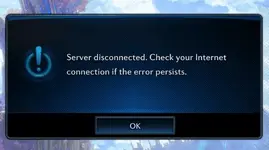
If I am understanding this right, we just have to activate the season under CollectionDB>Bountyhuntseason ?
I can't import an xml in Heidi, so I just made the entries:
View attachment 171892
But I get this error after selecting a hero and hitting enter:
View attachment 171893
Weird, delete your entry, and use this exec in heidisql query tab :
EXEC "dbo"."spInsertBountyHuntSeason" 0,2,'01/06/2022','03/06/2023','NULL';
For me it worked fine and then I could start using matching function ingame.

- Joined
- Oct 4, 2007
- Messages
- 125
- Reaction score
- 26
Thank you. I will have a look and see if we can revert them back in 100.02 in a easy way.
Thanks looking forward too it.

Newbie Spellweaver
- Joined
- Jun 22, 2022
- Messages
- 70
- Reaction score
- 11
I manage to run server and client thanks to everyone put hard work into this.:hello:
Want to ask something cuz my knowledge is almost none about programing and codeing you know. :
:
Is there any easy way to remove spoil time from specific combat consumables such as [Event] Egg Tteokguk or [Event] Freeholds Special Blend or start all the events and festivals at the same time? Cuz as soon I put those items in my inventory it disappears immediately.
sorry for poor eng.
Want to ask something cuz my knowledge is almost none about programing and codeing you know.
:Is there any easy way to remove spoil time from specific combat consumables such as [Event] Egg Tteokguk or [Event] Freeholds Special Blend or start all the events and festivals at the same time? Cuz as soon I put those items in my inventory it disappears immediately.
sorry for poor eng.
Last edited:
I manage to run server and client thanks to everyone put hard work into this.:hello:
Want to ask something cuz my knowledge is almost none about programing and codeing you know.
Is there any easy way to remove spoil time from specific combat consumables like [Event] Egg Tteokguk or [Event] Freeholds Special Blend or start all the events and festivals at the same time? Cuz whenever I put those items in my inventory it disappears immediately.
sorry for poor eng.
You can enable Roostock and the others. Here it is in more detail:
https://forum.ragezone.com/f798/tera-92-03-enable-halloween-1194887/#post9065346
You can also enable them via the web admin.
- Joined
- Sep 21, 2013
- Messages
- 17
- Reaction score
- 0
non-flying area
Please tell me how to change it to a flightable area
Please tell me how to change it to a flightable area
non-flying area
Please tell me how to change it to a flightable area
Dpending which area, if its for Exodor, you have to find <FlyLicense> and comment out everything inside, you also have to do it client-side.
If its for other non flyable area you have to look for flyType="CanNotFly" and switch it for CanFly, you have to make it client-side too
Here's my datasheet and topography files.
It contains every single dungeon enabled* (server side) except the system Blast from the Past id 9999 (looks like we're missing some files that are not present in 92.03/92.04 and 100.02 server files)
*Keep in mind, the following dungeons are not working due "missing" datasheet files and/or gpks client side...
Dungeon Name Dungeon ID ToT Temple of Temerity 9082 SG Sirjuka Gallery 9096 SP Suryati's Peak 9078 SA Sigil Adstringino 9080 SA Saravash's Ascent 9079 DS Dreadspire 9034, 9885 & 9886
**I suggest you to do not enter on those dungeons in the current game state, you character will be stuck and you will be trapped forever (...D
VIP System enabled
Vanguard gives you Tera Rewards points and credits
Every dungeon teleport entry has been enabled except Fane of Kaprima NM/HM, but the dungeon itself is enabled
The teleport for kelsaik nest jp tournament is located at the start zone of IoD
Kelsaik raid 10-20 has been included into Kelsaik Nest teleportal
The original npc tokens merchant from kaiator (those who are around of command center) has been reenabled, just reuse it for other goodies
I forgot what other changes i did, just test and let me know if there's any problem, ill' check when i have time
Link
To view the content, you need to sign in or register
Wow so more differences in:
- quest data
- AI NPCs
- Vilager
- Topology
it's truly for 100.02?
- Joined
- Mar 29, 2019
- Messages
- 1,492
- Reaction score
- 3,043
Wow so more differences in:
- quest data
- AI NPCs
- Vilager
- Topology
it's truly for 100.02?
Most of the new datasheets/topo files that i bring to this version has mosly for enable the legacy dungeons, i said before for enable them you need NPCData, AreaData...etc etc from 92.03 to make it works.
About the quest i just copy the difference from 92.03 to 100.02
Weird, delete your entry, and use this exec in heidisql query tab :
EXEC "dbo"."spInsertBountyHuntSeason" 0,2,'01/06/2022','03/06/2023','NULL';
For me it worked fine and then I could start using matching function ingame.
Thanks for the idea. Gave it a try, but still not letting me in. It appears to be active because it shows "season assigned" message in worldserver and others:

If can't get it working, how do we skip the selection screen?
- Joined
- Apr 24, 2008
- Messages
- 141
- Reaction score
- 45
Any new torrent for some of those fixes?
I've been seeding with seedbox
I hope it was some sort of help to anyone who was downloading since then.
I've been seeding with seedbox
To view the content, you need to sign in or register
for a month and 5 days.I hope it was some sort of help to anyone who was downloading since then.
RaGEZONE Sponsor

About RaGEZONE
RaGEZONE® is a leading MMO and MMORPG development community offering source codes, server files, tutorials, tools, and private servers for developers and gamers.
Forum Statistics
- Members online
- 2,161
- Guests online
- 49,383
- Total visitors
- 51,544
Totals may include hidden visitors.
RaGEZONE Partners
