- Joined
- Jun 8, 2012
- Messages
- 223
- Reaction score
- 2
@caspian0 blackcatyb
have all try to enable add stat command?
have all try to enable add stat command?
To view the content, you need to sign in or register



You already edit glcharracter in ranclientlib or character windows in ranclientuilib ?

try the direct way of adding stat instead of looping..if blackcatyb didn't get your problem solve then ill post my code heredid you already try? i already edit then more errors come

if( strCOMMAND =="/pow")
{
if(strArray.GetSize() != 2) return true;
CString strPARAM_01 = strArray.GetAt(1);
DWORD value = ( DWORD ) atoi( strPARAM_01.GetString() );
GLGaeaClient::GetInstance().GetCharacter()->ReqStatsUpCmd( EMPOW, value);
}
else if( strCOMMAND =="/dex")
{
if(strArray.GetSize() != 2) return true;
CString strPARAM_01 = strArray.GetAt(1);
DWORD value = ( DWORD ) atoi( strPARAM_01.GetString() );
GLGaeaClient::GetInstance().GetCharacter()->ReqStatsUpCmd( EMDEX, value);
}
else if( strCOMMAND =="/int")
{
if(strArray.GetSize() != 2) return true;
CString strPARAM_01 = strArray.GetAt(1);
DWORD value = ( DWORD ) atoi( strPARAM_01.GetString() );
GLGaeaClient::GetInstance().GetCharacter()->ReqStatsUpCmd( EMSPI, value);
}
else if( strCOMMAND =="/vit")
{
if(strArray.GetSize() != 2) return true;
CString strPARAM_01 = strArray.GetAt(1);
DWORD value = ( DWORD ) atoi( strPARAM_01.GetString() );
GLGaeaClient::GetInstance().GetCharacter()->ReqStatsUpCmd( EMSTR, value);
}
else if( strCOMMAND =="/agi")
{
if(strArray.GetSize() != 2) return true;
CString strPARAM_01 = strArray.GetAt(1);
DWORD value = ( DWORD ) atoi( strPARAM_01.GetString() );
GLGaeaClient::GetInstance().GetCharacter()->ReqStatsUpCmd( EMAGI, value);
}

open dxincommand.cpp change it and rebuild
how about inventory tab? how to make all tab working? did it all work here?You must have a little knowledge of C/C++

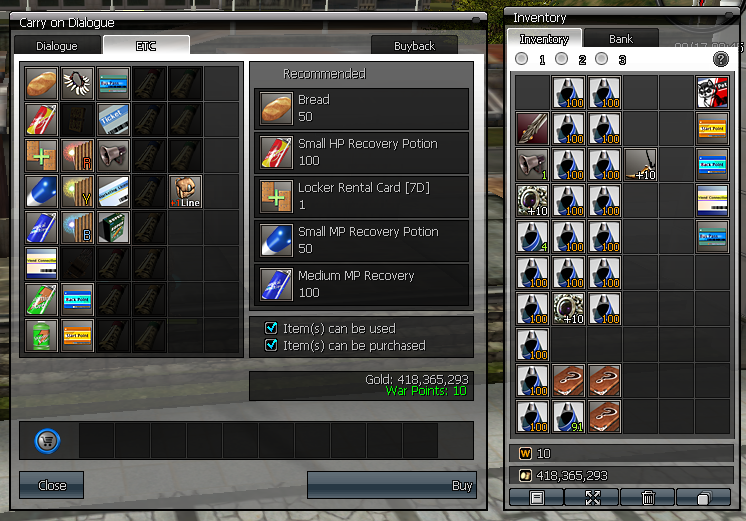
by default really? with user interface? what im talking about is interface did wpoints enable on inventory? press i and do some screenshot

i see premium points disabled haha
You must have a little knowledge of C/C++


how to enable it ?? would you give a hint

how about inventory tab? how to make all tab working? did it all work here?
you can see code sample source ep9 and code same it
mean you change size inventory?it's probably working for me by default, didn't do anything about the War Points, I don't know about the Premium Points yet
inventory tab? you mean the 1 2 and 3 tabs? yes its working here just edit some codes
Hi blackcatyb can I ask you for some codings? haha how can i change the inventory set up from top - bottom to left - right when looting or unequiping items
backpack unlock portion..my previous inventory ep9 source even i unlock all lines after you relogin still tab 1 can only be savedmean you change size inventory?



![ScreenShot20150827[2325]000 - 5 Class Source - RaGEZONE Forums](/data/attachments/90/90420-e036d297f5127a0a219a539a032ac569.jpg?hash=_i-k-v5kYn)