DMO Emulator

Status
Not open for further replies.
Anyone feel like making a tutorial? No idea how to go about it. Read every single page and still have no clue. Wasn't really a very defined set of instructions.
 
Will be uploading the patch folder as one bundle for patch 15 in the morning and will have my server runing for the fun of it in the morning. so see you then.

P.S. Will be limited and unknown what will happen with people on haven't test properly Online.
Will post on here when server is up.

Also still need help with commands getting no luck here
 
for all have client error on version 20 you must be use v15 you can download v15 here
 
Just a heads up: the Sky Editor released a few pages back doesn't work correctly since it doesn't add the correct hash to the password which will lead into the "username/password is wrong" error you might get in the login screen.

Here's a quick script I've made with a good for nothing panel, which you can only see the characters linked to your account right now. The important part is the registration, everything else is just simple addons.
Warning: This is for testing purposes. There's not enough security and the code is pretty horrible but it works fine.

P.S.: It's a PHP file which means you've gotta have a webserver hosted on your computer. (e.g.: XAMPP, WAMP) < just google one of those.

File is attached to this post.

P.S.2.: Don't change the name of the file.

Tutorial:
Copy stuff.php into your htdocs folder (if using xampp) or to your www folder (if using wamp).
Open stuff.php with notepad and edit the following lines with your information.

$host = 'localhost'; -This is your host. Leave it like this if your server database is in your computer. $mysqlUser = 'root'; - This is your MySQL Username.
$mysqlPassword = ' '; - This is your MySQL Password.
$mysqlDATABASE = 'dmo'; - This is your Digimon Masters Online database.


After editing all the information, save and close the file. Open it on your webbrowser ("http://localhost/stuff.php") and have fun.

Don't edit anything on the file unless you know what you're doing.


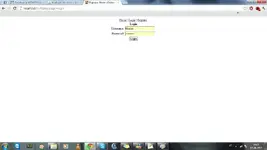
Edit: added pics
panel - DMO Emulator - RaGEZONE Forums register - DMO Emulator - RaGEZONE Forums login - DMO Emulator - RaGEZONE Forums
 

Attachments

Last edited:
Just a heads up: the Sky Editor released a few pages back doesn't work correctly since it doesn't add the correct hash to the password which will lead into the "username/password is wrong" error you might get in the login screen.

Here's a quick script I've made with a good for nothing panel, which you can only see the characters linked to your account right now. The important part is the registration, everything else is just simple addons.
Warning: This is for testing purposes. There's not enough security and the code is pretty horrible but it works fine.

P.S.: It's a PHP file which means you've gotta have a webserver hosted on your computer. (e.g.: XAMPP, WAMP) < just google one of those.

File is attached to this post.

P.S.2.: Don't change the name of the file.

Tutorial:
Copy stuff.php into your htdocs folder (if using xampp) or to your www folder (if using wamp).
Open stuff.php with notepad and edit the following lines with your information.

$host = 'localhost'; -This is your host. Leave it like this if your server database is in your computer. $mysqlUser = 'root'; - This is your MySQL Username.
$mysqlPassword = ' '; - This is your MySQL Password.
$mysqlDATABASE = 'dmo'; - This is your Digimon Masters Online database.


After editing all the information, save and close the file. Open it on your webbrowser ("http://localhost/stuff.php") and have fun.

Don't edit anything on the file unless you know what you're doing.


Edit: added pics
View attachment 110902View attachment 110903View attachment 110904

well thanks
gonna give this a go
now all i need is a working client lol

EDIT having a problem connecting to my loaclhost
im using xampp
here is my Xammp log
10:22:59 PM [main] Initializing Modules
10:22:59 PM [mysql] MySQL Service Detected With Wrong Path
10:22:59 PM [mysql] Uninstall the service manually first
10:22:59 PM [mysql] Possible problem detected!
10:22:59 PM [mysql] Port 3306 in use by "mysqld.exe"!
10:22:59 PM [main] Starting Check-Timer
10:22:59 PM [main] Control Panel Ready
 
Last edited:
^ You've already got MySQL running. The xampp bundle comes with both an Apache server (the webserver) and a new fresh MySQL Server (the database). just start xampp-control.exe and start the apache service and leave MySQL unchecked. It should work then ^^
 
^ You've already got MySQL running. The xampp bundle comes with both an Apache server (the webserver) and a new fresh MySQL Server (the database). just start xampp-control.exe and start the apache service and leave MySQL unchecked. It should work then ^^
welli did that but im still not able to get into the file u provided
here is a screenshot
problem - DMO Emulator - RaGEZONE Forums

and yes i ran with admin privilages

EDIT how dumb am i.:blushing: forgot to start apache
 
@Masius
Sorry,forget to add SHA2 fuction :P,edited now works like a charm :D update soon with more features,anyone mind helping as it will be a free release?

 
Finished corectly the hashing part, now is working like a charm.

@New Account
Added Admin Level field
- 0 : Default User
- 99 : Admin

DOWNLOAD LINK :
 
what command?o.o?

Still not working ,even after i made like Shiro said...still disconnects at character screen...any ideas?

Edit : After i get disconnect i look in Auth Server and the last log is :
Sending Server List
 
Last edited:
Here are the files you need:


The is on big update from v6 to v15, after putting patch in the dmo files make sure that you changed the vGDMO to v15 or patch wont work

My server is going to up Now :ONLINE
change it in your hosts from 127.0.0.1 account.dmo.joymax.com
to 62.31.58.194 account.dmo.joymax.com
Pre-made Accounts:
test
test2
test3 all the passwords for these accounts are test, if there anyone who needs a account because these one are being used or dont work then post a message on here or pm me
 
thanks but i think it's from my host file..i didn't edit it,could you give me some instruction what i need to edit in hosts file?

Edit: It's not from host file,i don't know why i keep getting disconnect :(

DigitzZ please upload your current source
 
Last edited:
Status
Not open for further replies.
Back