Junior Spellweaver
- Joined
- May 18, 2021
- Messages
- 139
- Reaction score
- 8
How to enabled the UI Interface for EventPass help me please




 need help
im always auto closeI made a version of this same VM for EP35
>>>>Cabal Online - Episode 33 (OFFLINE PLAY)<<<<
Enjoy!
BACKUP LINKS CAN BE FOUND HERE:
Server
To view the content, you need to sign in or register
Client
To view the content, you need to sign in or register
VM EP35:To view the content, you need to sign in or register
Cliente EP35:To view the content, you need to sign in or register
Executable:To view the content, you need to sign in or register
Version: 275
MagicKey: 722035098
|Disabled:
-Language verification
-File not found or corrupted
-File is corrupted
-Game Data Files Are Abnormal. Please re-install.
-ECH Extended to 27
1° Added most of KR's costumes
2° UI Interface for EventPass disabled
3° FIX MN Creation char invisible
4° Fix same Dragonium itens
5° All mobs for KR Test
To change your language in the game, simply change the Opt.dat file to your preferred language.
View attachment 299075
1 to Korean;
2 to English
3 to Thai;
4 to Japanese
5 to German
6 to Portuguese
7 to Indonesian
8 to Russian
9 to Vietnamese
A to Chinese(CHN)
B to Chinsee(TWN)
C to French
D to Italian
E to Spanish
========================================================================
This post is subject to updates. New features will be added.
im always auto close whay.? who can help meI made a version of this same VM for EP35
>>>>Cabal Online - Episode 33 (OFFLINE PLAY)<<<<
Enjoy!
BACKUP LINKS CAN BE FOUND HERE:
Server
To view the content, you need to sign in or register
Client
To view the content, you need to sign in or register
VM EP35:To view the content, you need to sign in or register
Cliente EP35:To view the content, you need to sign in or register
Executable:To view the content, you need to sign in or register
Version: 275
MagicKey: 722035098
|Disabled:
-Language verification
-File not found or corrupted
-File is corrupted
-Game Data Files Are Abnormal. Please re-install.
-ECH Extended to 27
1° Added most of KR's costumes
2° UI Interface for EventPass disabled
3° FIX MN Creation char invisible
4° Fix same Dragonium itens
5° All mobs for KR Test
To change your language in the game, simply change the Opt.dat file to your preferred language.
View attachment 299075
1 to Korean;
2 to English
3 to Thai;
4 to Japanese
5 to German
6 to Portuguese
7 to Indonesian
8 to Russian
9 to Vietnamese
A to Chinese(CHN)
B to Chinsee(TWN)
C to French
D to Italian
E to Spanish
========================================================================
This post is subject to updates. New features will be added.

Your problem is really strange.
Did you actually patch the game?
IP 222.122.130.150 is the old IP of the server that this client will log into.
You need to adjust it (then encode it into a language.enc file) or use an internal.txt file (like mine).
Are you actually able to play the game now?
If you haven't adjusted it correctly, this client will actually connect to the 222.122.130.150 server.
View attachment 304778
View attachment 304779


Link to download the GM tool and please helpis there any gm tool i can use for this offline game? thank you in advance.
Here i remove the Python App i transfer to Visual Studio


there is a "internal and internal.txt" i.p of both should be the same. its in there the data folderLink to download the GM tool and please help
Here is my Simple Python GM tools but its useful you dont need to search in dec file its already in the tools all you want it to type the item
you want to send into you account
Here i remove the Python App i transfer to Visual Studio
Remember Check Folder Connection for your Database Connection
- Wataryx23
- Replies: 26
- Forum: Cabal Releases
Why can't I connect even though I've configured the internal settings with the correct IP address?
View attachment 310598

i have same issues, you got fixed ?Hi all — I have exactly the same issue chitian described in post #140, and I
want to add hard data, because in that exchange it was attributed to a bad
internal.txt setup, and I can rule that out with evidence.
SYMPTOM
After logging in and entering the world, the client closes itself after
26-47 seconds (measured across 8 sessions), doing absolutely nothing in game.
IT IS NOT A CRASH
- No .RPT file and no Windows Error Reporting event. I verified this by
comparing against a real crash of the same client, which produces both.
- On the way out it writes opt.dat, LocalOption.dat, Data\DgSetting.dat and
Data\usersetting.dat — the normal save-on-exit set.
- Static analysis (x64): the WndProc at RVA 0x20859C calls the default
handler 0x21FA1C, which calls DestroyWindow at 0x21FB83. The binary
imports no ExitProcess, PostQuitMessage or TerminateProcess. The exit runs
entirely through the normal window-destroy path — the client decides to
close itself.
SERVER SIDE IS CLEAN
- WorldSvr logs C2S_VERIFYLINKS -> C2S_GETMYCHARTR -> C2S_INITIALIZED with
no errors, and keeps streaming data to the client until the very end.
- The server never initiates the close. Packet capture shows the client
sends zero application packets for the whole session (TCP ACKs only),
then flushes ~461 bytes and sends RST.
ALREADY RULED OUT (all tested, symptom unchanged)
- Pet. Row hard-deleted with the character offline; PetInformationMap no
longer loads. Note for anyone trying this: a soft delete via DeleteDate is
useless, WorldSvr rewrites the row on logout and resets it to NULL.
- StunSvr. WorldSvr_01_01.ini advertises 38110/48110 but StunSvr listens on
38109/48109, and neither is published by the container. Fixed both — no
traffic ever reaches it anyway.
- rpt.cabal.co.kr / 222.122.130.150:80. Dead host, the client hangs ~21s per
attempt. Redirected it to a local nginx and made POST /api/logs/ return
200 instead of 404 (it was retry-looping ~160 times). No change.
- XIGNCODE (its log is untouched since 2023), Windows Defender, client
language, the Data/ folder (byte-identical to the pristine client),
character data (also tested with a level 194 character), and the exe variant.
- The "breaklee" argument suggested earlier in the thread: that string does
not exist in any of this client's executables. "husky" does, but it is
only a CreateEventA name for single-instance detection, not a mode switch.
anbinh — you mentioned this client runs stable for you. Could you tell me
exactly which client download you are using (link, or file name and size)?
And do you also see the repeated connection attempts to 222.122.130.150:80
while in game?
Anyone who has this client staying in game for more than a couple of
minutes, I'd appreciate knowing which build it is.
Thanks.
Hi all — same issue chitian described in post #140. I've done a fairly deep
investigation and I want to share hard data, because in that exchange the
problem was attributed to a bad internal.txt setup, and I can rule that out.
There are actually TWO separate symptoms. Please don't conflate them.
=====================================================================
SYMPTOM 1 — in-game ACCESS_VIOLATION at 0x14029F1B1
=====================================================================
This one is a known, recurring bug of this exact build, and I can prove it.
The client download ships the packager's own Bin\x64\CabalMain.RPT (861 KB).
It contains 55 crash reports logged over two days (2025-11-21 to 11-23):
0x14061E4C5 10 times
0x14078DC5B 9 times
0x1401F0528 7 times
0x14029F1B1 6 times
(plus ~20 more across other addresses)
I hit 0x14029F1B1 myself, and the call stack matches frame for frame:
14029f1b1 <- 1407a2e58 <- 140657d33 <- 14060085e <- 14020d8b7
So this is not anyone's misconfiguration — the build itself is unstable and
crashed ~55 times during normal use while it was being packaged.
=====================================================================
SYMPTOM 2 — client closes itself ~30s after entering the world
=====================================================================
This is the one chitian reported, and it produces NO crash report at all,
so it does not appear in the list above. It is a different problem.
After logging in and entering the world, the client closes itself after
26-47 seconds (measured across 8 sessions), doing absolutely nothing in game.
It is NOT a crash:
- No .RPT and no Windows Error Reporting event. I verified this by comparing
against a real crash of the same client, which produces both.
- On the way out it writes opt.dat, LocalOption.dat, Data\DgSetting.dat and
Data\usersetting.dat — the normal save-on-exit set.
- Static analysis (x64): the WndProc at RVA 0x20859C calls the default
handler 0x21FA1C, which calls DestroyWindow at 0x21FB83. The binary
imports no ExitProcess, PostQuitMessage or TerminateProcess. The exit runs
entirely through the normal window-destroy path. The client decides to
close itself.
Server side is clean:
- WorldSvr logs C2S_VERIFYLINKS -> C2S_GETMYCHARTR -> C2S_INITIALIZED with
no errors and keeps streaming data to the client until the very end.
- The server never initiates the close. Packet capture shows the client
sends zero application packets for the whole session (TCP ACKs only),
then flushes ~461 bytes and sends RST.
=====================================================================
ALREADY RULED OUT (all tested, symptom unchanged)
=====================================================================
- Pet. Row hard-deleted with the character offline; PetInformationMap no
longer loads. Worth knowing for anyone trying this: a SOFT delete via
DeleteDate is useless, WorldSvr rewrites the row on logout and resets it
to NULL.
- StunSvr. WorldSvr_01_01.ini advertises 38110/48110 but StunSvr listens on
38109/48109, and neither is published by the container. Fixed both — no
traffic ever reaches it anyway.
- rpt.cabal.co.kr / 222.122.130.150:80. Dead host; the client hangs ~21s per
attempt. Redirected it to a local nginx and made POST /api/logs/ return
200 instead of 404 (it was retry-looping ~160 times). No change.
- XIGNCODE (its log is untouched since 2023), Windows Defender, client
language, the Data/ folder (byte-identical to the pristine client),
character data (also tested on a level 194 character), and the exe variant.
- The "breaklee" argument suggested earlier in the thread: that string does
not exist in ANY of this client's executables. "husky" does, but it is
only a CreateEventA name used for single-instance detection, not a mode
switch.
- Re-downloading the client. I tried a second download: byte-identical
(same MD5 on all three CabalMain executables).
=====================================================================
QUESTIONS
=====================================================================
anbinh — you said this client runs stable for you. Could you tell me
exactly which client download you use (link, or file name and size)? And do
you also see the repeated connection attempts to 222.122.130.150:80 while
in game?
To anyone who stays in game for more than a couple of minutes on EP35:
which build are you running? Given the crash log above, I suspect the
answer is simply a different one.
Happy to share the packet captures, the crash log analysis or the server
logs if it helps anyone.
Thanks.

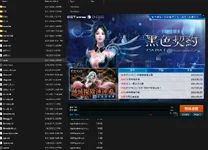
Hi there. I downloaded EP35 using your link. I managed to start the server successfully, but when I launch the game via `cabalmain` in the client, the launcher appears with a Chinese interface and shows an update in progress. Could you please guide me on how to play Cabal EP35 offline? Thanks a lot.I made a version of this same VM for EP35
>>>>Cabal Online - Episode 33 (OFFLINE PLAY)<<<<
Enjoy!
BACKUP LINKS CAN BE FOUND HERE:
Server
To view the content, you need to sign in or register
Client
To view the content, you need to sign in or register
VM EP35:To view the content, you need to sign in or register
Cliente EP35:To view the content, you need to sign in or register
Executable:To view the content, you need to sign in or register
Version: 275
MagicKey: 722035098
|Disabled:
-Language verification
-File not found or corrupted
-File is corrupted
-Game Data Files Are Abnormal. Please re-install.
-ECH Extended to 27
1° Added most of KR's costumes
2° UI Interface for EventPass disabled
3° FIX MN Creation char invisible
4° Fix same Dragonium itens
5° All mobs for KR Test
To change your language in the game, simply change the Opt.dat file to your preferred language.
View attachment 299075
1 to Korean;
2 to English
3 to Thai;
4 to Japanese
5 to German
6 to Portuguese
7 to Indonesian
8 to Russian
9 to Vietnamese
A to Chinese(CHN)
B to Chinsee(TWN)
C to French
D to Italian
E to Spanish
========================================================================
This post is subject to updates. New features will be added.
Hi there. I downloaded EP35 using your link. I managed to start the server successfully, but when I launch the game via `cabalmain` in the client, the launcher appears with a Chinese interface and shows an update in progress. Could you please guide me on how to play Cabal EP35 offline? Thanks a lot.I made a version of this same VM for EP35
>>>>Cabal Online - Episode 33 (OFFLINE PLAY)<<<<
Enjoy!
BACKUP LINKS CAN BE FOUND HERE:
Server
To view the content, you need to sign in or register
Client
To view the content, you need to sign in or register
VM EP35:To view the content, you need to sign in or register
Cliente EP35:To view the content, you need to sign in or register
Executable:To view the content, you need to sign in or register
Version: 275
MagicKey: 722035098
|Disabled:
-Language verification
-File not found or corrupted
-File is corrupted
-Game Data Files Are Abnormal. Please re-install.
-ECH Extended to 27
1° Added most of KR's costumes
2° UI Interface for EventPass disabled
3° FIX MN Creation char invisible
4° Fix same Dragonium itens
5° All mobs for KR Test
To change your language in the game, simply change the Opt.dat file to your preferred language.
View attachment 299075
1 to Korean;
2 to English
3 to Thai;
4 to Japanese
5 to German
6 to Portuguese
7 to Indonesian
8 to Russian
9 to Vietnamese
A to Chinese(CHN)
B to Chinsee(TWN)
C to French
D to Italian
E to Spanish
========================================================================
This post is subject to updates. New features will be added.

Hello. Could you guide me on how to enter the game?force close use costume weapon dan pet, how to fix?
this tutorial on youtubeHello. Could you guide me on how to enter the game?

not enough gold