/*Better pagination */
 .pageNav-page>a{
     border: 1px solid #393939;
     padding: 10px;
}
 .pageNav-page {
     background: #404345;
}
 .pageNav-page.pageNav-page--current{
     background: #5eade5;
}
 .pageNav-page:hover, .pageNav-page:active {
     background: #5eade5;
}
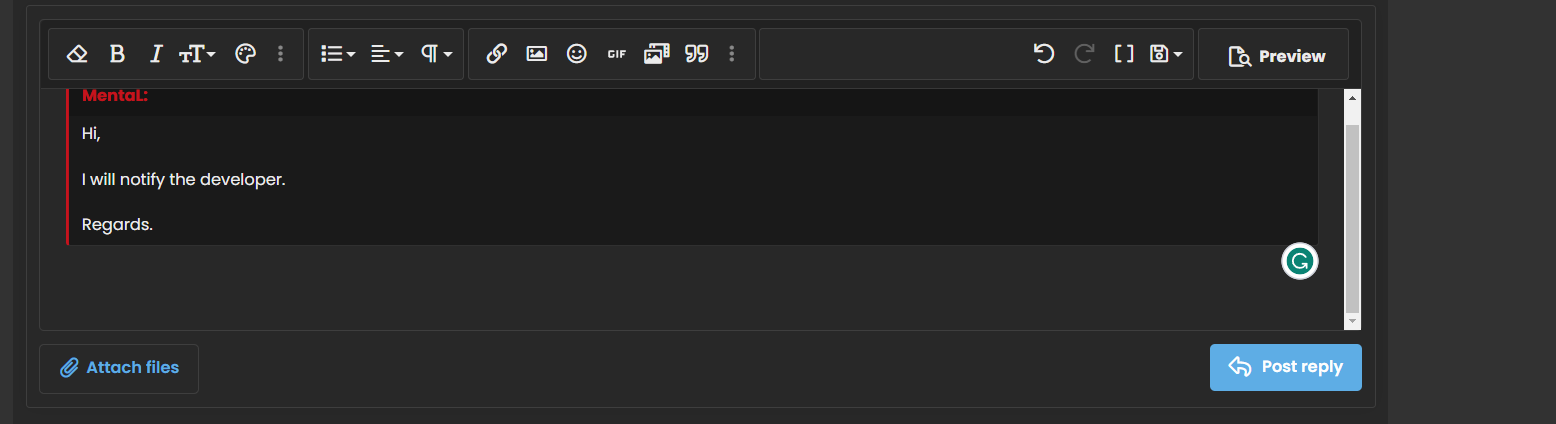
/* Remove shitty scroll on the textarea */
 .fr-wrapper {
     overflow-y: scroll !important;
     overflow-x: hidden !important;
}
/* Better tooltip */
 .tooltip--basic .tooltip-content {
     background: rgb(26 26 26);
}
 .tooltip--basic.tooltip--top .tooltip-arrow {
     border-top-color: rgb(26 26 26);
}
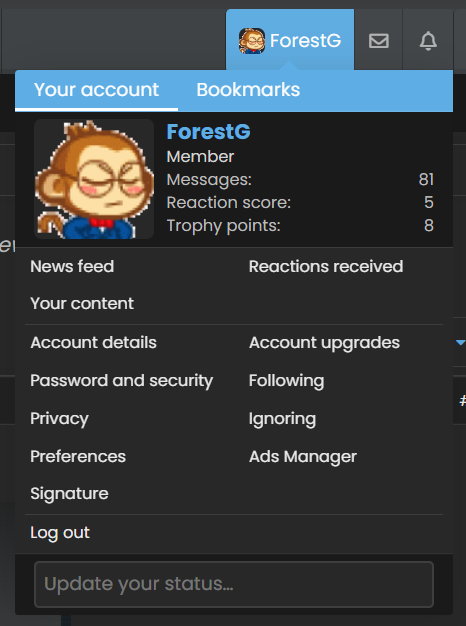
/* Better acc-pagination */
 .p-navgroup-link.is-menuOpen {
   background: #5eade5;
}
/* Remove the black thing */
 .menu-content{
     border: none;
}
 .menu-tabHeader .tabs-tab.is-active {
     color: #fefefe;
     border-color: #fefefe;
}
 .menu-tabHeader .tabs-tab:hover {
     border-color: #fefefe;
}
/* Better badge */
/* No need to make it red, it looks **** */
 .structItem.is-unread .structItem-title a:not(.labelLink):after,
 .node--newIndicator {
     background: #464343;
}
 /* Why red? */
.message-cell .collapseTrigger:not(.button):hover:before {
  background: #5eade5;
}

.fr-view blockquote {
  border-left: 3px solid #5eade5;
}

.fr-view blockquote[data-quote]:before {
  color: #5eade5;
}