Guild Emblem / Frame

Junior Spellweaver
Joined
Feb 10, 2009
Messages
139
Reaction score
1
Hey Guys,

Just a quick question, is the guild emblem/frame working in the EP8 release?
I sent myself the items but right clicking it "on/off" doesn't do anything. Is my guild supposed to be max level for it to work?


Thanks,
 
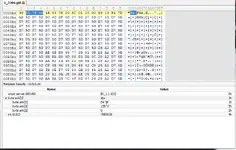
you don't need to edit anything to make guild icons work, file format is like this: int sv_idx, int guild_idx, int texture_size and the texture itself, now there are a few problems .... we can't change the texture data (seems encrypted) and sv_idx and guild_idx have some kind of xor on them ... here's the template i've made so far


nope it helps :D

Scrip Work Good Jobb
Thx X30
 
Upvote 0
you don't need to edit anything to make guild icons work, file format is like this: int sv_idx, int guild_idx, int texture_size and the texture itself, now there are a few problems .... we can't change the texture data (seems encrypted) and sv_idx and guild_idx have some kind of xor on them ... here's the template i've made so far


hope it helps :D
Thx just edit gld file work emblem but fix emblem more dev
Cabal(130425-2016-Ver374-0000) - Guild Emblem / Frame - RaGEZONE Forums
 
Upvote 0
I read this about 10 minutes and I created template
x30unlimited thank for post here is the effect
emblem - Guild Emblem / Frame - RaGEZONE Forums
here Template for SweetScape
Guild.bt
Code:
typedef enum <int> {
    Hidden = 0,
    Visible = 1,
} state;

typedef enum <byte> {
ID_1 = 99h,
ID_2 = 9Ah,
ID_3 = 9Bh,
ID_4 = 64h,
ID_5 = 65h,
ID_6 = 66h,
ID_7 = 67h,
ID_8 = 60h,
ID_9 = 61h,
ID_10 = 62h,
ID_11 = 63h,
ID_12 = 6Ch,
ID_13 = 6Dh,
ID_14 = 6Eh,
} server;

server SERVER;
byte unk[3];
int GUILD;
 
Last edited:
Upvote 0
here's the updated version of the template ( yamachi style <3 ) :P

Code:
//--------------------------------------##
// Game: CABAL Online
// File Format: GLD
// Description: Template for CABAL's Guild Emblem files
//--------------------------------------##
// Author: x30
// Website: http://cabal.ws
//--------------------------------------##

//-Enumerations-------------------------

typedef struct {
   uint xoredValue;
} xoredUInt <read=xoredUIntRead, write=xoredUIntWrite>;

//-Functions----------------------------

string xoredUIntRead(xoredUInt &x) {
    uint realValue = (x.xoredValue & 0xFFFFFFFF ^ 0x2147E4) - 0x59077C;
    string s;
    SPrintf(s, "%d", realValue);
    return s;
}

void xoredUIntWrite(xoredUInt &x, string s ) {
    uint realValue;
    SScanf(s, "%d", realValue);
    x.xoredValue = (realValue & 0xFFFFFFFF) + 0x59077C ^ 0x2147E4;
}

//-Main---------------------------------

xoredUInt serverId;
xoredUInt guildId;
uint textureSize;
ubyte xoredTextureData[textureSize];

and here is a script to xor texture data :)
Code:
//--------------------------------------##
// Game: CABAL Online
// File Format: GLD
// Description: Do a XOR operation on a given texture data
//--------------------------------------##
// Author: x30
// Website: http://cabal.ws
//--------------------------------------##

//-Functions----------------------------

ubyte[] textureXor(ubyte textureData[]){    
    uint i;
    for(i=1;i<sizeof(textureData);++i){
        if(i%2>0) textureData[i]=textureData[i] ^ 0x5D;
        else textureData[i]=textureData[i] ^ 0xD7;
    }
    return textureData;
}

//-Main---------------------------------

textureXor(xoredTextureData);

i want some1 to make a tool and share it (for newbies), if you do, i'll offer something interesting :P
 
Last edited:
Upvote 0
Nice... now , and left. :)
 
Upvote 0
It works! Here's what I did
1. First make a copy of .gld file from your guild folder or use this !
2. In test serv we use Sirius server so it'll be 9 for server ID and my Guild number is 1(note: you can check your GuildNo(column) in your database under SERVER01 > dbo.Guild). In my case I will rename the file "1_958 - Copy.gld" to "9_1.gld" without quotes ofc.
3. next you have to make your own emblem in Photoshop and make sure you have the Plug-ins for , size 16x16 pixel save as .dds(in photoshop) or you can use .
4. next is download the Guild Emblem Tool. Thanks to KomeKeto for this great tool.
5. Open the tool > under Guild File > click Open and browse in folder \CabalFolder\guild\ for gld file in this case I use 9_1.gld so just open the file in the tool. Under servID change it to 9 and GuildID to 1 then click Import and open the "agnGM.DDS" file once open texture change to the emblem you loaded. "Texture Imported" click OK
6. click File > Save > in same folder \CabalFolder\guild click Save to replace the file. "File saved" click OK
7. In your \CabalFolder\guild\ open the file 9_1.gld in your 010Editor and you must have this templates Guild Emblem.bt/textureDataXor.1sc by x30unlimited from HERE open the two files in your 010editor.
8. in the upper right of 010 Editor, choose Guild_Emblem.bt click green triangle to run template, at this point you will see serverId and guildId, check if it is 9 and 1 when done do a ctrl+s to save.
you will see something [URL="
striker1010 - Guild Emblem / Frame - RaGEZONE Forums


also I don't know if this will work with xdata working I've tested this with cabalmain that skip xdata.

goodluck
 
Upvote 0
It works! Here's what I did
1. First make a copy of .gld file from your guild folder or use this !
2. In test serv we use Sirius server so it'll be 9 for server ID and my Guild number is 1(note: you can check your GuildNo(column) in your database under SERVER01 > dbo.Guild). In my case I will rename the file "1_958 - Copy.gld" to "9_1.gld" without quotes ofc.
3. next you have to make your own emblem in Photoshop and make sure you have the Plug-ins for , size 16x16 pixel save as .dds(in photoshop) or you can use .
4. next is download the Guild Emblem Tool. Thanks to KomeKeto for this great tool.
5. Open the tool > under Guild File > click Open and browse in folder \CabalFolder\guild\ for gld file in this case I use 9_1.gld so just open the file in the tool. Under servID change it to 9 and GuildID to 1 then click Import and open the "agnGM.DDS" file once open texture change to the emblem you loaded. "Texture Imported" click OK
6. click File > Save > in same folder \CabalFolder\guild click Save to replace the file. "File saved" click OK
7. In your \CabalFolder\guild\ open the file 9_1.gld in your 010Editor and you must have this templates Guild Emblem.bt/textureDataXor.1sc by x30unlimited from HERE open the two files in your 010editor.
8. in the upper right of 010 Editor, choose Guild_Emblem.bt click green triangle to run template, at this point you will see serverId and guildId, check if it is 9 and 1 when done do a ctrl+s to save.
you will see something [URL="
striker1010 - Guild Emblem / Frame - RaGEZONE Forums


also I don't know if this will work with xdata working I've tested this with cabalmain that skip xdata.

goodluck

thanks very useful for newbie :)
 
Upvote 0
It works! Here's what I did
1. First make a copy of .gld file from your guild folder or use this 1_958 - Copy.gld!
2. In test serv we use Sirius server so it'll be 9 for server ID and my Guild number is 1(note: you can check your GuildNo(column) in your database under SERVER01 > dbo.Guild). In my case I will rename the file "1_958 - Copy.gld" to "9_1.gld" without quotes ofc.
3. next you have to make your own emblem in Photoshop and make sure you have the Plug-ins for dds format, size 16x16 pixel save as .dds(in photoshop) or you can use this example.
4. next is download the Guild Emblem Tool. Thanks to KomeKeto for this great tool.
5. Open the tool > under Guild File > click Open and browse in folder \CabalFolder\guild\ for gld file in this case I use 9_1.gld so just open the file in the tool. Under servID change it to 9 and GuildID to 1 then click Import and open the "agnGM.DDS" file once open texture change to the emblem you loaded. "Texture Imported" click OK
6. click File > Save > in same folder \CabalFolder\guild click Save to replace the file. "File saved" click OK
7. In your \CabalFolder\guild\ open the file 9_1.gld in your 010Editor and you must have this templates Guild Emblem.bt/textureDataXor.1sc by x30unlimited from HERE open the two files in your 010editor.
8. in the upper right of 010 Editor, choose Guild_Emblem.bt click green triangle to run template, at this point you will see serverId and guildId, check if it is 9 and 1 when done do a ctrl+s to save.
you will see something like this

also I don't know if this will work with xdata working I've tested this with cabalmain that skip xdata.

goodluck

tnx to this working
 
Upvote 0
Back