How to Mu Server? (Mobile Preferred) Mu Mobile 

Initiate Mage
Joined
Apr 2, 2024
Messages
2
Reaction score
0
Hello, I would like to create a Mu server online, but I would like it for Mobile.

I haven't found any files, how hard is it to find ones?

Im a developer and I know how to script, is it possible to access the source code to modify stuff?
 
The files of mu origin mobile are now no longer free, they are usually sold especially premium files
 
Upvote 0
Mu Origin in Unity 3D, the files do not need installation, you just have to follow the following steps and that's it.

Change your IP to 192.168.1.253
1 - Extract everything to D:\
2 - Open phpstudy in phpstudy folder
3 - Run 1.bat (put 1270 enter, if can't put 1)
4 - Run 2.bat
5 - Run 3.bat
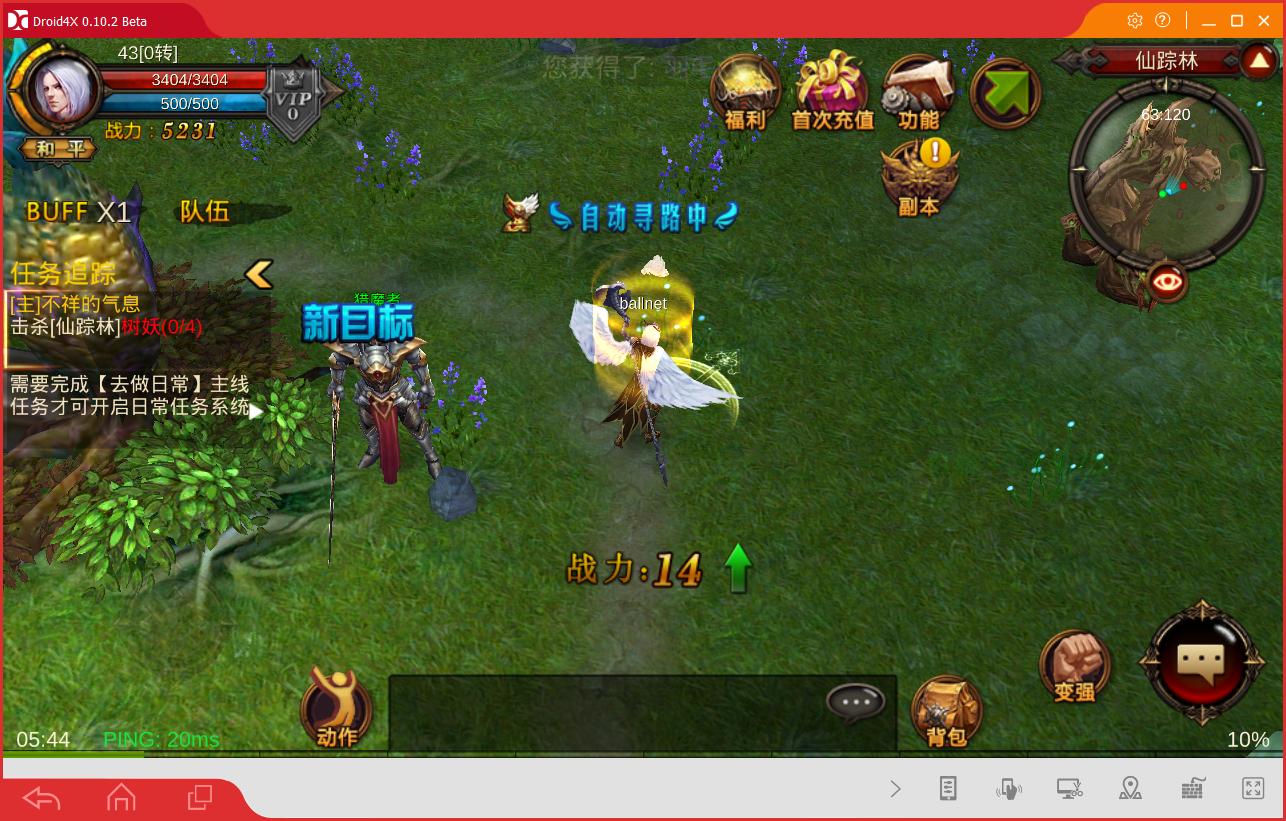
6 - Install the APK on your mobile or PC using (droid4x or bluestack) and Play


USER AND PASS SQL :
User :root

Pass : yrCFeP1u7QvAJ


OR


06/25/2016 - As we said before, we have made great progress in the translation, we have all the tools to translate the entire game, but there are very, very happy to do some part that has to be done line by line, so which will take a while for now there are 3 people who translate the game. There, SilkLicious and zythe. We also made progress in the source of the server files, Jerónima practically everything fixed. Therefore I receive more news will be published here.

06/22/2016 - Hello, Good news again.
We have had success translating the bin folder, quests, items, and other things. Now we can say that our translation is 90%. The only thing left is to finish the translation of files (there are many). I would like to thank Zythe and SilkLicious for helping tremendously.

06/19/2016 pt2 - Hello, good news.
I was able to translate the game server.
Now I need someone who knows how to work with the utility, I unpacked the files inside the bin folder, but I need to repack, and I have no idea how to do it.

06/19/2016 - We describe and decompile Assembly-CSharp (All the animals are here), now we have a better source, and we need to rebuild it, there are some bugs with some libraries, which we are working on. We also have a team working on the Jerónima Unity project, which will be able to get the full source and the ability to play also in the browser or desktop. But if you are new here, whichever one you want to contribute, you can work on trying Assembly-CSharp, which is located in the container inside the client, the source code is there. I'll update the thread with the other common tools today. [/B]

06/17/2016 pt.2 - I am running a server test, the changes we are making are applied there, the server is a dedicated one and located in the USA. To connect simply download the 20% translated client and install it . PS: It's just a test server may be offline sometimes

06/17/2016 - We have successfully deciphered the Assembly, thanks to Jerónima. Also found that the client decompiles src and not the original source, and the latter we will try to move later to asp php xamp

06/16/2016 pt2 - We just discovered the SRC to the client, let's start looking at it

06/16/2016 - We are trying to translate the game, trying to use the client in English, but it uses a login system, and when you try to log in it crashes. So we thought we could have the client files in English and replace the Chinese client, we did, and it worked, but only 20% of the file translated. So we looked at file server and folders we found the GameRes translated completely, and again, it worked, but only 10% translated. Now we 100% believe that the files are in the Bin folder, but the files are encrypted, and if you try to copy and replace the files from the English client to Chinese will

What's in this version?


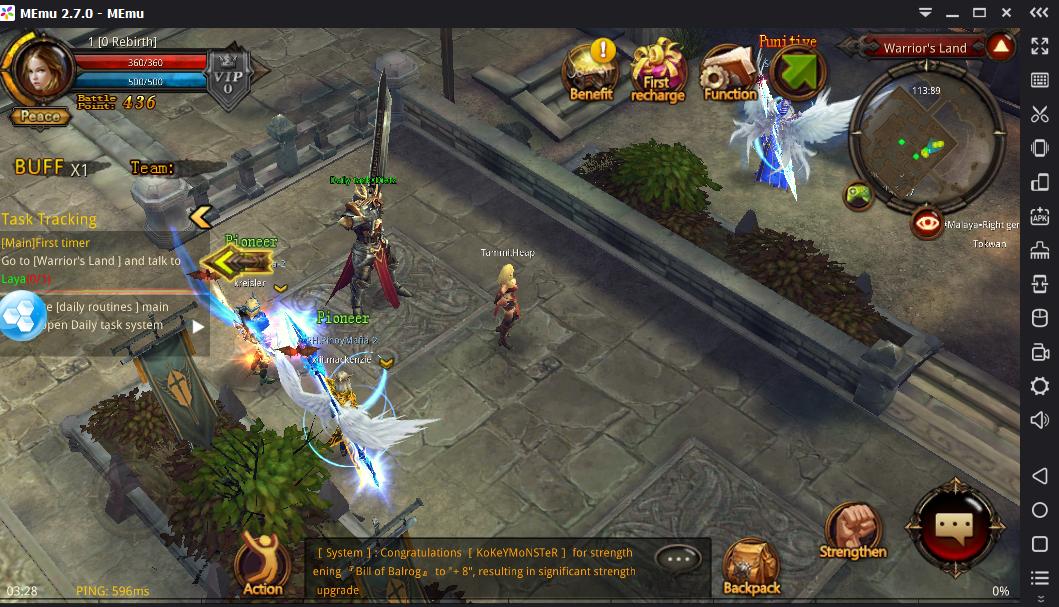
Session/Registration system works perfectly
user multiplayer (no bypass anymore)
The game has 0 errors
The game translates 20%


How to configure it?


Installing C++ REDISTRIBUTABLE Packages 2008/2010/2012 (both 32x64x)
Install SQL Server 2008 (You will need SQL Server Management)
Install MySQL (Navicat installation of tables, etc.)
Install Internet Information Services (IIS)
Install all preferred services
It is necessary to configure IP which is located in:


GameServerFolder
DatabaseFolder
LogDatabaseFolder
WebFolder
web_api folder
operate WebFolder
Folder in Client
smali Folder

Downloads

Server + Client + Database's + MySQL + Web:
Database SRC(Not modified):
Client SRC(Not modified):
Client Translated (Only 20%):

Original Client: (This Client was never used)
FullServer Files: you will find all the files, but mixed and Chinese)

Tools

XML File Translator:
Description: Used to translate the text in the GameRes folder.
ApkTools:
Description: Used to undo and redo the client.
ApkTools + Other stuff:
Description: Used to undo and redo the client, and also sign the APK
Decompile Unit and Tools:
Description: Used to translate


or


Upvote 0
Mu Origin in Unity 3D, the files do not need installation, you just have to follow the following steps and that's it.

Change your IP to 192.168.1.253
1 - Extract everything to D:\
2 - Open phpstudy in phpstudy folder
3 - Run 1.bat (put 1270 enter, if can't put 1)
4 - Run 2.bat
5 - Run 3.bat
6 - Install the APK on your mobile or PC using (droid4x or bluestack) and Play


USER AND PASS SQL :
User :root

Pass : yrCFeP1u7QvAJ


OR


06/25/2016 - As we said before, we have made great progress in the translation, we have all the tools to translate the entire game, but there are very, very happy to do some part that has to be done line by line, so which will take a while for now there are 3 people who translate the game. There, SilkLicious and zythe. We also made progress in the source of the server files, Jerónima practically everything fixed. Therefore I receive more news will be published here.

06/22/2016 - Hello, Good news again.
We have had success translating the bin folder, quests, items, and other things. Now we can say that our translation is 90%. The only thing left is to finish the translation of files (there are many). I would like to thank Zythe and SilkLicious for helping tremendously.

06/19/2016 pt2 - Hello, good news.
I was able to translate the game server.
Now I need someone who knows how to work with the utility, I unpacked the files inside the bin folder, but I need to repack, and I have no idea how to do it.

06/19/2016 - We describe and decompile Assembly-CSharp (All the animals are here), now we have a better source, and we need to rebuild it, there are some bugs with some libraries, which we are working on. We also have a team working on the Jerónima Unity project, which will be able to get the full source and the ability to play also in the browser or desktop. But if you are new here, whichever one you want to contribute, you can work on trying Assembly-CSharp, which is located in the container inside the client, the source code is there. I'll update the thread with the other common tools today. [/B]

06/17/2016 pt.2 - I am running a server test, the changes we are making are applied there, the server is a dedicated one and located in the USA. To connect simply download the 20% translated client and install it . PS: It's just a test server may be offline sometimes

06/17/2016 - We have successfully deciphered the Assembly, thanks to Jerónima. Also found that the client decompiles src and not the original source, and the latter we will try to move later to asp php xamp

06/16/2016 pt2 - We just discovered the SRC to the client, let's start looking at it

06/16/2016 - We are trying to translate the game, trying to use the client in English, but it uses a login system, and when you try to log in it crashes. So we thought we could have the client files in English and replace the Chinese client, we did, and it worked, but only 20% of the file translated. So we looked at file server and folders we found the GameRes translated completely, and again, it worked, but only 10% translated. Now we 100% believe that the files are in the Bin folder, but the files are encrypted, and if you try to copy and replace the files from the English client to Chinese will

What's in this version?


Session/Registration system works perfectly
user multiplayer (no bypass anymore)
The game has 0 errors
The game translates 20%


How to configure it?


Installing C++ REDISTRIBUTABLE Packages 2008/2010/2012 (both 32x64x)
Install SQL Server 2008 (You will need SQL Server Management)
Install MySQL (Navicat installation of tables, etc.)
Install Internet Information Services (IIS)
Install all preferred services
It is necessary to configure IP which is located in:


GameServerFolder
DatabaseFolder
LogDatabaseFolder
WebFolder
web_api folder
operate WebFolder
Folder in Client
smali Folder

Downloads

Server + Client + Database's + MySQL + Web:
Database SRC(Not modified):
Client SRC(Not modified):
Client Translated (Only 20%):

Original Client: (This Client was never used)
FullServer Files: you will find all the files, but mixed and Chinese)

Tools

XML File Translator:
Description: Used to translate the text in the GameRes folder.
ApkTools:
Description: Used to undo and redo the client.
ApkTools + Other stuff:
Description: Used to undo and redo the client, and also sign the APK
Decompile Unit and Tools:
Description: Used to translate


or


hi bro , link die :( please
 
Upvote 0
hi bro , link die :( please
what about this


Files/Web/Apk


Tools


Fix to solve limit on creating characters
Remplace SystemParams.xml in folder GameRes/config


Password: RageZone


(Unzip everything on Disk C)

Files:
Change all ips of the appconfig.xml files
C:\MuOrigin(HHExtreme)\Server

tonga420 - How to Mu Server? (Mobile Preferred) - RaGEZONE Forums


Web:
Change all ips of the version.xml files
C:\MuOrigin(HHExtreme)\WWW\IIS\t01

tonga420 - How to Mu Server? (Mobile Preferred) - RaGEZONE Forums


Apk: Change ips
APK\assets\bin\Data\Managed\Assembly-CSharp.dll
APK\assets\version.xml
APK\smali\com\kunlun\platform\android\KunlunConf$D.smali
APK\smali\com\kunlun\platform\android\KunlunConf$H.smali


Navicat (DB):

Change ips

mu_game_1\mu_kuafu\t_server_info
mu_game_1\mu_serverdata\t_serverdata


ISS (Internet Infromation Services)
Create a site on port 80, in "Physical path" Select C:\MuOrigin(HHExtreme)\WWW\IIS and in "Application Pool" select "DefaultAppPool"

Add application to folders: Admin, api, KFServerList, (in folder verify) QMQJlogin, TGGWLogin, TTGALogin, YNGWLogin, (in folder android) TGGWLogin, TGGALogin, YNGWLogin; ZTserverList, ZTServerList

Modify in Application Pools, right click on "DefaultAppPool" click on "Advanced Settings", on "Enable 32-bit app" set True
Add extension in MIME Types, File name extension * and Mime Type application / octet-stream

tonga420 - How to Mu Server? (Mobile Preferred) - RaGEZONE Forums


How to start to sever:
Run File 1. Start MySQL
Run File 2. Server Starter
Press START

More Info:
Password MySql: 123456 User: root
User: ragezone Password: ragezone from Admin Panel

IP of the files 109.238.14.30
Server edited and tested by me
The GameServer.exe is not blocked :)
Recommended to use Windows Server R2 2012 Only on English
Edit the HHMod.xml file to change the game parameters


How to Make a Web Admin Account:
Create an account in the game, open Navicat, open Database mu_serverinfo, open t_user table, find the account you want to administer and change in CtrlCode 0 for 9 (the same step to make more accounts)

tonga420 - How to Mu Server? (Mobile Preferred) - RaGEZONE Forums


More Images:
IN GAME
tonga420 - How to Mu Server? (Mobile Preferred) - RaGEZONE Forums

tonga420 - How to Mu Server? (Mobile Preferred) - RaGEZONE Forums

tonga420 - How to Mu Server? (Mobile Preferred) - RaGEZONE Forums

tonga420 - How to Mu Server? (Mobile Preferred) - RaGEZONE Forums


USER PANEL
tonga420 - How to Mu Server? (Mobile Preferred) - RaGEZONE Forums

tonga420 - How to Mu Server? (Mobile Preferred) - RaGEZONE Forums

tonga420 - How to Mu Server? (Mobile Preferred) - RaGEZONE Forums


ADMIN PANEL
tonga420 - How to Mu Server? (Mobile Preferred) - RaGEZONE Forums

tonga420 - How to Mu Server? (Mobile Preferred) - RaGEZONE Forums

tonga420 - How to Mu Server? (Mobile Preferred) - RaGEZONE Forums
 
Upvote 0
what about this


Files/Web/Apk


Tools


Fix to solve limit on creating characters
Remplace SystemParams.xml in folder GameRes/config


Password: RageZone


(Unzip everything on Disk C)

Files:
Change all ips of the appconfig.xml files
C:\MuOrigin(HHExtreme)\Server

tonga420 - How to Mu Server? (Mobile Preferred) - RaGEZONE Forums


Web:
Change all ips of the version.xml files
C:\MuOrigin(HHExtreme)\WWW\IIS\t01

tonga420 - How to Mu Server? (Mobile Preferred) - RaGEZONE Forums


Apk: Change ips
APK\assets\bin\Data\Managed\Assembly-CSharp.dll
APK\assets\version.xml
APK\smali\com\kunlun\platform\android\KunlunConf$D.smali
APK\smali\com\kunlun\platform\android\KunlunConf$H.smali


Navicat (DB):

Change ips

mu_game_1\mu_kuafu\t_server_info
mu_game_1\mu_serverdata\t_serverdata


ISS (Internet Infromation Services)
Create a site on port 80, in "Physical path" Select C:\MuOrigin(HHExtreme)\WWW\IIS and in "Application Pool" select "DefaultAppPool"

Add application to folders: Admin, api, KFServerList, (in folder verify) QMQJlogin, TGGWLogin, TTGALogin, YNGWLogin, (in folder android) TGGWLogin, TGGALogin, YNGWLogin; ZTserverList, ZTServerList

Modify in Application Pools, right click on "DefaultAppPool" click on "Advanced Settings", on "Enable 32-bit app" set True
Add extension in MIME Types, File name extension * and Mime Type application / octet-stream

tonga420 - How to Mu Server? (Mobile Preferred) - RaGEZONE Forums


How to start to sever:
Run File 1. Start MySQL
Run File 2. Server Starter
Press START

More Info:
Password MySql: 123456 User: root
User: ragezone Password: ragezone from Admin Panel

IP of the files 109.238.14.30
Server edited and tested by me
The GameServer.exe is not blocked :)
Recommended to use Windows Server R2 2012 Only on English
Edit the HHMod.xml file to change the game parameters


How to Make a Web Admin Account:
Create an account in the game, open Navicat, open Database mu_serverinfo, open t_user table, find the account you want to administer and change in CtrlCode 0 for 9 (the same step to make more accounts)

tonga420 - How to Mu Server? (Mobile Preferred) - RaGEZONE Forums


More Images:
IN GAME
tonga420 - How to Mu Server? (Mobile Preferred) - RaGEZONE Forums

tonga420 - How to Mu Server? (Mobile Preferred) - RaGEZONE Forums

tonga420 - How to Mu Server? (Mobile Preferred) - RaGEZONE Forums

tonga420 - How to Mu Server? (Mobile Preferred) - RaGEZONE Forums


USER PANEL
tonga420 - How to Mu Server? (Mobile Preferred) - RaGEZONE Forums

tonga420 - How to Mu Server? (Mobile Preferred) - RaGEZONE Forums

tonga420 - How to Mu Server? (Mobile Preferred) - RaGEZONE Forums


ADMIN PANEL
tonga420 - How to Mu Server? (Mobile Preferred) - RaGEZONE Forums

tonga420 - How to Mu Server? (Mobile Preferred) - RaGEZONE Forums

tonga420 - How to Mu Server? (Mobile Preferred) - RaGEZONE Forums

The apk here have bugs like when you click the overview stats its not showing and the web panel is too old how can we change that?
 
Upvote 0
what about this


Files/Web/Apk


Tools


Fix to solve limit on creating characters
Remplace SystemParams.xml in folder GameRes/config


Password: RageZone


(Unzip everything on Disk C)

Files:
Change all ips of the appconfig.xml files
C:\MuOrigin(HHExtreme)\Server

tonga420 - How to Mu Server? (Mobile Preferred) - RaGEZONE Forums


Web:
Change all ips of the version.xml files
C:\MuOrigin(HHExtreme)\WWW\IIS\t01

tonga420 - How to Mu Server? (Mobile Preferred) - RaGEZONE Forums


Apk: Change ips
APK\assets\bin\Data\Managed\Assembly-CSharp.dll
APK\assets\version.xml
APK\smali\com\kunlun\platform\android\KunlunConf$D.smali
APK\smali\com\kunlun\platform\android\KunlunConf$H.smali


Navicat (DB):

Change ips

mu_game_1\mu_kuafu\t_server_info
mu_game_1\mu_serverdata\t_serverdata


ISS (Internet Infromation Services)
Create a site on port 80, in "Physical path" Select C:\MuOrigin(HHExtreme)\WWW\IIS and in "Application Pool" select "DefaultAppPool"

Add application to folders: Admin, api, KFServerList, (in folder verify) QMQJlogin, TGGWLogin, TTGALogin, YNGWLogin, (in folder android) TGGWLogin, TGGALogin, YNGWLogin; ZTserverList, ZTServerList

Modify in Application Pools, right click on "DefaultAppPool" click on "Advanced Settings", on "Enable 32-bit app" set True
Add extension in MIME Types, File name extension * and Mime Type application / octet-stream

tonga420 - How to Mu Server? (Mobile Preferred) - RaGEZONE Forums


How to start to sever:
Run File 1. Start MySQL
Run File 2. Server Starter
Press START

More Info:
Password MySql: 123456 User: root
User: ragezone Password: ragezone from Admin Panel

IP of the files 109.238.14.30
Server edited and tested by me
The GameServer.exe is not blocked :)
Recommended to use Windows Server R2 2012 Only on English
Edit the HHMod.xml file to change the game parameters


How to Make a Web Admin Account:
Create an account in the game, open Navicat, open Database mu_serverinfo, open t_user table, find the account you want to administer and change in CtrlCode 0 for 9 (the same step to make more accounts)

tonga420 - How to Mu Server? (Mobile Preferred) - RaGEZONE Forums


More Images:
IN GAME
tonga420 - How to Mu Server? (Mobile Preferred) - RaGEZONE Forums

tonga420 - How to Mu Server? (Mobile Preferred) - RaGEZONE Forums

tonga420 - How to Mu Server? (Mobile Preferred) - RaGEZONE Forums

tonga420 - How to Mu Server? (Mobile Preferred) - RaGEZONE Forums


USER PANEL
tonga420 - How to Mu Server? (Mobile Preferred) - RaGEZONE Forums

tonga420 - How to Mu Server? (Mobile Preferred) - RaGEZONE Forums

tonga420 - How to Mu Server? (Mobile Preferred) - RaGEZONE Forums


ADMIN PANEL
tonga420 - How to Mu Server? (Mobile Preferred) - RaGEZONE Forums

tonga420 - How to Mu Server? (Mobile Preferred) - RaGEZONE Forums

tonga420 - How to Mu Server? (Mobile Preferred) - RaGEZONE Forums

Where is APK??????? hmm?
 
Upvote 0
what about this


Files/Web/Apk


Tools


Fix to solve limit on creating characters
Remplace SystemParams.xml in folder GameRes/config


Password: RageZone


(Unzip everything on Disk C)

Files:
Change all ips of the appconfig.xml files
C:\MuOrigin(HHExtreme)\Server

tonga420 - How to Mu Server? (Mobile Preferred) - RaGEZONE Forums


Web:
Change all ips of the version.xml files
C:\MuOrigin(HHExtreme)\WWW\IIS\t01

tonga420 - How to Mu Server? (Mobile Preferred) - RaGEZONE Forums


Apk: Change ips
APK\assets\bin\Data\Managed\Assembly-CSharp.dll
APK\assets\version.xml
APK\smali\com\kunlun\platform\android\KunlunConf$D.smali
APK\smali\com\kunlun\platform\android\KunlunConf$H.smali


Navicat (DB):

Change ips

mu_game_1\mu_kuafu\t_server_info
mu_game_1\mu_serverdata\t_serverdata


ISS (Internet Infromation Services)
Create a site on port 80, in "Physical path" Select C:\MuOrigin(HHExtreme)\WWW\IIS and in "Application Pool" select "DefaultAppPool"

Add application to folders: Admin, api, KFServerList, (in folder verify) QMQJlogin, TGGWLogin, TTGALogin, YNGWLogin, (in folder android) TGGWLogin, TGGALogin, YNGWLogin; ZTserverList, ZTServerList

Modify in Application Pools, right click on "DefaultAppPool" click on "Advanced Settings", on "Enable 32-bit app" set True
Add extension in MIME Types, File name extension * and Mime Type application / octet-stream

tonga420 - How to Mu Server? (Mobile Preferred) - RaGEZONE Forums


How to start to sever:
Run File 1. Start MySQL
Run File 2. Server Starter
Press START

More Info:
Password MySql: 123456 User: root
User: ragezone Password: ragezone from Admin Panel

IP of the files 109.238.14.30
Server edited and tested by me
The GameServer.exe is not blocked :)
Recommended to use Windows Server R2 2012 Only on English
Edit the HHMod.xml file to change the game parameters


How to Make a Web Admin Account:
Create an account in the game, open Navicat, open Database mu_serverinfo, open t_user table, find the account you want to administer and change in CtrlCode 0 for 9 (the same step to make more accounts)

tonga420 - How to Mu Server? (Mobile Preferred) - RaGEZONE Forums


More Images:
IN GAME
tonga420 - How to Mu Server? (Mobile Preferred) - RaGEZONE Forums

tonga420 - How to Mu Server? (Mobile Preferred) - RaGEZONE Forums

tonga420 - How to Mu Server? (Mobile Preferred) - RaGEZONE Forums

tonga420 - How to Mu Server? (Mobile Preferred) - RaGEZONE Forums


USER PANEL
tonga420 - How to Mu Server? (Mobile Preferred) - RaGEZONE Forums

tonga420 - How to Mu Server? (Mobile Preferred) - RaGEZONE Forums

tonga420 - How to Mu Server? (Mobile Preferred) - RaGEZONE Forums


ADMIN PANEL
tonga420 - How to Mu Server? (Mobile Preferred) - RaGEZONE Forums

tonga420 - How to Mu Server? (Mobile Preferred) - RaGEZONE Forums

tonga420 - How to Mu Server? (Mobile Preferred) - RaGEZONE Forums

I got this version to work after quite a while, but for some reason it just stops loading at 100% whenever I try to enter a dungeon. Is there anything I can do to fix this? I can't progress past a certain quest as it wont let me enter the dungeon to complete it
 
Upvote 0
I got this version to work after quite a while, but for some reason it just stops loading at 100% whenever I try to enter a dungeon. Is there anything I can do to fix this? I can't progress past a certain quest as it wont let me enter the dungeon to complete it
I got the same problem, when i check log, there is one XML file missing. anyone help ?
 
Upvote 0
i did run it local it was fine now when i try to port forward make online it messes up idk what to do anyone can help please dm me on discord liri_hi
 
Upvote 1
Back