KWE problem

Newbie Spellweaver
Joined
Aug 18, 2009
Messages
26
Reaction score
0
i saw the free given version of KWE and wanted to try it out, in the hope to maybe make a nice map and see it back it a private server.

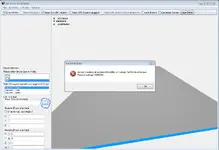
but now that i downloaded the KWE and in the option i used the paths to the client and server but when i wanne add a OPL object i get the following message:
Knipsel - KWE problem - RaGEZONE Forums

does anyone know what i can do to solve this?


p.s. this isnt a cracked version or whatever this is the one koen release about 4 weeks ago.
what i did after is started the program and filled in the path in the option field i created a new KCM and OPL file to make the map.

 
iam sorry to tell u but thats the version i downloaded.
i dont know if u readed the whole post but i do have a problem and i dont know how to fix it,
i already tryed to change the paths to the files but also that didnt work.
 
Upvote 0
i think u mean the KCM file but that one i do have i used a new kcm file that u can do under the button file.

the problem is when i wanne put an opl object on the kcm file (like trees or rocks) i do get that message

i dont know if this is the way it should be but i did find a way to add opl objects.

when i go to "opl file" and i add a node u get some strange pillar thing.
if i click on that and i wanne browse for an opl object i get that the file doesnt exist and when i press ok i get a list with alot of objects.
if i press one and say "save model" it changes the node to the object i choose.

can someone tell me if this is the right way to do it ?
 
Upvote 0
Normally if you allocated the path to your client correctly it would show your kal map if you click browse,
Though i never tried starting a new kcm file, just open an already existing one and the matching opl map :D
 
Upvote 0
well iam thinking to do the same and see where it will end but therefor i need to check all files to see what map part it is.
thats why i thaught maybe its easyer to make a complete new map but it isnt so easy to make something completely new
 
Upvote 0
how can i change the .gb files in my client to an KCM/OPL file or whatever and how can i change it back again than.
is there a program for this that someone knows

is searched the forum for some time now and cant find it gonne sleep now so hope someone can explain it while i sleep anyway xD
 
Upvote 0
I think ur mixing some things up. You shouldn't make a new map a the start, first get to know with the program, i'm not even sure if making a new map is possible..

Just go ingame, write /set frame and loopup the MAP integers, MAP 31 35 for example will show up when ur standing in pub of giant bird,
then open that file's KCM, OPL files and start editing.

You dont have to change .gb files to kcm or OPL at all! .gb are your object files, which are placed on a OPL map, your KCM map is the landscape, mountains etc..

Hope this helped
 
Upvote 0
oke than thats clear but the strange thing is that i downloaded a clean repack but in this repack i can only find 4 kcm files.
those 4 files are placed in the map folder on the server side.

to see if this was a problem i downloaded the solidus repack to see how it is done there.
but here i see alot KCM and OPL files that are placed on the client side in the map folder.
the way it is done in the solidus repack doesnt really look good becose everyone can change it than.

can someone maybe give me tips about this becose on the clean repack i cant edit much maps becose of the only 4 KCM files
 
Last edited:
Upvote 0
KCM and OPL files are always located on the client side, that's what makes them insecure, though that's how things go around on kalonline :P the kcm files are located on the server, because it's safe zone etc.
 
Upvote 0
first of all :) , hello

U need to path the KWE into ur client , server files and maps of server files and maps of client files
after it , u need to load KCM , KSM and OPL then press on OPL which found in the right side , then General Postion and press on any object u wanna replace it , and press on the browse button to exchange the object with whatever u want


Greeting , Bound

Best Wishes
 
Upvote 0
first of all :) , hello

U need to path the KWE into ur client , server files and maps of server files and maps of client files
after it , u need to load KCM , KSM and OPL then press on OPL which found in the right side , then General Postion and press on any object u wanna replace it , and press on the browse button to exchange the object with whatever u want


Greeting , Bound

Best Wishes


yes it works fine aslong as you have an object selected
 
Upvote 0
Back