


Newbie Spellweaver
- Joined
- Nov 10, 2023
- Messages
- 10
- Reaction score
- 15
ModelTool2 is my older tool. It's built from DBO 0.50.4 source code, reverse-engineered to match TW client updates. It converts TW-format XML <-> RDF perfectly, so output files are 100% bit-identical to TW originals.
ClumpViewer is my recent tool for testing RenderWare x64 upgrades. It previews DBO models and animations—super lightweight and easy. Just drag .dff/.anm files into its window!
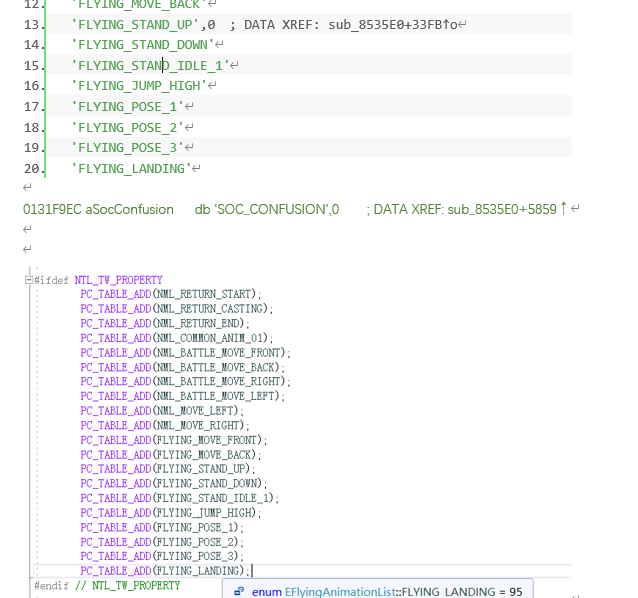
I did this work ages ago, so here’s just some old logs I kept:



How to Use
1. Unzip ModelTool2.zip into your DBOTW root folder.

2. Copy all .rdf files from DBOTW/property/ to tool/ModelTool/
3. Open ModelTool2.exe → File → Convert xml... to batch-convert binaries to XML. Close the tool when done.

4. Copy all .xml files from DBOTW/tool/ModelTool/Tree/ to DBOTW/tool/ModelTool/

5. Copy these folders:
- DBOTW/tool/ModelTool/character/
- DBOTW/tool/ModelTool/item/
- DBOTW/tool/ModelTool/object/
→ Paste into `DBOTW/devdata/
6. Open ModelTool2.exe → Click every list button (PC List, NPC List, etc.) so it registers them. Close and reopen* the tool afterward to unlock File → Convert Bin....

7. After running Convert Bin..., new .rdf files land in DBOTW/tool/ModelTool/property/
Binary Checks vs. TW Originals
characterproperty.rdf: Only 2 differences (NTL new v1.69+ data—no need to match). Everything else 100% identical.

- **itemproperty.rdf**: **100% identical**

- **ObjectProperty.rdf**: **100% identical**

Download.........
ModelTool download link:
PS.........
It should be part of OpenDBO because seeing people willing to contribute to OpenDBO motivated me to organize and release my messy code and tools
ClumpViewer is my recent tool for testing RenderWare x64 upgrades. It previews DBO models and animations—super lightweight and easy. Just drag .dff/.anm files into its window!
I did this work ages ago, so here’s just some old logs I kept:
How to Use
1. Unzip ModelTool2.zip into your DBOTW root folder.
2. Copy all .rdf files from DBOTW/property/ to tool/ModelTool/
3. Open ModelTool2.exe → File → Convert xml... to batch-convert binaries to XML. Close the tool when done.
4. Copy all .xml files from DBOTW/tool/ModelTool/Tree/ to DBOTW/tool/ModelTool/
5. Copy these folders:
- DBOTW/tool/ModelTool/character/
- DBOTW/tool/ModelTool/item/
- DBOTW/tool/ModelTool/object/
→ Paste into `DBOTW/devdata/
6. Open ModelTool2.exe → Click every list button (PC List, NPC List, etc.) so it registers them. Close and reopen* the tool afterward to unlock File → Convert Bin....
7. After running Convert Bin..., new .rdf files land in DBOTW/tool/ModelTool/property/
Binary Checks vs. TW Originals
characterproperty.rdf: Only 2 differences (NTL new v1.69+ data—no need to match). Everything else 100% identical.
- **itemproperty.rdf**: **100% identical**
- **ObjectProperty.rdf**: **100% identical**
Download.........
ModelTool download link:
To view the content, you need to sign in or register
PS.........
It should be part of OpenDBO because seeing people willing to contribute to OpenDBO motivated me to organize and release my messy code and tools
Attachments
Last edited:



