new mounts

Newbie Spellweaver
Joined
Dec 1, 2023
Messages
6
Reaction score
14
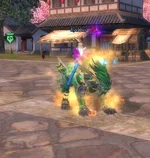
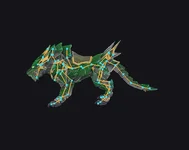
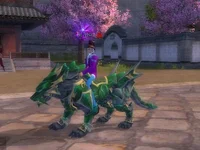
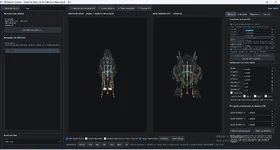
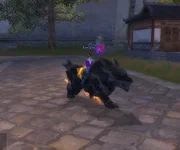
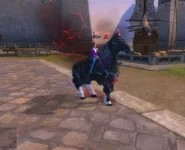
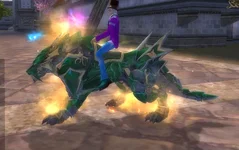
Hi everyone, I’m reaching out for some help. I’m creating a program to add new mounts; it imports .obj and .png files generated by Meshy AI and converts them into the required file structure (pw, ECM, bon, ski, smd, stck), including the correct directory paths. I can view the model perfectly in-game with all textures applied, but it lacks any movement. At this stage of the project, I want to automatically implement the skeleton and animations, but I haven't had any success so far; I’ve tried various skeletons, but none have the correct proportions. If anyone has an idea on how to do this automatically or can point me in the right direction, I’d appreciate it. One note: Meshy AI does allow for skeleton generation, but the model glitches completely when converted for the game.
 

Attachments

  • Captura de ecrã 2026-09-06 084530 - new mounts - RaGEZONE Forums
    Captura de ecrã 2026-09-06 084530.webp
    42.7 KB · Views: 2
  • Captura de ecrã 2026-09-06 085903 - new mounts - RaGEZONE Forums
    Captura de ecrã 2026-09-06 085903.webp
    38.2 KB · Views: 2
  • 9b3c9938-51f3-4b3f-b93a-42475c831363 - new mounts - RaGEZONE Forums
    9b3c9938-51f3-4b3f-b93a-42475c831363.webp
    15.1 KB · Views: 2
  • IMG-20260906-WA0010 - new mounts - RaGEZONE Forums
    IMG-20260906-WA0010.webp
    54.9 KB · Views: 2
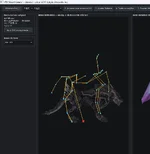
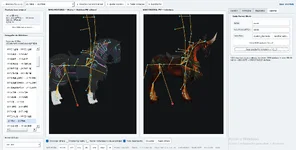
After some trial and error, I haven't yet managed to automate the skeleton import process, but I found a simple, functional workaround: manually adjusting the setup within the editor I’m building. I select the folder containing my mounts, choose a mount with a similar skeleton for my project, adjust any disconnected bones, save, and that’s it. Below are some of the program's features, The next step is the effects.
  • PW Mount Library
  • Select the root folder of the Perfect World mount library.
  • Automatically scan subfolders for valid SMD + BON + SKI mount sets.
  • Select a mount from the library as the original PW base.
  • Open an SMD manually if needed.
  • Dual 3D Viewer
  • View the new Meshy mount with the editable PW skeleton.
  • View the original PW mount as a side-by-side reference.
  • Synchronize both cameras.
  • Show or hide the Meshy rig.
  • Show or hide the original PW mesh in the main viewer.
  • Performance mode.
  • Fit model to view and reset camera.
  • Front, Back, Left, Right, Top, Bottom and 3D perspective views.
  • Direct Skeleton Editing
  • Select individual PW bones.
  • Move bones directly in the 3D viewer.
  • ALT + Left Mouse to move a bone.
  • ALT + CTRL + Left Mouse to move in depth.
  • Edit Local X, Y and Z numerically.
  • Fine adjustment using X+/X-, Y+/Y-, Z+/Z- controls.
  • Rotate bones using RX, RY and RZ.
  • Adjustable movement and rotation steps.
  • Limb / Joint Editing
  • Move an entire child bone chain together.
  • Disable child-chain movement for isolated joint editing.
  • Useful for knees, paws, neck, tail and other individual joints.
  • Display bone world coordinates.
  • Display parent bone and distance to parent.
  • Reset the selected limb.
  • Reset the entire skeleton.
  • Load a previously adjusted BON file.
  • New Mount Alignment
  • Scale the imported GLB.
  • Adjust X, Y and Z offsets.
  • Rotate on X, Y and Z axes.
  • Swap Y/Z axes.
  • Flip X, Y or Z axes.
  • These transformations are used for import/alignment without modifying the original GLB.
  • Proportional Skeleton Fit
  • Independently scale the PW skeleton on X, Y and Z.
  • Automatically calculate proportions between the original PW mount and the new GLB.
  • Apply proportional scaling to the PW skeleton.
  • Preserve bone names, IDs, parent relationships and rotations.
  • Animation Preview
  • Load the original PW mount animations.
  • Select individual actions/animations.
  • Play, pause and stop.
  • Change playback speed.
  • Manually select animation frames.
  • Play the same STCK animation simultaneously on the original mount and the new mount.
  • Temporary preview rebind from Meshy rig to PW skeleton.
  • Structural Diagnostics
  • Validate the original PW base and imported GLB.
  • Display BON version and bone count.
  • Check BON hierarchy.
  • Display SKI version, mesh count, textures and materials.
  • Check SKI bone palette against BON.
  • Display mesh vertices and triangle counts.
  • Display model dimensions.
  • Display SMD animation count.
  • Analyze GLB joints, influences and weight loss when converting to the PW four-weight limit.
  • Check GLB inverse bind matrices.
  • Compare the dimensions of the original mount and the new mount.
  • Perfect World Bone Compatibility
  • Preserve original bone names.
  • Preserve bone IDs.
  • Preserve parent/child hierarchy.
  • Preserve additional BON data such as hooks/GFX blocks.
  • Maintain the PW SKI local bone palette.
  • Use STCK bone IDs from the original PW skeleton.
  • Adjusted BON Import / Export
  • Load a compatible edited BON.
  • Verify bone count, bone IDs, names and hierarchy before applying it.
  • Import only the adjusted bone transform data.
  • Save the adjusted BON while keeping IDs, names, hierarchy and native trailing data.
  • Meshy → Perfect World Rebinding
  • Map Meshy joints to PW bones.
  • Merge influences that resolve to the same PW bone.
  • Reduce influences to the PW-compatible top four.
  • Normalize vertex weights.
  • Recalculate the bind matrices based on the adjusted PW skeleton.
  • Generate a new skinned SKI v9 from the Meshy geometry.
  • Perfect World Package Export
  • Set a new mount name.
  • Set the virtual Models\NPCs\... path.
  • Choose the physical output folder.
  • Save an adjusted BON for testing.
  • Generate the complete Perfect World mount package.
  • Exported Game Files
  • .BON
  • .SKI
  • .DDS
  • .SMD
  • .STCK
  • tcks_* animation folder when required
  • .ECM
  • .MPHY when the original mount contains one.
  • Texture Export
  • Export the Meshy embedded texture as Perfect World DDS.
  • DXT5 compression.
  • Generate mipmaps when ImageMagick is available.
  • Validate DDS signature, mipmaps and compression format.
  • Export Validation
  • Reopen and validate the generated BON.
  • Reopen and validate the generated SKI.
  • Reopen and validate the generated SMD.
  • Check the SKI/BON bone palette.
  • Check SMD references to the generated BON and SKI.
  • Validate copied STCK animation files.
  • Produce an export report with warnings or successful structural validation.
 

Attachments

  • Captura de ecrã 2026-09-12 211152 - new mounts - RaGEZONE Forums
    Captura de ecrã 2026-09-12 211152.webp
    46.1 KB · Views: 1
  • Captura de ecrã 2026-09-12 220009 - new mounts - RaGEZONE Forums
    Captura de ecrã 2026-09-12 220009.webp
    100.3 KB · Views: 1
  • Captura de ecrã 2026-09-13 135124 - new mounts - RaGEZONE Forums
    Captura de ecrã 2026-09-13 135124.webp
    44.3 KB · Views: 1
  • Captura de ecrã 2026-09-13 173751 - new mounts - RaGEZONE Forums
    Captura de ecrã 2026-09-13 173751.webp
    138.2 KB · Views: 1
  • Captura de ecrã 2026-09-13 174210 - new mounts - RaGEZONE Forums
    Captura de ecrã 2026-09-13 174210.webp
    55 KB · Views: 1
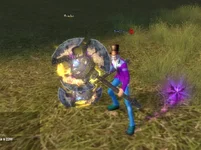
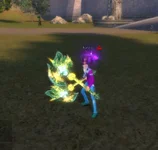
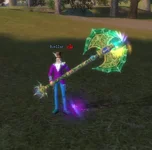
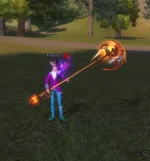
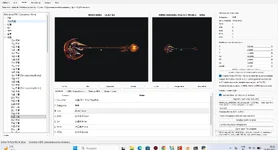
Hi everyone, I’ve added another module to the editor; it now imports any 3D weapon and converts it into all the necessary PW file formats. Upon export, the weapon appears correctly positioned in the hands. Please excuse the GFX—I used the base weapon assets for now, but I’ll save that for last. I think I’ll focus on the following modules next: armor, outfits, and pets.
 

Attachments

  • Captura de ecrã 2026-09-16 194537 - new mounts - RaGEZONE Forums
    Captura de ecrã 2026-09-16 194537.webp
    90.8 KB · Views: 1
  • Captura de ecrã 2026-09-16 195544 - new mounts - RaGEZONE Forums
    Captura de ecrã 2026-09-16 195544.webp
    45.3 KB · Views: 1
  • Captura de ecrã 2026-09-16 200520 - new mounts - RaGEZONE Forums
    Captura de ecrã 2026-09-16 200520.webp
    36.7 KB · Views: 1
  • Captura de ecrã 2026-09-16 201235 - new mounts - RaGEZONE Forums
    Captura de ecrã 2026-09-16 201235.webp
    41.9 KB · Views: 1
  • Captura de ecrã 2026-09-16 201345 - new mounts - RaGEZONE Forums
    Captura de ecrã 2026-09-16 201345.webp
    133.4 KB · Views: 1
Back