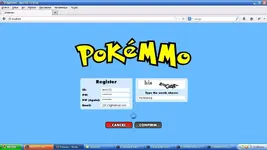
If you talk about captcha keep rejected on registration page, you can use this solution.
Go to
To view the content, you need to sign in or register
Register or login with your registered acc.
Go to MY ACCOUNT > MY SITES
Add "localhost" into domain field.
Create key.
You will be redirect to next page with key details.
Next step.
Browse regserver folder and look for regserver.node.js
Look for line 5(private key) and 6(public key), replace the key with yours.
Browse site>js folder and look for main.out.js
Scroll down to line 3438 or find "http://www.google.com/recaptcha/api/challenge?k="
Also change the current value with your public key.
Eg.
To view the content, you need to sign in or register
<YOUR PUBLIC KEY>&ajax=1
Hope it will help.
Credit to bitou.