problem in website help me

Status
Not open for further replies.
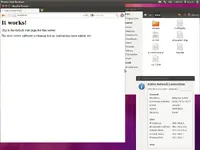
Have you deleted the index.html which was default from there? Did you try to restart apache2 ? "sudo /etc/init.d/apache2 restart" It seems your apache works anyway your screenshot isn't that clear if that don't work upload more


EDIT: Try to delete the firefox history too cuz if you don't have the index.html on var/www (after restarting apache2) it should't load that page and you must see all the files.. click on reg.php and there you go! or simply type
 
Upvote 0
sudo apt-get install apache2

sudo apt-get install php5

sudo apt-get install libapache2-mod-php5

sudo /etc/init.d/apache2 restart

sudo nautilus (go to var/www copy the files)

Restart your ubuntu or try restart just the apache2 again :) (sudo /etc/init.d/apache2 restart)

 
Upvote 0
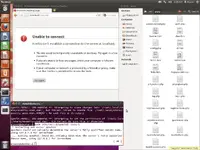
i m getting new problem see my screenshot
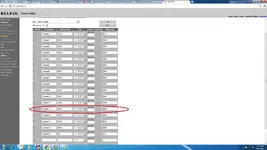
i also forwarded port 8080

admin merge both post plzzz
 

Attachments

  • Screenshot at 2012-02-17 11^%09^%10 - problem in website help me - RaGEZONE Forums
    Screenshot at 2012-02-17 11^%09^%10.webp
    104.1 KB · Views: 94
  • 123 - problem in website help me - RaGEZONE Forums
    123.webp
    76.5 KB · Views: 66
Upvote 0
i m getting new problem see my screenshot
i also forwarded port 8080

admin merge both post plzzz

Are you using NAT network on your virtual machine? If so there is no way of forwarding the ports also you need to forward port 80 for apache. Try using bridge connection


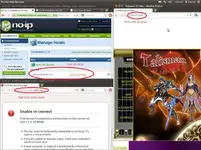
EDIT: Didn't saw clear the picture but your IP is surely on port 80 and your address is on port 8080 that's why it's not working just delete 8080 from there
 
Last edited:
Upvote 0
Are you using NAT network on your virtual machine? If so there is no way of forwarding the ports also you need to forward port 80 for apache. Try using bridge connection


EDIT: Didn't saw clear the picture but your IP is surely on port 80 and your address is on port 8080 that's why it's not working just delete 8080 from there
iused bridge connection

i forwarded both port 8080 & 80
 
Upvote 0
did you tryed without 8080? just the normal IP and see if that work. I believe if you want to put the port it must be like and not configure it directly on adress with 8080 like you did on picture but trust me it's better just with port 80 and also you need to listen the port 8080 on apache2 config files too :) if you really want that 8080
 
Upvote 0
did you tryed without 8080? just the normal IP and see if that work. I believe if you want to put the port it must be like and not configure it directly on adress with 8080 like you did on picture but trust me it's better just with port 80 and also you need to listen the port 8080 on apache2 config files too :) if you really want that 8080
but i did port 8080 same as thread

can u tell me where can i need to put 80 in apache2?
 
Upvote 0
Flip can you help me too on building my website i have a VPS which have a static IP address where do i put my files,,

This is what i've done, but nothing appear on my domain

config= i change my sql password

I did not use no-ip beacuse I use static address

that's all and i put in ubuntu linux
on this directory >> File system\var\www
is this directory is correct sir??

Please guide me
TIA
 
Upvote 0
Status
Not open for further replies.
Back