- Joined
- Jul 18, 2016
- Messages
- 97
- Reaction score
- 9





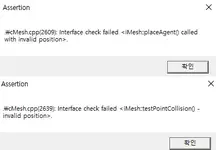
Please check the video above. It shows all the steps I am taking. I just convert DigimonList.bin to DigimonList.xml, update ExVmon's name, then convert it back to DigimonList.bin and import DigimonList.bin into Pack03. Then use DB Importer v230 to import DigimonList.xml into the database. Then when I launch the game, the F1 skills of alll digimon get stuck and terminal shows Skill not Found. What am I doing wrong?
FreedomGamez GameDevWannaBe Playmakergt Drakeshot luvnoey68 SilverMecha xwxigorxwx Elrayes Manolis87
Please download all my Tools here:can you upload
here you'r last database.txt or tool for unpuck _Pack03 and DB Importer v230 thank you .
you have tools that can convert monster.xml to monster.bin? im trying to use your tools but it's still troublePlease download all my Tools here:To view the content, you need to sign in or register
Hi everyone, I would like to share 2 important things that I discovered from someone:
1. I have the extractor to unpack Pack03 files from GDMO and KDMO. Please download from this link, copy them to the Data folder where your pack01 and pack03 files are, and run the unpack GDMO or unpack KDMO .bat files to start extraction:
To view the content, you need to sign in or register
2. I have found a way to install, update and launch KDMO without requiring a Korean bank account. Please download from here:
To view the content, you need to sign in or register
To install, update, extract KDMO files:
1. Run MoveInteractive_KDMO_Installer(1535).exe. It should install your KDMO client in C:\MoveInteractive\Digimon Masters Online(MoveInteractive).
2. Copy the Launcher folder in my .rar file to your C:\MoveInteractive\Digimon Masters Online(MoveInteractive) folder.
3. Open the Data folder in this .rar file. Copy all the files and paste them inside the C:\MoveInteractive\Digimon Masters Online(MoveInteractive)\Data folder.
4. Run launch_dm.bat and download updates for your client.
5. Run unpack GDMO KDMO UDMO pack01.bat to unpack your pack01 or unpack KDMO pack02.bat to extract your pack02

I don't have the updated mediafire links. But I am making a few mods to my server and should be done in a week or so. Once I am done, I will share the link to my server files here.alguem pode me disponibilizar o dowload do quick launch e do arquivo cheat engine ou me informar onde estao localizados
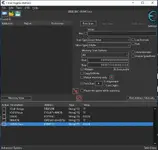
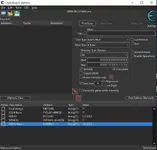
Can someone provide me with the download of the quick launch and cheat engine files or tell me where they are located?