- Joined
- Jun 3, 2020
- Messages
- 577
- Reaction score
- 971
TERA API + In-game Shop
API and In-game Shop implementation for the TERA Online retail server on Node.js. The API consists of four independent servers (Arbiter API, Portal API, Shop API and Admin Panel) running on different ports. Support of Arbiter server API functions, authorization, privileges, VIP items/benefits, Shop, Launcher API, SLS generator, etc.
All versions of the game are supported if using arb_gw from TW server distribution.
TERA API has been updated to the version 1.2
Please read the changelog and instructions for installing the update.
Latest Release: [v1.2.3] - 11.05.2025
Changelog:
Screenshots:


Available here:
Installation Guide (Video)
TERA Clients and Servers Collection
How to enable Item Claim system
How to allow GM commands for specific accounts
How to read OpArb errors
How to add new language translation (new region of client):
Launcher
Launcher for Tera Online that supports of all versions of the game. Based on the official version of the BHS launcher that works with the TW/JP localizers. This launcher supports all the functions of automatic game update and file integrity check. For these features to work, you need to use our tera-api. Translations an English and Russian available.
Changelog:

Available here:
Custom Launcher design:
Client Patcher
TERA Client patcher and updater (written on node.js) for original BHS Launcher.
Changelog:

Available here:
Client and Launcher update files structure:
API and In-game Shop implementation for the TERA Online retail server on Node.js. The API consists of four independent servers (Arbiter API, Portal API, Shop API and Admin Panel) running on different ports. Support of Arbiter server API functions, authorization, privileges, VIP items/benefits, Shop, Launcher API, SLS generator, etc.
All versions of the game are supported if using arb_gw from TW server distribution.
TERA API has been updated to the version 1.2
Please read the changelog and instructions for installing the update.
Latest Release: [v1.2.3] - 11.05.2025
Changelog:
[v1.2.3] - 11.05.2025:
[v1.1.17] - 13.04.2024:
- Fixed the "Cancel" button when installing updates in the Launcher.
- Fixed the logic for signing into an account after registering in the Launcher.
- Fixed conditions and validation in the ReportCheater endpoint.
- Added error handling for writing a report in the ReportCheater endpoint.
- Fixed loading of DataCenters with 2 letter region codes (problem with loading of DataCenter_Final_TW.dat).
- Changed the maximum number of Box slots in the Tera Shop to work properly in the patch 31.04.
- Fixed a caching issue where the "Logout" button in the Launcher would not work correctly.
- Fixed an issue with sync server state (PlanetDB) task for patch 31.04.
- Fixed an issue where some fields were missing after migration the database.
- Fixed an error in TERA Shop when an unsuccessful attempt to update account data occurred.
- Added check for datasheets during initialization (more informative error about missing files).
- Added the datasheet model linking for working "en" language with "USA" region (if you use only USA datacenter).
[v1.1.17] - 13.04.2024:
- Fixed the displaying of long IP addresses in Admin Panel.
- Fixed security issue related to the activation of promo codes in the Tera Shop.
- Added new config parameter API_PORTAL_LAUNCHER_DISABLE_REGISTRATION.
- Fixed generation of the item data in the dataItemsUpdater.js tool.
- Minor changes for ipFromLauncher routines in the code.
- Added new config parameter API_ARBITER_USE_IP_FROM_LAUNCHER.
- Fixed security issue with request IP spoofing (X-Forwarded-For header).
- Removed fonts from repository (must now be downloaded separately).
- Added Gateway API method GetAccountBanByUserNo.
- Fixed variables names and translation.
- Fixed edit password in Admin Panel when sha512 enabled.
- Switch from isAlphanumeric to isStrongPassword and increase password max length to 128.
- Fixed Shop scripts for supports of 32bit patches.
- Disabled gzip compression for Portal API.
- Fixed the launcher background mask.
- Added support of KOR (kr) client region language.
- Fixed issue with definition of the timezone in Admin Panel.
- Fix of a possible issues with passing some variables to the Admin Panel session.
- Fixed a bug with saving the number of items when editing a product/box.
- Add feature for disable check of client files when the game start.
- Fixed issue with negative values in server status.
- Skip error if server is null in Shop Welcome view.
- Fixed issues with SQL transactions in Admin Panel.
- Minor fixes of ejs templates.
- Added missed webfonts.
- Added serverApi and accountApi endpoints to Gateway API.
- Highlighting HTTP errors with a warning type in the log.
- Fixed time zone when creating Boxes and Service Items.
- Minor fixes of server availability check algorithm.
- Full implementation of the Tera Shop.
- Full implementation of Admin Panel for API features and Tera Shop.
- Added language select in the Launcher.
- Implementation of the promo code system (Tera Shop).
- New server availability check algorithm.
- Integration with the Steer Server and Tera Platform Hub.
- The use of FCGI WebAPI and FCGI Gateway is no longer required.
- Automatic creation of Service Items (Box).
- Improve application console logging and debugging.
- Now a single database for the API is used.
- Lots of improvements and fixes.
- Added the initial benefits that will be assigned to the user on registration.
- Added a separate config file for configuring premium items and benefits.
- Added integration with FCGI Gateway and Box System.
- Minor code fixes (sql transactions, code optimization).
- Fixed issue with automatic login to the last selected server.
- Update server permissions routines for SLS.
- Implemented /api/GetServerPermission API endpoint (server permission info).
- Added missing chronoscroll premium item IDs (358, 372 and 373) to activate premium/VIP status.
- Added new parameter API_PORTAL_BENEFIT_ID_ELITE_STATUS, allows you to set the premium status benefit identifier (by default 533 - RU VIP is used).
- Initial release with basic API functionality.


Available here:
To view the content, you need to sign in or register
Installation Guide (Video)
TERA Clients and Servers Collection
How to enable Item Claim system
How to allow GM commands for specific accounts
How to read OpArb errors
How to add new language translation (new region of client):
Below is an instructions on how to translate components into French. Translation into other languages is done similarly.
Launcher translation:
TERA Shop translation:
Launcher translation:
- Make sure you have a data center DataCenter_Final_FRA.dat in your Tera Client S1Data folder.
- Copy the file src\locales\launcher\en.json as src\locales\launcher\fr.json.
- To translate, you need to edit file src\locales\launcher\fr.json.
- Open .env and add the line API_PORTAL_CLIENT_REGIONS_FRA=Françaisand save.
- Set parameter API_PORTAL_LOCALE to fr if you want to change the default language.
- Set parameter API_PORTAL_CLIENT_DEFAULT_REGION to FRA if you want to change the default region.
- Restart TeraAPI.
TERA Shop translation:
- Copy the file src\locales\shop\en.json as src\locales\shop\fr.json.
- To translate, you need to edit file src\locales\shop\fr.json.
- Place the DataCenter_Final_FRA.dat file from the client into the API directory data\datasheets, as described here:
To view the content, you need to sign in or register.
- Restart TeraAPI.
- Copy the file src\locales\admin\en.json as src\locales\admin\fr.json.
- To translate, you need to edit file src\locales\admin\fr.json.
- Place the DataCenter_Final_FRA.dat file from the client into the API directory data\datasheets, as described here:
To view the content, you need to sign in or register.
- Open .env and set the parameter ADMIN_PANEL_LOCALE to fr and save.
- Restart TeraAPI.
- For correct display of items in the Admin Panel and TERA Shop, it is important that for all added languages the corresponding DataCenter file is placed in the data\datasheets directory of TERA API.
- To correctly display localization strings in the Admin Panel (for example, "Additional Information" for products), you must have localization files in the src\locales\shop directory in accordance with the added regions.
- CHN: cn
- EUR: en
- FRA: fr
- GER: de
- INT: en
- JPN: jp
- KOR: kr
- RUS: ru
- SE: se
- THA: th
- TW: tw
- USA: us
Launcher
Launcher for Tera Online that supports of all versions of the game. Based on the official version of the BHS launcher that works with the TW/JP localizers. This launcher supports all the functions of automatic game update and file integrity check. For these features to work, you need to use our tera-api. Translations an English and Russian available.
Changelog:
Update 30.06.2022:
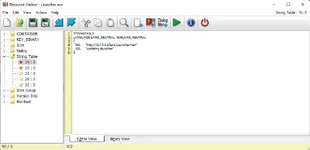
- Updated executable file (
To view the content, you need to sign in or registerwith antivirus false positives).

Available here:
To view the content, you need to sign in or register
To view the content, you need to sign in or register
To view the content, you need to sign in or register
Custom Launcher design:
Ninja version (based on design by valentine12):

Reaper version (based on design by S37uP!Update):

Gunner version (based on official TW Launcher):


To view the content, you need to sign in or register
(for version 1.2.x) /
To view the content, you need to sign in or register
(for version 1.0.0)Reaper version (based on design by S37uP!Update):
To view the content, you need to sign in or register
(for version 1.2.x) /
To view the content, you need to sign in or register
(for version 1.0.0)Gunner version (based on official TW Launcher):
To view the content, you need to sign in or register
(for version 1.2.x) /
To view the content, you need to sign in or register
(for version 1.0.0)Client Patcher
TERA Client patcher and updater (written on node.js) for original BHS Launcher.
Changelog:
Update 22.08.2022:
- Added the feature to specify the update search directory.
- Fix issuewith packing files of zero size (elzma.exe).
- Fix issue with displaying errors.
Available here:
To view the content, you need to sign in or register
Client and Launcher update files structure:
Client update files structure:
- /tera-api/public/patch/patch/ - game client packed files (like the 1-100.cab, 1-101.cab, etc.).
- /tera-api/public/patch/db/ - update database files (like the server.db.1.cab).
- /tera-api/public/patch/version.ini - generated by packer version.ini placed here.
- /tera-api/public/patch/launcher_update/ - updates for launcher (files like LauncherInstaller_1.0.1.52.exe, created by Inno Setup script).
- /tera-api/public/patch/launcher_info.ini - information file of launcher update version (edit manually).
- \$Patch
- \Binaries\cookies.dat
- \S1Game\GuildFlagUpload
- \S1Game\GuildLogoUpload
- \S1Game\ImageCache
- \S1Game\Logs
- \S1Game\Screenshots
- \S1Game\Config\S1Engine.ini
- \S1Game\Config\S1Game.ini
- \S1Game\Config\S1Input.ini
- \S1Game\Config\S1Lightmass.ini
- \S1Game\Config\S1Option.ini
- \S1Game\Config\S1SystemSettings.ini
- \S1Game\Config\S1TBASettings.ini
- \S1Game\Config\S1UI.ini
- \Launcher.exe
- \local.db
- \version.ini
Last edited: