TerritoryData_1

Newbie Spellweaver
Joined
Jul 17, 2023
Messages
42
Reaction score
1
Hello,
I would like to know if someone has recreated or has an old version of the TerritoryData_1, NpcData_1, ... (Baldera)
 
For Baldera to work you need to create such files for contintent 7006, and also include this contintent in continent 1.

For contintent 7006 (Baldera), edit the ContinentData file (client/server) like this:
Code:
<Continent id="1" channelMax="10" channelType="none" inChannelingContinent="7001,7002,7003,7004,7005,7006" isSpecificSpace="false" />
<Continent id="7006" channelMax="3" channelType="field" isSpecificSpace="false">
    <HuntingZone id="1" />
    <HuntingZone id="58" />
    <HuntingZone id="201" />
    <HuntingZone id="358" />
</Continent>

And also AreaList file (client/server) like this:
Code:
    <Continent id="1" desc="A" originZoneX="43" originZoneY="58">
        ...
        <ChannelContinent id="7006" desc="[채널]ACN">
            <Area name="ACN_P" />
        </ChannelContinent>
    </Continent>

You can get the files for contintent id 7006 and hunting zone id 58 (it is TerretoryData_58, NpcData_58) from client 115. On the server you will also need to add the AreaData_7006_ACN_P.xml file, which can be created based on the file from the client.

Also pay attention to the files StrSheet_Region, MapDefineData, NewWorldMapData. These files also contain information about the Baldera zone. You can also look at them in patch 115.
 
Upvote 0
For Baldera to work you need to create such files for contintent 7006, and also include this contintent in continent 1.

For contintent 7006 (Baldera), edit the ContinentData file (client/server) like this:
Code:
<Continent id="1" channelMax="10" channelType="none" inChannelingContinent="7001,7002,7003,7004,7005,7006" isSpecificSpace="false" />
<Continent id="7006" channelMax="3" channelType="field" isSpecificSpace="false">
    <HuntingZone id="1" />
    <HuntingZone id="58" />
    <HuntingZone id="201" />
    <HuntingZone id="358" />
</Continent>

And also AreaList file (client/server) like this:
Code:
    <Continent id="1" desc="A" originZoneX="43" originZoneY="58">
        ...
        <ChannelContinent id="7006" desc="[채널]ACN">
            <Area name="ACN_P" />
        </ChannelContinent>
    </Continent>

You can get the files for contintent id 7006 and hunting zone id 58 (it is TerretoryData_58, NpcData_58) from client 115. On the server you will also need to add the AreaData_7006_ACN_P.xml file, which can be created based on the file from the client.

Also pay attention to the files StrSheet_Region, MapDefineData, NewWorldMapData. These files also contain information about the Baldera zone. You can also look at them in patch 115.

thanks for your help, I have a question.
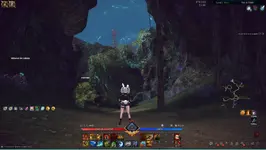
is it possible to remove this wall / deactivate? to avoid putting a teleporter.
 

Attachments

  • mur - TerritoryData_1 - RaGEZONE Forums
    mur.webp
    185.1 KB · Views: 61
Upvote 0
thanks for your help, I have a question.
is it possible to remove this wall / deactivate? to avoid putting a teleporter.
Replace the files ANC_C.gmp, ANC_C_5059.gmp, ANC_C_Collision_Map.gmp in Art_Data/Maps/ANC folder.

As for the updated Baldera location, check the files in Art_Data/Maps/ACN folder: ACN.gmp, ACN_5159.gmp, ACN_5160.gmp, ACN_5260.gmp, ACN_Balderon.gmp.

ANC - Oblivion Woods
ACN - Baldera

You can get files from 115 client or from MT The Dream client.

Regarding restoring the map/minimap - it is more complicated. For this you will have to repack the composite packages. You need to check the S1UI_OverlayMap2.gpk and S1UI_WorldMap2.gpk files. They should contain elements of the Balderа and Balderon maps, which will most likely have to be included in the composite. To get the minimap texture resolution to work correctly, you will also need to modify UITextureSizeTable file on the client.
 
Last edited:
Upvote 0
Back