
V15 Save Issues

Initiate Mage
Joined
Oct 24, 2025
Messages
3
Reaction score
2
Hello everyone !

I just setup a V15 clean server and doin' some stuff on it to practice and learn,
I just realize that when I stop the server and start it back, every item I got, exp, level is not properly saved

I'm using V15 clean files from Nocolicious

Thank for people who can help me :')

 
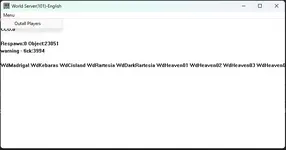
you gotta add a save point on worldserver. So everytime you exit the game, it suppose to be proper too, close it from worldserver-cache-login-certifier-core-database-account
 

Attachments

  • Screenshot 2025-10-26 150508 - V15 Save Issues - RaGEZONE Forums
    Screenshot 2025-10-26 150508.webp
    12 KB · Views: 38
Upvote 0
Either you are not using the correct database, Changed something in the files and the database no longer aligns, or you are shutting down the server without logging out first.

If its the later, Server saves player data every 15 mins by default. If you close the server by its exe's without logging out first you will rollback 15 mins.

Check out this post for info on changing the save rates from the server.
 
Last edited:
Upvote 0
Hello everyone !

I just setup a V15 clean server and doin' some stuff on it to practice and learn,
I just realize that when I stop the server and start it back, every item I got, exp, level is not properly saved

I'm using V15 clean files from Nocolicious

Thank for people who can help me :')
You can always make start.bat file for starting snd closing ur server to it shuts down in correct order 😊
 
Upvote 0
Hello everyone !

I just setup a V15 clean server and doin' some stuff on it to practice and learn,
I just realize that when I stop the server and start it back, every item I got, exp, level is not properly saved

I'm using V15 clean files from Nocolicious

Thank for people who can help me :')
Open the included "3. Starter.bat" and press "1" to start the server, and "2" to shut it down.
(Unless you did mess the files up, that things don't work properly any more, then just start fresh and use win merge on the working things)

This is my folder structure, you can create the missing shortcuts yourself, to ease the process.
1 - V15 Save Issues - RaGEZONE Forums
 
Upvote 0
Here is a starter.bat for you, just save it as a bat file inside program where ur Account, Certifier, DatabaseServer ect ect is. But dont forget to change the name of in the bat file to correct name of the Account.exe names like i have 1.AccountServer.exe!

Best Regards Epoca


Code:
@echo off
:commands
cls
color 0f
echo --------------------
echo Commands:
echo --------------------
echo - Start     / 1
echo - Stop        / 2
echo - Restart     / 3
echo --------------------
echo Please type your commmand below:
set /p command=

if '%command%' == 'Start' goto Start
if '%command%' == 'start' goto Start
if '%command%' == '1' goto Start
if '%command%' == 'Restart' goto Restart
if '%command%' == 'restart' goto Restart
if '%command%' == '3' goto Restart
if '%command%' == 'Stop' goto Stop
if '%command%' == 'stop' goto Stop
if '%command%' == '2' goto Stop
goto commands

:Start
Color 4f
echo --------------------

echo Starting Account Server...
start /min 1.AccountServer.exe
ping 1.1.1.1 -n 1 -w 1000>nul

echo Starting Certifier...
start /min 2.Certifier.exe
ping 1.1.1.1 -n 1 -w 1000>nul

echo Starting Database Server...
start /min 3.DatabaseServer.exe
ping 1.1.1.1 -n 1 -w 7000>nul

timeout /T 6

echo Starting Core Server...
start /min 4.CoreServer.exe
ping 1.1.1.1 -n 1 -w 1000>nul

echo Starting Login Server....
start /min 5.LoginServer.exe
ping 1.1.1.1 -n 1 -w 1000>nul

echo Starting Cache Server...
start /min 6.CacheServer.exe
ping 1.1.1.1 -n 1 -w 1000>nul


echo Starting World Server...
start /min 7.WorldServer.exe
ping 1.1.1.1 -n 1 -w 1000>nul

timeout /T 3

color 2f
echo --------------------
echo Server files loaded.
echo --------------------

ping 1.1.1.1 -n 1 -w 2000>nul

goto commands

:Restart
Color 4f

echo --------------------
taskkill /im 7.WorldServer.exe
taskkill /im 6.CacheServer.exe
taskkill /im 5.LoginServer.exe
taskkill /im 4.CoreServer.exe
timeout /T 3
taskkill /im 3.DatabaseServer.exe
taskkill /im 2.Certifier.exe
taskkill /im 1.AccountServer.exe
echo --------------------
echo Server files closed.
echo --------------------

goto start


:stop
Color 4f

echo --------------------
taskkill /im 7.WorldServer.exe
taskkill /im 6.CacheServer.exe
taskkill /im 5.LoginServer.exe
taskkill /im 4.CoreServer.exe
timeout /T 3
taskkill /im 3.DatabaseServer.exe
taskkill /im 2.Certifier.exe
taskkill /im 1.AccountServer.exe
echo --------------------
echo Server files closed.
echo --------------------

ping 1.1.1.1 -n 1 -w 2000>nul

goto commands
 
Upvote 0
Back