- Joined
- Mar 14, 2011
- Messages
- 436
- Reaction score
- 246
[*]Windows
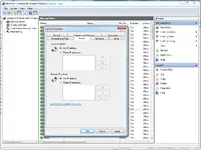
You have to take it seriously to configure your firewall. That is your first line of defence, I've added a few images on a good firewall setup that I use (I can't tell you what to disable as I'm not sure what is enabled by default)
You wan't to block everything, and make a custom rule named for example "Extornia" which lets your IP go through all of your ports, and for example a rule named "CentOS" which forwards the IP of your CentOS server. Same goes for your CentOS server, a bit later once I have time I'll update this post again with my iptables rules. Basically, you wan't everything blocked. Hard passwords don't help you can have a password that is "noob123" on your MSSQL yet noone would be able to access it because of your firewall setup, same works for everything else you have to cover your bases and the firewall is a very simple but very effective solution.
Another nice thing is using CLOUDFLARE and only opening APACHE to their IPs, in that manner noone would be able to directly surf your website if they are not using your domain. Or if your server is in the US you can get a cheap VPS at
And remember, it is a bad thing giving anyone any access that they don't need. You don't want your admins/whoever having access to your machines or whatever. They can go rogue anytime and you will take the fall.
Firewall screenshot images:
When it comes to security for your machines/servers you don't want to fix/repair you wan't to prevent and following what I said up here will do exactly what you want it to.
[*]Linux
As we know Linux is already a pretty secure system out of the box. However, all linux boxes on the world are subject to constant bruteforcing attacks. There is something we can do about it, and that is firewall. The IPTABLES on Linux are quite simple, however much more effective on windows.
Not all installs of CentOS have iptables installed right away so execute the following command to install it
After installing your iptables will refuse to start, and that is because there are no rules defined what so ever. Follow the next step to fix that:
Navigate to /etc/sysconfig using winscp (or anything else, even putty) and create a file named "iptables" without the quotes, only iptables. The file will automatically open if you used WinSCP.
Put this in your file:
This way, all the ports will be blocked except the ones you open. This is VERY much suggested as you won't be able to be a target of bruteforcing/etc.
It is also possible to open a range of ports like this:
You have to take it seriously to configure your firewall. That is your first line of defence, I've added a few images on a good firewall setup that I use (I can't tell you what to disable as I'm not sure what is enabled by default)
You wan't to block everything, and make a custom rule named for example "Extornia" which lets your IP go through all of your ports, and for example a rule named "CentOS" which forwards the IP of your CentOS server. Same goes for your CentOS server, a bit later once I have time I'll update this post again with my iptables rules. Basically, you wan't everything blocked. Hard passwords don't help you can have a password that is "noob123" on your MSSQL yet noone would be able to access it because of your firewall setup, same works for everything else you have to cover your bases and the firewall is a very simple but very effective solution.
Another nice thing is using CLOUDFLARE and only opening APACHE to their IPs, in that manner noone would be able to directly surf your website if they are not using your domain. Or if your server is in the US you can get a cheap VPS at
To view the content, you need to sign in or register
and purchase a filtered IP and tunnel it to your server (this helps because their IPs really are filtered and they fight the DDoS).And remember, it is a bad thing giving anyone any access that they don't need. You don't want your admins/whoever having access to your machines or whatever. They can go rogue anytime and you will take the fall.
Firewall screenshot images:
To view the content, you need to sign in or register
When it comes to security for your machines/servers you don't want to fix/repair you wan't to prevent and following what I said up here will do exactly what you want it to.
[*]Linux
As we know Linux is already a pretty secure system out of the box. However, all linux boxes on the world are subject to constant bruteforcing attacks. There is something we can do about it, and that is firewall. The IPTABLES on Linux are quite simple, however much more effective on windows.
Not all installs of CentOS have iptables installed right away so execute the following command to install it
Code:
yum install iptablesAfter installing your iptables will refuse to start, and that is because there are no rules defined what so ever. Follow the next step to fix that:
Navigate to /etc/sysconfig using winscp (or anything else, even putty) and create a file named "iptables" without the quotes, only iptables. The file will automatically open if you used WinSCP.
Put this in your file:
Code:
#CABAL
*filter
:INPUT ACCEPT [0:0]
:FORWARD ACCEPT [0:0]
:OUTPUT ACCEPT [0:0]
:RH-Firewall-1-INPUT - [0:0]
-A INPUT -j RH-Firewall-1-INPUT
-A FORWARD -j RH-Firewall-1-INPUT
-A RH-Firewall-1-INPUT -i lo -j ACCEPT
-A RH-Firewall-1-INPUT -p icmp --icmp-type any -j ACCEPT
-A RH-Firewall-1-INPUT -m state --state ESTABLISHED,RELATED -j ACCEPT
-A RH-Firewall-1-INPUT -p tcp -s 1.2.3.4 --dport 22 -j ACCEPT #This opens port 22 only for the IP 1.2.3.4
-A RH-Firewall-1-INPUT -p tcp -s 1.2.3.4 --dport 38170 -j ACCEPT #This opens port 38170 which is the globalmgrsrv only for the IP 1.2.3.4
-A RH-Firewall-1-INPUT -p tcp --dport 38101 -j ACCEPT #Open port 38101 which is LoginSvr (in my case)
-A RH-Firewall-1-INPUT -p tcp --dport 38111 -j ACCEPT #Open port 38121 which is ChatNode (in my case)
-A RH-Firewall-1-INPUT -p tcp --dport 38111 -j ACCEPT #Open port 38111 which is WorldSvr1 (in my case)
-A RH-Firewall-1-INPUT -p tcp --dport 38112 -j ACCEPT #Open port 38112 which is WorldSvr2 (in my case)
-A RH-Firewall-1-INPUT -p tcp --dport 38113 -j ACCEPT #Open port 38113 which is WorldSvr3 (in my case)
-A RH-Firewall-1-INPUT -p tcp --dport 38114 -j ACCEPT #Open port 38114 which is WorldSvr10 (in my case)
-A RH-Firewall-1-INPUT -j REJECT --reject-with icmp-host-prohibited
COMMITIt is also possible to open a range of ports like this:
Code:
-A RH-Firewall-1-INPUT -p tcp --match multiport --dports 38000:38200 -j ACCEPT
Last edited by a moderator: