Making a interlude server on Windows L2J 

Re: [GUIDE] Making a interlude server on Windows

I launched the server and the game but when I create my character he have no HP and no MP and I can't Start, here is a screen of the Game Server Console:
Nargen - Making a interlude server on Windows - RaGEZONE Forums

ok this is ure lucky day ^^ it took me 4days to figure this one out and i take it many have given up at this point however this is a new error

Originally Posted by Ansemthewise Nargen - Making a interlude server on Windows - RaGEZONE Forums
helping thos who have navicat and have this problem

highlight and right click on character table. When you right click a list of options will come up scroll up to desing table , now scroll to the bottom and right click . Click add feild then name it apprentice set it to be decimal and uncheck the allow null box. anyways i remembered how to do this since i had the same problem.

follow this guide and u should get it running... so yea after this u will be ingame ^^
 
Last edited by a moderator:
Re: [GUIDE] Making a interlude server on Windows

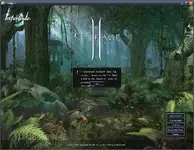
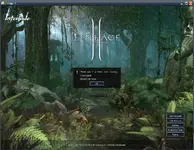
anyone can help me... i got this error when try to run L2 C6 client...
what should i do? thanks...
 

Attachments

  • hel - Making a interlude server on Windows - RaGEZONE Forums
    help.webp
    129.9 KB · Views: 264
  • help_1 - Making a interlude server on Windows - RaGEZONE Forums
    help_1.webp
    125.8 KB · Views: 179
Re: [GUIDE] Making a interlude server on Windows

vvizzi thank you very much ^^ I've been able to play on my server,just one thing if somone get the same error as us
"highlight and right click on character table. When you right click a list of options will come up scroll up to desing table , now scroll to the bottom and right click . Click add feild then name it apprentice set it to be decimal and uncheck the allow null box. anyways i remembered how to do this since i had the same problem."

Do not forget to put 0 in the Default Box, if not you would get an other error ^^
 
Re: [GUIDE] Making a interlude server on Windows

hi guys.. i have a problem.. when i insert the l2encdec in the system folder.. i applly the patch and when it finishes i press a button and all disappeard.. its right?? after that i open start run cmd but there i don't undertand what i have to do.. pls help me and sorry for my english...
 
Re: [GUIDE] Making a interlude server on Windows

hi guys.. i have a problem.. when i insert the l2encdec in the system folder.. i applly the patch and when it finishes i press a button and all disappeard.. its right?? after that i open start run cmd but there i don't undertand what i have to do.. pls help me and sorry for my english...

Hold Shift key and right clic on you System folder of lineage choose Open Command Window Here type: l2encdec -s l2.in and then follow the Tutorial ^^
 
Re: [GUIDE] Making a interlude server on Windows

help me plzzz.... look at my post earlier... i still have a problem >_<
 
Re: [GUIDE] Making a interlude server on Windows

did you edit your system folder or change something??

i'm not really sure... i get my L2 C6 client from my friend, maybe my L2 C6 is a private server client...

but i already delete the system folder, then i use PTS to Liveconversion then i check my files, after that the launcher patching... isn;t my L2 C6 become pure after patching right?

or maybe something was wrong with my client...
 
Re: [GUIDE] Making a interlude server on Windows

Just one last thing: someone can tell me what are all the things to do to allow other users to connect ? (by internet)
Thanks
 
Re: [GUIDE] Making a interlude server on Windows

hy guys... thx axea for the help.. i have another question: how to let roy the cat to work??i have try to epen the confing/altessit and i have set allowclassmaster =true... but server say me server terminate abnormaly.. so i have reput it to false... sorry for my english..
 
Re: [GUIDE] Making a interlude server on Windows

Hi Nargen
So Sorry For My Ask But Where Can I Find System Pacth For Interlude? Or I Only Need Ur L2.ini(rar)

Sorry For My Bad English

If you need the System folder for L2 Interlude Client, please refer to http://forum.ragezone.com/f324/share-reuploaded-tools-281215/

Download the System.rar and extract it. After that download the L2 File Edit from the same page. Extract the L2 File Edit where you like. Run the program, open l2.ini in your system folder and change the IP address to 127.0.0.1 or to the IP you use. Save it!
Done!

With regards:
Mikkaav
 
Re: [GUIDE] Making a interlude server on Windows

plsss help meeeee!!!!! i wont to create a npc that can give class without quest like roy the cat: if in game i press //admin/spawn/roy the cat it appears but he say to me: i cant give you any quest.. pls help!!!!!
 
Re: [GUIDE] Making a interlude server on Windows

Go to yourserver/gameserver/data/html/
(I don't know where you found Roy the Cat but you have to put the html in the html folder)or find the html of Roy The Cat then you can edit it
 
Re: [GUIDE] Making a interlude server on Windows

axea in game i open the admin menu and i spawn the cat cliccing on spawn npc. by name/roy the cat.. it appears but if i speak with him.. he says me i cant change you class ewven in i'm level20/40/76
 
Re: [GUIDE] Making a interlude server on Windows

http://i179.photobucket.com/albums/w307/PooteWasHere/Problem1.jpg

And this is what happens when I turn L2 on after the server has satrted.


:alienmental:

And This is what happens when I start L2 first and open the Game Server Console.


You are too low on memory, you started L2 Game and then started the .bat files, but you do not have enough space.. that is why it is showing the error,


:PERSON WHO HAD A PROBLEM WITH SPAM MESSAGES GOING ACCROS THERE CONSOL PLEASE READ ON THE FRIST PAGE NARGEN HAS ALLREADY TOLD YOU HOW TO FIX!

 
Last edited by a moderator:
Re: [GUIDE] Making a interlude server on Windows

anyone can help me solve my problem >_<


Go into your Lineage directory folder, go in system folder you will now see a GameGuard folder,

Go in GameGuard folder and press CTRL+A, that will highlight everything now press delete, restart your game and done!
 
Re: [GUIDE] Making a interlude server on Windows

Go into your Lineage directory folder, go in system folder you will now see a GameGuard folder,

Go in GameGuard folder and press CTRL+A, that will highlight everything now press delete, restart your game and done!

thx man, i will try it... hope it works.. >_<
 
Re: [GUIDE] Making a interlude server on Windows

it should work, this sounds really newbish but i have an error with my server..

All consols work 100% as they should work ive portforwarded lots of ports as it sais on portforward.com, i tell them to change there host and put in my IP but it just stops at login screen, like they stick username and pass and it dose NOTHING.. Anyone got a solution?
 
Back