- Joined
- Aug 11, 2022
- Messages
- 123
- Reaction score
- 415
Decided to make a thread containing working client and server files for all major ace online episodes (except ep1. Did it even exist?) . There are google drive links with modified source in case you want to compile this stuff yourself.
Here are the sources I’ve used:
And here are the changes and fixes I’ve added:
New in patch 1.2 for EP3.5 and EP4.3 and patch 1.4 for EP4.6:
Expect to see some jank in my additions, as I'm not a professional programmer or anything.
Episode 2
I don’t have a source code for these files, you will be stuck with 1600x900 resolution and broken music. Other than that, everything seems to work properly.
Server:
Client:
Episode 3.5
Server (V1.1):
Client (V1.1):
Patch V1.2:
Source (V1.2):
Episode 4.3
Server (V1.1):
Client (V1.1):
Patch V1.2:
Source (V1.2):
If ep3.5 or 4.3 crash for you, try using this d3d9.dll instead (put it in the client folder):
Episode 4.6
Server (V1.3):
Client (V1.3):
Patch V1.4:
Source (V1.4):
Setting up the server:
1. Follow the Database Setup step from St34lth4ng3l’s tutorial, but restore the database backups from the server files you downloaded;
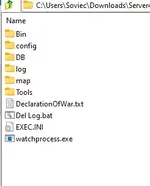
2. Go to config folder and open global.cfg and Aglobal.cfg (or ArenaGlobal.cfg) and change $LOCAL_IP_ADDR to your IP (don’t use 127.0.0.1);
3. Copy the contents of DeclarationOfWar.txt and execute them as a query in MSSQL management studio;
4. Start all server executables in any order or just launch Vasma_Manager.exe.
To launch the game, use start.bat (change it to your ip) and type the account info. You can add an account to the database using MSSQL management studio or use “123” as a username and password to log into admin account.
Some random screenshots:


Here are the sources I’ve used:
-
To view the content, you need to sign in or register
-
To view the content, you need to sign in or register
-
To view the content, you need to sign in or register
And here are the changes and fixes I’ve added:
- Retargeted solutions to VS2022;
- Enabled 16x AF and 4x MSAA by default;
- Very basic high resolution and ultrawide support (4k is largely unplayable, 1440p and 1440p ultrawide are pretty good though);
- Gear preview in the inventory now has roughly the same size no matter the resolution;
- Raised the render distance on almost all maps;
- Windowed mode is replaced with borderless window;
- Significantly sped up the game start by removing the intro (recompile the client without “#define _INSTANT_LAUNCH” if you don’t want that);
- Removed the slow fade out effect (recompile the client without “#define _NO_FADE” if you don’t want that);
- Fixed a bunch of bugs, which caused the bins to not compile or work properly;
- Added numeric health bars (took them from DreamACE/Eternal Skies 4.3 source and ported to other sources);
- Added wireframe, noclip and show events for admins which can be togged with F11, Shift+F11 and Ctrl+F11 respectively (took this from DreamACE/Eternal Skies 4.3 source and ported to other sources);
- Stopping your gear with “b” button no longer autohorizonts you. (took this from DreamACE/Eternal Skies 4.3 source and ported to other sources);
- Enabled all ep4.6 quests (later ones can’t be completed because maps lack the required monsters);
- Ported most of the episode 4.6 content to episode 3.5 and 4.3 (maps, items, monsters, quests. Episode 4.3 also got that ep4.6 world map which can be opened by pressing “n” button);
- Probably some other stuff I don’t remember.
New in patch 1.2 for EP3.5 and EP4.3 and patch 1.4 for EP4.6:
- Retargeted solutions to VS2026
- Huge font rendering optimization - 100 - 800% fps increase in menus.
- Fix for the huge stutters when hovering you cursor over equipped items and skill icons
- Loading screens and Gear select screen are no longer stretched on non 4:3 aspect ratios
- The launcher now automatically updates its available resolutions based on your monitor. No need to hardcode the resolutions anymore.
- NPC server loads all map monsters a bit quicker now.
- The launchers and game executables are marked as DPI-aware, so they shouldn't look funky with non-100% windows scaling. Also added a LargeAddressAware flag, so the game could potentially use up to 4GB of RAM.
Expect to see some jank in my additions, as I'm not a professional programmer or anything.
Episode 2
I don’t have a source code for these files, you will be stuck with 1600x900 resolution and broken music. Other than that, everything seems to work properly.
Server:
To view the content, you need to sign in or register
Client:
To view the content, you need to sign in or register
Episode 3.5
Server (V1.1):
To view the content, you need to sign in or register
Client (V1.1):
To view the content, you need to sign in or register
Patch V1.2:
To view the content, you need to sign in or register
Source (V1.2):
To view the content, you need to sign in or register
Episode 4.3
Server (V1.1):
To view the content, you need to sign in or register
Client (V1.1):
To view the content, you need to sign in or register
Patch V1.2:
To view the content, you need to sign in or register
Source (V1.2):
To view the content, you need to sign in or register
If ep3.5 or 4.3 crash for you, try using this d3d9.dll instead (put it in the client folder):
To view the content, you need to sign in or register
Episode 4.6
Server (V1.3):
To view the content, you need to sign in or register
Client (V1.3):
To view the content, you need to sign in or register
Patch V1.4:
To view the content, you need to sign in or register
Source (V1.4):
To view the content, you need to sign in or register
Setting up the server:
1. Follow the Database Setup step from St34lth4ng3l’s tutorial, but restore the database backups from the server files you downloaded;
2. Go to config folder and open global.cfg and Aglobal.cfg (or ArenaGlobal.cfg) and change $LOCAL_IP_ADDR to your IP (don’t use 127.0.0.1);
3. Copy the contents of DeclarationOfWar.txt and execute them as a query in MSSQL management studio;
4. Start all server executables in any order or just launch Vasma_Manager.exe.
To launch the game, use start.bat (change it to your ip) and type the account info. You can add an account to the database using MSSQL management studio or use “123” as a username and password to log into admin account.
Some random screenshots:
Last edited: