SQL error while installing Season 6

Newbie Spellweaver
Joined
May 21, 2013
Messages
15
Reaction score
2
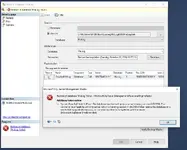
Hello my friends, I have decided to open up a Season 6 server while following step by step I stumbled upon a error which seems easy to fix, but after spending countless hours I have become quite desperate:
image_2024-06-20_172121680 - SQL error while installing Season 6 - RaGEZONE Forums


The SQL user and passwords are correct and everything is triple checked
1718893388686 - SQL error while installing Season 6 - RaGEZONE Forums

1718893521392 - SQL error while installing Season 6 - RaGEZONE Forums
 
Server Information
Mu Online Season 6
2 reason ...
1. your ODBC is not enabled or you have enabled incorrect ODBCversion (mu online require 32bit ODBC)
2. your mysql server name is not accessible/accepting connection on different PC (usually server name is IP why the heck your DESTOPP-10LR...etc )
 
Upvote 0
Try reinstalling SQL with the same password again.
this didn't do anything sadly
2 reason ...
1. your ODBC is not enabled or you have enabled incorrect ODBCversion (mu online require 32bit ODBC)
2. your mysql server name is not accessible/accepting connection on different PC (usually server name is IP why the heck your DESTOPP-10LR...etc )
I hit error in the first steps of doing the odbc 32 bit https://imgur.com/a/dDUaRmN
 
Upvote 0
this didn't do anything sadly

I hit error in the first steps of doing the odbc 32 bit https://imgur.com/a/dDUaRmN
why u doing it 32 bit? maybe do it both 32 and 64 bit.

Also the way i showed in the odbc setup video is 64bit

lastly delete the odbc setup you did and re-do again the same way but when choosing what odbc type dont choose 'SQL Server' and try "SQL Server Native" and use same settings to MuOnline database connection

did u also try with simple sql password? u can change sql pass to test it
 
Upvote 0
why u doing it 32 bit? maybe do it both 32 and 64 bit.

Also the way i showed in the odbc setup video is 64bit

lastly delete the odbc setup you did and re-do again the same way but when choosing what odbc type dont choose 'SQL Server' and try "SQL Server Native" and use same settings to MuOnline database connection

did u also try with simple sql password? u can change sql pass to test it
I went exactly the same directory and opened same file as you, and even tho it shows its in 64 folder it still opens it as 32 bit, and then i receive the error from above when I try to create new system dsn
 
Upvote 0
I went exactly the same directory and opened same file as you, and even tho it shows its in 64 folder it still opens it as 32 bit, and then i receive the error from above when I try to create new system dsn
where are you installing the server? pc or vps?
which sql server version u installed ? 2008/2012/2016... ?

can u also try change SQLServerName from Desktop-XXXXXX\SQLEXPRESS change to (local) or just put . or only your PC-NAME or 127.0.01 ...
 
Upvote 0
where are you installing the server? pc or vps?
which sql server version u installed ? 2008/2012/2016... ?

can u also try change SQLServerName from Desktop-XXXXXX\SQLEXPRESS change to (local) or just put . or only your PC-NAME or 127.0.01 ...
tried both 32 bit and 64 bit of odbc both crash when I try to add system dsn
own pc just for testing
sql server 5.7 / sql 2008R2
sql server manager 20
MSSQL10_50.SQLEXPRESS
those are some specs, sorry I am quite lost with those softwares I will try now to change the pc name and get back

Edit: I tried changing the name in IGCDS config, none of them worked when I started up the Data Server it just crashes instantly unless its the name of my pc which is that one from above
 
Last edited:
Upvote 0
try sql 2012, im not sure it feels abit confusing to understand what u did, and like a mix up of everything and now this issue.

also i asked already 2-3 times.... your SQL PASSSWRD

did u also try with simple sql password? u can change sql pass to test it
because it could be SQL password issue tooo!

if u did then ok, just delete everything uninstall all and install SQL SERVER 2012, same way u installed 2008 but 2012 and try it all again.

this is the sql
 
Upvote 0
try sql 2012, im not sure it feels abit confusing to understand what u did, and like a mix up of everything and now this issue.

also i asked already 2-3 times.... your SQL PASSSWRD


because it could be SQL password issue tooo!

if u did then ok, just delete everything uninstall all and install SQL SERVER 2012, same way u installed 2008 but 2012 and try it all again.

this is the sql


RESTORE DATABASE [MuOnline] FROM DISK = N'C:\MuServerS6\DB Back\ExistingMuOnlineBAK\MuOnline.bak' WITH FILE = 1, MOVE N'MuOnline_Data' TO N'C:\Program Files\Microsoft SQL Server\MSSQL11.SQLEXPRESS\MSSQL\DATA\MuOnline_Data.MDF', MOVE N'MuOnline_Log' TO N'C:\Program Files\Microsoft SQL Server\MSSQL11.SQLEXPRESS\MSSQL\DATA\MuOnline_Log.LDF', NOUNLOAD, STATS = 5

GO

try sql 2012, im not sure it feels abit confusing to understand what u did, and like a mix up of everything and now this issue.

also i asked already 2-3 times.... your SQL PASSSWRD


because it could be SQL password issue tooo!

if u did then ok, just delete everything uninstall all and install SQL SERVER 2012, same way u installed 2008 but 2012 and try it all again.

this is the sql


Update


decided to try over again, and went ahead and tried other files that worked with 2012 ssms, and I found out the reason why if failed, it was :


1719064334912 - SQL error while installing Season 6 - RaGEZONE Forums


I managed to run successfully the DataServer, Connect Server and the Game Server, then I went onto the next step and it was to set up IGC.EssentialTool this tool and make my admin account but I stumbled onto another bug once I ran it


1719064430285 - SQL error while installing Season 6 - RaGEZONE Forums


I tried to change the config with all types of combinations but nothing seems to be working
 

Attachments

  • 1719014120247 - SQL error while installing Season 6 - RaGEZONE Forums
    1719014120247.webp
    46.8 KB · Views: 61
Last edited:
Upvote 0
if thats the only issue left:

lpmarto - SQL error while installing Season 6 - RaGEZONE Forums


just do this:
Open
-> SQL Server Configuration Manager
-> SQL Server Network Configuration
-> Protocol for MSSQLSERVER
-> TCP/IP -> Enabled.
go to Properties Tab :
Enabled ->Yes (All)
For TCP Port -> Put 1433 (All)
Click OK and restart MSSQLSERVER.
Rerun essential


PS: open port 1433 in TCP from firewall or router.
 
Upvote 0
if thats the only issue left:

lpmarto - SQL error while installing Season 6 - RaGEZONE Forums


just do this:
Open
-> SQL Server Configuration Manager
-> SQL Server Network Configuration
-> Protocol for MSSQLSERVER
-> TCP/IP -> Enabled.
go to Properties Tab :
Enabled ->Yes (All)
For TCP Port -> Put 1433 (All)
Click OK and restart MSSQLSERVER.
Rerun essential


PS: open port 1433 in TCP from firewall or router.
just did all the steps and still shows the same error
when I open the main.exe it shows the server is offline like it just disconnects me also

edit: I tried other editor and this is the error i get
1719083312729 - SQL error while installing Season 6 - RaGEZONE Forums


Update : no progress today, tried couple of troubleshootings suggested by chat gpt but nothing helped

sadly last update, I give up on this ****
 
Last edited:
Upvote 0
Possible problem & solutions:
1) Check SQL name and or password on files
2) Weird but this works for me, Installing microsoft visual 2008/2010/2012
3) Are you able to switch from SQL to ODBC for connection
4) Did you unlock 1433 port on firewall?
 
Upvote 0
Back