Aura Kingdom Ultimate Server Installer

On Debian 11 i always get this error. I cant even finish the installation process.

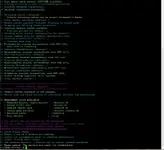
[WARNING] Your kernel version is 6.x or higher.
For best compatibility, a kernel version of 5.x is recommended. Consider using Debian 11.
Press Enter to continue at your own risk or Ctrl+C to cancel...
>> Updating package lists...
E: The repository ' -pgdg Release' does not have a Release file.
[ERROR] apt-get update failed.
 
Last edited:
same here and i never success download the files it always says reached the connection to download
 
the data in db or scene is not right
You said: Scene. Could you point me in the right direction? If there should be a Scene folder, i got none. Thats my folder structure.

Screenshot 2025-04-30 145643 - Aura Kingdom Ultimate Server Installer - RaGEZONE Forums
 
Can really no one help with this error?

Thats the only error i got...


./start: line 49: 143018 Segmentation fault nohup ./"$server_exec" >> "$LOGFILE" 2>&1
>> LoginServer failed to start or crashed immediately.
Code:
==================================================[0m
     1,2025/05/08 15:00:29,RSA size(n) = 256 size(e) = 2
     2,2025/05/08 15:00:29,Server is rolling on TCP 0.0.0.0:7777.
     3,2025/05/08 15:00:29,Add New Epoll 6
     4,2025/05/08 15:00:30,EVAL(1.000660 secs): {Network I/O}
     5,2025/05/08 15:00:30,EVAL(1.000741 secs): {Main Loop}
[1;32m>> TicketServer started successfully with PID 143000.[0m
     6,2025/05/08 15:00:31,EVAL(1.000567 secs): {Network I/O}
     7,2025/05/08 15:00:31,EVAL(1.000647 secs): {Main Loop}
     8,2025/05/08 15:00:32,EVAL(1.000402 secs): {Network I/O}
     9,2025/05/08 15:00:32,EVAL(1.000478 secs): {Main Loop}
    10,2025/05/08 15:00:33,EVAL(1.001038 secs): {Network I/O}
    11,2025/05/08 15:00:33,EVAL(1.001109 secs): {Main Loop}
    12,2025/05/08 15:00:34,EVAL(1.001035 secs): {Network I/O}
    13,2025/05/08 15:00:34,EVAL(1.001112 secs): {Main Loop}
    14,2025/05/08 15:00:35,EVAL(1.001049 secs): {Network I/O}
    15,2025/05/08 15:00:35,EVAL(1.001137 secs): {Main Loop}
    16,2025/05/08 15:00:36,EVAL(1.000481 secs): {Network I/O}
    17,2025/05/08 15:00:36,EVAL(1.000539 secs): {Main Loop}
    18,2025/05/08 15:00:37,EVAL(1.001020 secs): {Network I/O}
    19,2025/05/08 15:00:37,EVAL(1.001067 secs): {Main Loop}
[1;32m>> GatewayServer started successfully with PID 143009.[0m
    20,2025/05/08 15:00:38,EVAL(1.001069 secs): {Network I/O}
    21,2025/05/08 15:00:38,EVAL(1.001131 secs): {Main Loop}
    22,2025/05/08 15:00:39,EVAL(1.000100 secs): {Network I/O}
    23,2025/05/08 15:00:39,EVAL(1.000174 secs): {Main Loop}
    24,2025/05/08 15:00:40,EVAL(1.001532 secs): {Network I/O}
    25,2025/05/08 15:00:40,EVAL(1.001630 secs): {Main Loop}
    26,2025/05/08 15:00:41,EVAL(1.001077 secs): {Network I/O}
    27,2025/05/08 15:00:41,EVAL(1.001152 secs): {Main Loop}
    28,2025/05/08 15:00:42,EVAL(1.001070 secs): {Network I/O}
    29,2025/05/08 15:00:42,EVAL(1.001134 secs): {Main Loop}
    30,2025/05/08 15:00:42,SOCKET 7: accepted by 6
    31,2025/05/08 15:00:42,TCP <0x9862C08:7>: connected from (null) [127.0.0.1].
    32,2025/05/08 15:00:42,Add New Epoll 7
    33,2025/05/08 15:00:42,TCP <0x9862C08:7>: (null) [127.0.0.1] recv error 104: Connection reset by peer
    34,2025/05/08 15:00:42,TCP <0x9862C08:7>: FillState = LP_READ_ERROR.
    35,2025/05/08 15:00:42,TCP <0x9862C08:7>: (null) [127.0.0.1] lost link.
    36,2025/05/08 15:00:42,[Session.cc:149],Call Interface.Get (0x9861D70)->Lost ()

    37,2025/05/08 15:00:42,Erase Socket 7
    38,2025/05/08 15:00:42,TCP <0x9862C08:7>: connection real-closed.
    39,2025/05/08 15:00:42,SOCKET 7: closed.
    40,2025/05/08 15:00:42,Clean Session 0x9861938
    41,2025/05/08 15:00:43,EVAL(1.000769 secs): {Network I/O}
    42,2025/05/08 15:00:43,EVAL(1.000850 secs): {Main Loop}
[0;31m>> LoginServer failed to start or crashed immediately.[0m
 
While fishing, the following problem started to appear, although everything was fine the day before.
akerr_fishing - Aura Kingdom Ultimate Server Installer - RaGEZONE Forums
 
Last edited:
Code:
{RTEvent [7:PN5lapis13CEventEnchantE]}
{RTEvent [1:PN5lapis14CEventAIUpdateE]}
{RTEvent [16:PN5lapis22CEventEradicateMonsterE]}

does anyone have experience with this server crashes again and again and i have not changed anything yet
 
Anyone here has the client V15.001.01.16 clean? and if possible on googledrive to download? I'll be greatfull
 
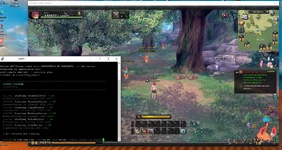
Can you help me please? I installed it on my VPS and didn't have any errors. I changed the connect to my VPS IP address, the account has an MD5 password, and I enabled ports 6543/5432/5560/20060/10320/7878/7777/15306/5567/10020/ and 22. But when I try to log in, I get a "login in wait" message... I really don't understand where I'm going wrong.
P.S. Sometimes it connects and goes offline, other times it appears online and then immediately displays a lost connection message.
p.s2 It sounds like a joke, but the problem I was having was with the START command that started the server xD
 

Attachments

  • terminal - Aura Kingdom Ultimate Server Installer - RaGEZONE Forums
    terminal.webp
    79.5 KB · Views: 83
  • conecta - Aura Kingdom Ultimate Server Installer - RaGEZONE Forums
    conecta.webp
    237.3 KB · Views: 70
  • imagen_2025-11-09_040535317 - Aura Kingdom Ultimate Server Installer - RaGEZONE Forums
    imagen_2025-11-09_040535317.webp
    235.3 KB · Views: 72
Last edited:
Can you help me please? I installed it on my VPS and didn't have any errors. I changed the connect to my VPS IP address, the account has an MD5 password, and I enabled ports 6543/5432/5560/20060/10320/7878/7777/15306/5567/10020/ and 22. But when I try to log in, I get a "login in wait" message... I really don't understand where I'm going wrong.
P.S. Sometimes it connects and goes offline, other times it appears online and then immediately displays a lost connection message.
p.s2 It sounds like a joke, but the problem I was having was with the START command that started the server xD
same problem
 
Can you help me please? I installed it on my VPS and didn't have any errors. I changed the connect to my VPS IP address, the account has an MD5 password, and I enabled ports 6543/5432/5560/20060/10320/7878/7777/15306/5567/10020/ and 22. But when I try to log in, I get a "login in wait" message... I really don't understand where I'm going wrong.
P.S. Sometimes it connects and goes offline, other times it appears online and then immediately displays a lost connection message.
p.s2 It sounds like a joke, but the problem I was having was with the START command that started the server xD
Running into the same problem. Somehow it kept saying 0 out of 0 servers are running. Tried fresh installed 4 times and it's the same.
 
Running into the same problem. Somehow it kept saying 0 out of 0 servers are running. Tried fresh installed 4 times and it's the same.
I have the same problem, no errors and no servers running, perfect install on debian 11, so not sure why. I got past the login screen but the server disconnects at character creation and when i check the server it says nothing.

Running into the same problem. Somehow it kept saying 0 out of 0 servers are running. Tried fresh installed 4 times and it's the same.
The service is being restarted as the servers are being run in the background and then the script technically exits so its being looped by systemd. add the following as a new line at the bottom of the start script and it will work, even though the monitor script reports 0 servers.

Add :

tail -f /dev/null

to the bottom of your start script. Confirm servers are up with ps afx.
 

Attachments

Last edited:
Moini moin,
ich als vollnoob wollte auch mal wieder nach Jahren AK spielen (Also erstmal danke fürs bereitstellen der Serverdateien).
Aber wie so viele hier auch, habe ich ein Problem mit dem Connection. Ich denke aus allen Logs her habe ich nur 2 Fehler, einmal im Startlog :
Code:
"GMCmd.ini" wurde geladen.
Die Datei „GMCmdOnce.ini“ wurde nicht gefunden.
    67,2025/12/28 19:46:11,TCP <0xA00A808:8>: (null) [127.0.0.1] Empfangsfehler 104: Verbindung vom Gegenüber zurückgesetzt
    68,2025/12/28 19:46:11,TCP <0xA00A808:8>: FillState = LP_READ_ERROR.
    69,28.12.2025 19:46:11,TCP <0xA00A808:8>: (null) [127.0.0.1] Verbindung verloren.
    70,2025/12/28 19:46:11,[Session.cc:149],Call Interface.Get (0xA005100)->Lost ()

    71,2025/12/28 19:46:11,Speicherort 8 löschen
    72,2025/12/28 19:46:11,TCP <0xA00A808:8>: Verbindung real geschlossen.
    73,2025/12/28 19:46:11,SOCKET 8: geschlossen.
    74,2025/12/28 19:46:11,Clean Session 0xA005310

und dem ApexProxyLog:

Code:
Verbindung zu [ 127.0.0.1 ] fehlgeschlagen,Port:15306,!ErrInfo:Verbindung verweigert
.

Der VM-Server ist durch Netzwerkbrücke verbunden und wird vom Router und PC erkannt, habe zur Not für die IP`S und Logs und einen Systax-Fehler zum zeigen ein Video gemacht


Hoffe das man das Problemlos als noob beheben kann, habe mal wieder boch als Sensenfrau rumzulaufen:D
Sonst soweit erstmal danke fürs lesen und ggf. Danke für Hilfe.
PS ja habe bei vegas gemerkt das ich irgentein störgeräusch beim mic habe -.- darum sry

Schönen Tag noch soweit
 
Last edited:
-drücken-

Moinsen wollte mal nachhaken, ob wirklich keine Lösung hat, was mir wirklich schade war.
Habe es bis dato weiterhin wahrscheinlich, aber ohne zu wissen, wo das Problem liegt ist es nur fischen im trüben und manchmal macht es eher ein Problem schlimmer als es eigentlich ist xD

--update--
Habe das Problem nun selbst gelöst bekommen

das problem lag vermutlich das die Server in dauerschleife neugestartet haben.

problem habe ich dadurch gelöst, das ich beim installieren bei der Frage nach Systemctl start parameter hinzufügen auf nein gedrückt habe ( damit man wirklich selber den Server starten muss)

und dann des weiteren am ende des Start datei - wie von Ragekat geschrieben - `tail -f /dev/null` hinzufügen und dann Serverstarten.
so bleibt er nur einmal gestartet und man kann connecten
 
Last edited:
Hi, does anyone know why I'm getting the 'connect ErrCode[10035]' error in main? It's also stuck on an infinite "logging in, please wait..." message. I've checked everything and my server and Navicat seem to be working fine.
 

Attachments

  • Captura de pantalla 2026-05-17 180544 - Aura Kingdom Ultimate Server Installer - RaGEZONE Forums
    Captura de pantalla 2026-05-17 180544.webp
    11.4 KB · Views: 23
  • Captura de pantalla 2026-05-14 163608 - Aura Kingdom Ultimate Server Installer - RaGEZONE Forums
    Captura de pantalla 2026-05-14 163608.webp
    191.4 KB · Views: 30
Thankyou for the script. Its finally running OK. I was managed to install this on Almalinux 9.6 (RHEL).

For those of you that stuck at connecting, make sure all the binary is connected to the database without error on the log, and make sure to open all the needed ports on the firewalld/UFW using :

Bash:
P="5567 5568 6543 7654 7777 7878 10020 10021 10022 10320 20060"; if command -v firewall-cmd >/dev/null; then for p in $P; do sudo firewall-cmd --permanent --add-port=$p/tcp; done; sudo firewall-cmd --reload;
   elif command -v ufw >/dev/null; then sudo ufw allow ssh; for p in $P; do sudo ufw allow $p/tcp; done; sudo ufw reload; else echo "no firewall tool found"; fi

1782931240532 - Aura Kingdom Ultimate Server Installer - RaGEZONE Forums
 
Last edited:
I literally spent 6 hours trying to get curl just to run that commange. can you just send a virutal machine that has it already set up. and we can figure out the ip it's need
edit: I meant with curl set up. I am not that head empty that I need a repack.
 
Last edited:
Back