- Joined
- Apr 18, 2011
- Messages
- 287
- Reaction score
- 11
is this really true and do any solution fix for this?max online chars are 50 ? and the server stop working after this ?


is this really true and do any solution fix for this?max online chars are 50 ? and the server stop working after this ?

is this really true and do any solution fix for this?


I am using VMware Workstation version 17 Pro, everything runs smoothly. but it depends on whether the system and hardware support it or not, for example I use a Dell PowerEdge T610 computer with an x5560 processor, it does not support VMware Workstation version 17 ProUse which version VMware?

I am using VMware Workstation version 17 Pro, everything runs smoothly. but it depends on whether the system and hardware support it or not, for example I use a Dell PowerEdge T610 computer with an x5560 processor, it does not support VMware Workstation version 17 Pro
Can someone here help, is there an English version of PW version 176? I'm having difficulty with the quests because everything is in Russian. I've tried replacing the server and


The version can be right at the beginning of the file (header).I have tried to sync client data files by copying and overwriting to the server file, but it immediately displays the low version, but if I use the client patch from senior Talolan it can work well, but it is still in Russian. If any senior here has an English version of the client and server patch, please share it. Thank you
How do I check whether the files are the same or different? Can you give me some instructions?The version can be right at the beginning of the file (header).
Compare the two files in hexadecimal, the beginning of the files should be different by 4 or 8 bytes (data/hash).
Leave the beginning the same.
If, and only if, the files are compatible, and it is just a matter of translation, everything should work.
Open the website:How do I check whether the files are the same or different? Can you give me some instructions?
okay i will try it, thanksOpen the website:To view the content, you need to sign in or register
Drag the files (an internal tab will open for each file)
Compare, theoretically the file should be similar, but with a different beginning (version/date)
Edit the new file to be the same, just the beginning.
Click on export, it should "download" the desired file already edited.
Again, I consider that they are compatible versions, only the translation differs.
I successfully setup a version 176 server, and my friend is able to join me. I would like to request for assistant if there's any way to export a list of items with their IDs. I managed to find the monster ID list, but I have no idea where to export the map and item lists from. End up i am using d_query check for the id one by one. Do you hav any idea how to resolve this?Open the website:To view the content, you need to sign in or register
Drag the files (an internal tab will open for each file)
Compare, theoretically the file should be similar, but with a different beginning (version/date)
Edit the new file to be the same, just the beginning.
Click on export, it should "download" the desired file already edited.
Again, I consider that they are compatible versions, only the translation differs.
The elements.data file ( PW > element > data ) stores most of the game's information.I successfully setup a version 176 server, and my friend is able to join me. I would like to request for assistant if there's any way to export a list of items with their IDs. I managed to find the monster ID list, but I have no idea where to export the map and item lists from. End up i am using d_query check for the id one by one. Do you hav any idea how to resolve this?
Thank you for the solution, may i hav one last question? those sign up button or topup button from client link to the china webpage anyway to cancel it or lead it to blank page?The elements.data file ( PW > element > data ) stores most of the game's information.
There are element editors that can tell you the IDs, but I don't remember if they export the data.
The source code is available for some of them, so you can edit it to generate a file in the format you want.
Thank you for the solution, may i hav one last question? those sign up button or topup button from client link to the china webpage anyway to cancel it or lead it to blank page?
Great, i will try it shortlyQuestions are always welcome.
If I don't know, others will certainly be able to answer.
Regarding the question, you can either remove the button or redirect it to another website, your own, for example.
Use a tool to unzip pck files (configs and interfaces).
Notepad++ or VSCode can search files and folders; search for part of the URL you're looking for, something like http:// or https://.
Find the file, edit it to your own URL, or simply move the button's position to x/y = 9999.
The URL will be the one you entered, or if you change the position, the button will disappear.
Deleting the button isn't always a good thing; a script might try to read it, and that will break everything.
i guess i will relocate it to prevent anyone click on itExcuse me, could you help me with how to edit id_task_space and where to find it?

sELedit ---> elements.dataExcuse me, could you help me with how to edit id_task_space and where to find it?
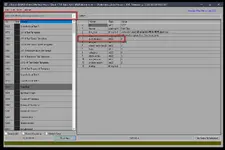 , error current item cannot be used, what is the cause, can it be fixed? (umbral wood legendary fragment, umbral wood rade fragment and umbral wood legend fragment, all three items from the pallet of fortune cannot be used)
Does the item work with untranslated elements (in this case, the original)?Please help senior


