

Ty. I tested the toll thing , it worked. But still the GM menu is not working for for some parts . I cant increase the stats and cant add individual weapons and armors. I think the database is corrupted. When i add the potions it says (///wish 1 162000002) the potion is added but when i click on the weapon and armor section is the named item (///wish Nagasword_01 1). I manage to find the database online so when i writhe in chat i can add the item. Do you have the same issue ?Aion project --> HERE!!
You are using an out of date browser. It may not display this or other websites correctly.
You should upgrade or use an alternative browser.
You should upgrade or use an alternative browser.
- Joined
- Dec 2, 2024
- Messages
- 176
- Reaction score
- 105
Yes, i have the same problem, Robyson released another update, but he didn't post it here, unfortunately.Ty. I tested the toll thing , it worked. But still the GM menu is not working for for some parts . I cant increase the stats and cant add individual weapons and armors. I think the database is corrupted. When i add the potions it says (///wish 1 162000002) the potion is added but when i click on the weapon and armor section is the named item (///wish Nagasword_01 1). I manage to find the database online so when i writhe in chat i can add the item. Do you have the same issue ?
So i don't know if it's fixed.
Oke, i will try to find it.Yes, i have the same problem, Robyson released another update, but he didn't post it here, unfortunately.
So i don't know if it's fixed.

Newbie Spellweaver
- Joined
- Apr 1, 2025
- Messages
- 13
- Reaction score
- 4
Hi everyone 
Anyone experiences the issue when trying to run the client 3.5, it shows the Aion splash screen and after that a black screen that for 10seconds it just closes?
Client won't start...
Steps:
- Added the files in C:\Aion4.3_EMU
- Start MySQL in \UniServerZ\UniController.exe (I can see the 3 terminals running)
- I try to run the 3.5 client -> C:\Aion\bin32\aion.exe
- Shows the Aion splash screen and afterwards a black screen appears for a few seconds and then closes. Nothing happens.
Alternative: If I run C:\Aion\bin64\aion.exe then not even the splash screen appears. Only a terminal appears for 1 split second and closes and nothing afterwards...
Anyone could help if I am missing something ?
Or do I need to install anything beforehand?
Anyone experiences the issue when trying to run the client 3.5, it shows the Aion splash screen and after that a black screen that for 10seconds it just closes?
Client won't start...
Steps:
- Added the files in C:\Aion4.3_EMU
- Start MySQL in \UniServerZ\UniController.exe (I can see the 3 terminals running)
- I try to run the 3.5 client -> C:\Aion\bin32\aion.exe
- Shows the Aion splash screen and afterwards a black screen appears for a few seconds and then closes. Nothing happens.
Alternative: If I run C:\Aion\bin64\aion.exe then not even the splash screen appears. Only a terminal appears for 1 split second and closes and nothing afterwards...
Anyone could help if I am missing something ?
Or do I need to install anything beforehand?

The Dragon King's Oath
RaGEZONE VIP
Runner-up #3
- Joined
- Nov 27, 2007
- Messages
- 1,714
- Reaction score
- 1,404
Yes you miss start game via launcher.bat not straight from bin32 or bin64 using aion.exe... LolHi everyone
Anyone experiences the issue when trying to run the client 3.5, it shows the Aion splash screen and after that a black screen that for 10seconds it just closes?
Client won't start...
Steps:
- Added the files in C:\Aion4.3_EMU
- Start MySQL in \UniServerZ\UniController.exe (I can see the 3 terminals running)
- I try to run the 3.5 client -> C:\Aion\bin32\aion.exe
- Shows the Aion splash screen and afterwards a black screen appears for a few seconds and then closes. Nothing happens.
Alternative: If I run C:\Aion\bin64\aion.exe then not even the splash screen appears. Only a terminal appears for 1 split second and closes and nothing afterwards...
Anyone could help if I am missing something ?
Or do I need to install anything beforehand?
Watch tutorial posted in tutorial section.
Newbie Spellweaver
- Joined
- Apr 1, 2025
- Messages
- 13
- Reaction score
- 4
Thank you very much Mantios!Yes you miss start game via launcher.bat not straight from bin32 or bin64 using aion.exe... Lol
Watch tutorial posted in tutorial section.
I have followed the tutorial exactly and I have created the Start.bat file accordingly.
I was still getting the same issue: Splash screen appears -> Black screen for ~10 seconds and crash.
I remembered from back in the day (during client installation) that I needed DirectX9 to run Aion so I just downloaded and installed that DX9 version.
After that I rerun the Start.bat file and "ho and behold" now I get the splash screen and then the came takes me to the login screen

It could be since the client is already extracted, there is no installation process to check if DIRECTX9 is pre installed ? Not sure.
But now the issue is resolved, thanks again.


- Joined
- Aug 17, 2003
- Messages
- 16
- Reaction score
- 3
I'm having issue with the key generator failing.

- Joined
- Dec 2, 2024
- Messages
- 176
- Reaction score
- 105
It seems to be an IP address problem.I'm having issue with the key generator failing.
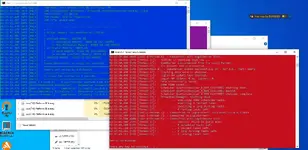
View attachment 285685
- Joined
- Dec 2, 2024
- Messages
- 176
- Reaction score
- 105
Unfortunately the Aion 2.7 client files were removed and i don't have a backup 
If i find another link for the Aion 2.7 Client, i will post it here.
If anyone has a backup of the 2011 Aion 2.7 Client compatible with Emu, you can post it here
If i find another link for the Aion 2.7 Client, i will post it here.
If anyone has a backup of the 2011 Aion 2.7 Client compatible with Emu, you can post it here

- Joined
- Jul 8, 2025
- Messages
- 136
- Reaction score
- 257
Video tutorial?
The Dragon King's Oath
RaGEZONE VIP
Runner-up #3
- Joined
- Nov 27, 2007
- Messages
- 1,714
- Reaction score
- 1,404
Here is tutorial. And it's universal instructor for his all server packs.Video tutorial?
Was posted alresy before in one of the threads. There is instruction how to do it in Robson 2.7. 4.3 and 3.5. Just unpack files on drive c, d, or e in main drive folder. Without any space in folder name..
Newbie Spellweaver
- Joined
- Apr 1, 2025
- Messages
- 13
- Reaction score
- 4
Hi guys, anyone knows why for the Aion 3.5 Client (AionEpic) posted in this post there is an annoying glitch with the mouse cursor (right -click & drag) sometimes reset the camera to the center?
The camera reset bug seems to happen regularly and especially if I right-click & drag when the cursor is not close to the center of the screen.
What I mean is, the problem happens more, the furthest the mouse cursor from the center of the screen is and I right-click. It immediately resets the camera position to center.
I have tried:
- Navigate in 3.5 Client folder \bin32 and replace version.dll with the file provided inside Robyson 3.5 Server folder \Aion_3.5_Emu\Aion Login FIX\bin32\version.dll
- Deleted the following files inside \bin32 named dbghelp.dll & d3d8thk.dll & d3dx9_38.dll
- The Aion launcher bat file uses the flag -win10-mouse-fix
- I have even tried this dll from the github repo /zzsort/Aion-Version-Dll
None of the above fixed the issue. Anyone has any ideas how to fix it maybe?
Is it because I am launching the game via \bin32 and not \bin64 ?
Aion Set-up:
- Server files 3.5 by Robyson posted in this thread.
- Client files 3.5 AionEpic from google drive link posted in this thread.
System:
Windows 10 Pro, latest updates
Mouse Logitech G502 Hero
The camera reset bug seems to happen regularly and especially if I right-click & drag when the cursor is not close to the center of the screen.
What I mean is, the problem happens more, the furthest the mouse cursor from the center of the screen is and I right-click. It immediately resets the camera position to center.
I have tried:
- Navigate in 3.5 Client folder \bin32 and replace version.dll with the file provided inside Robyson 3.5 Server folder \Aion_3.5_Emu\Aion Login FIX\bin32\version.dll
- Deleted the following files inside \bin32 named dbghelp.dll & d3d8thk.dll & d3dx9_38.dll
- The Aion launcher bat file uses the flag -win10-mouse-fix
- I have even tried this dll from the github repo /zzsort/Aion-Version-Dll
None of the above fixed the issue. Anyone has any ideas how to fix it maybe?
Is it because I am launching the game via \bin32 and not \bin64 ?
Aion Set-up:
- Server files 3.5 by Robyson posted in this thread.
- Client files 3.5 AionEpic from google drive link posted in this thread.
System:
Windows 10 Pro, latest updates
Mouse Logitech G502 Hero
- Joined
- Dec 2, 2024
- Messages
- 176
- Reaction score
- 105
I also use it on Win10 Pro, you don't need to delete any files from bin32 folder, everything will work fine.Hi guys, anyone knows why for the Aion 3.5 Client (AionEpic) posted in this post there is an annoying glitch with the mouse cursor (right -click & drag) sometimes reset the camera to the center?
The camera reset bug seems to happen regularly and especially if I right-click & drag when the cursor is not close to the center of the screen.
What I mean is, the problem happens more, the furthest the mouse cursor from the center of the screen is and I right-click. It immediately resets the camera position to center.
I have tried:
- Navigate in 3.5 Client folder \bin32 and replace version.dll with the file provided inside Robyson 3.5 Server folder \Aion_3.5_Emu\Aion Login FIX\bin32\version.dll
- Deleted the following files inside \bin32 named dbghelp.dll & d3d8thk.dll & d3dx9_38.dll
- The Aion launcher bat file uses the flag -win10-mouse-fix
- I have even tried this dll from the github repo /zzsort/Aion-Version-Dll
None of the above fixed the issue. Anyone has any ideas how to fix it maybe?
Is it because I am launching the game via \bin32 and not \bin64 ?
Aion Set-up:
- Server files 3.5 by Robyson posted in this thread.
- Client files 3.5 AionEpic from google drive link posted in this thread.
System:
Windows 10 Pro, latest updates
Mouse Logitech G502 Hero
- Joined
- Jul 8, 2025
- Messages
- 136
- Reaction score
- 257
Hi guys, anyone knows why for the Aion 3.5 Client (AionEpic) posted in this post there is an annoying glitch with the mouse cursor (right -click & drag) sometimes reset the camera to the center?
The camera reset bug seems to happen regularly and especially if I right-click & drag when the cursor is not close to the center of the screen.
What I mean is, the problem happens more, the furthest the mouse cursor from the center of the screen is and I right-click. It immediately resets the camera position to center.
I have tried:
- Navigate in 3.5 Client folder \bin32 and replace version.dll with the file provided inside Robyson 3.5 Server folder \Aion_3.5_Emu\Aion Login FIX\bin32\version.dll
- Deleted the following files inside \bin32 named dbghelp.dll & d3d8thk.dll & d3dx9_38.dll
- The Aion launcher bat file uses the flag -win10-mouse-fix
- I have even tried this dll from the github repo /zzsort/Aion-Version-Dll
None of the above fixed the issue. Anyone has any ideas how to fix it maybe?
Is it because I am launching the game via \bin32 and not \bin64 ?
Aion Set-up:
- Server files 3.5 by Robyson posted in this thread.
- Client files 3.5 AionEpic from google drive link posted in this thread.
System:
Windows 10 Pro, latest updates
Mouse Logitech G502 Hero
To view the content, you need to sign in or register
Try copy and pasting this folder and see if it works.To view the content, you need to sign in or register
Also, try these lines inside .bat
-noweb -nokicks -ncg -noauthgg -ls -charnamemenu -nowebshop -ingameshop -win10-mouse-fix -windowed-mouse-fix
Newbie Spellweaver
- Joined
- Apr 1, 2025
- Messages
- 13
- Reaction score
- 4
Hi Alan78I also use it on Win10 Pro, you don't need to delete any files from bin32 folder, everything will work fine.
What do you mean it will work fine ? I have been playing like that the last 4 months and the game in general works fine. It's just this mouse bug is annoying.

So what you are saying is, from the AionEpic Client files I don't delete anything but I only copy and replace the version.dll file from Robyson's Files into \bin32 and that will work ? Or did you use another version.dll file ?
Also, are you playing windowed mode or fullscreen ?
Btw this is what I have added in the .bat file to launch the game (using version.dll from Robyson files):
-noweb -nowebshop -nokicks -ncg -noauthgg -charnamemenu -ingameshop -win10-mouse-fix
Please let me know if I missed something

Thanks, I will try itTo view the content, you need to sign in or register
Try copy and pasting this folder and see if it works.
Also, try these lines inside .bat
-noweb -nokicks -ncg -noauthgg -ls -charnamemenu -nowebshop -ingameshop -win10-mouse-fix -windowed-mouse-fix

May I ask where can I find the source code of those files ?
- Joined
- Jul 8, 2025
- Messages
- 136
- Reaction score
- 257
I got it from here:
To view the content, you need to sign in or register
- Joined
- Dec 2, 2024
- Messages
- 176
- Reaction score
- 105
I'm saying it will work because, i'm using the same version.dll file and i'm playing in fullscreen,Hi Alan78
What do you mean it will work fine ? I have been playing like that the last 4 months and the game in general works fine. It's just this mouse bug is annoying.
So what you are saying is, from the AionEpic Client files I don't delete anything but I only copy and replace the version.dll file from Robyson's Files into \bin32 and that will work ? Or did you use another version.dll file ?
Also, are you playing windowed mode or fullscreen ?
Btw this is what I have added in the .bat file to launch the game (using version.dll from Robyson files):
-noweb -nowebshop -nokicks -ncg -noauthgg -charnamemenu -ingameshop -win10-mouse-fix
Please let me know if I missed something
Thanks, I will try it
May I ask where can I find the source code of those files ?
and what you added in the .bat file is correct.

Newbie Spellweaver
- Joined
- Apr 3, 2025
- Messages
- 31
- Reaction score
- 1
Newbie Spellweaver
- Joined
- Apr 1, 2025
- Messages
- 13
- Reaction score
- 4
Hi guys, while testing on 3.5 Client that is posted here, I have observed that many of the monsters (even named ones like Poisonous Bubblegut) are not moving round (staying in idle). They look like they are standing still (not frozen - just stuck on the same spot). When the player attacks them then they move and fight as normal.
Also, monsters that are flying e.g plumas, condors, etc. while they are flying and follow the player they look like they are teleporting up-and-down. Their flying animation is not looking smooth.
Anyone experience those 2 issues ? Is this a client specific bug or is there anything that can fix it ?
Example of idle monsters in Verteron:

Also, monsters that are flying e.g plumas, condors, etc. while they are flying and follow the player they look like they are teleporting up-and-down. Their flying animation is not looking smooth.
Anyone experience those 2 issues ? Is this a client specific bug or is there anything that can fix it ?
Example of idle monsters in Verteron:

- Joined
- Jan 18, 2024
- Messages
- 390
- Reaction score
- 192
Add this parameter to the coordinates: random_walk="7"Hi guys, while testing on 3.5 Client that is posted here, I have observed that many of the monsters (even named ones like Poisonous Bubblegut) are not moving round (staying in idle). They look like they are standing still (not frozen - just stuck on the same spot). When the player attacks them then they move and fight as normal.
Also, monsters that are flying e.g plumas, condors, etc. while they are flying and follow the player they look like they are teleporting up-and-down. Their flying animation is not looking smooth.
Anyone experience those 2 issues ? Is this a client specific bug or is there anything that can fix it ?
Example of idle monsters in Verteron:
View attachment 292005

RaGEZONE Sponsor

About RaGEZONE
RaGEZONE® is a leading MMO and MMORPG development community offering source codes, server files, tutorials, tools, and private servers for developers and gamers.
Forum Statistics
- Members online
- 2,391
- Guests online
- 10,435
- Total visitors
- 12,826
Totals may include hidden visitors.
RaGEZONE Partners
