Black Gold

Maybe, but no matter which client from Age of Wushu we can use for this version of serverfiles.

I'm very sure that we can use the Age of Wushu Client for the Server too!

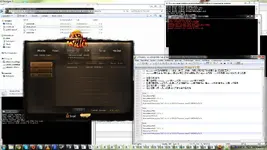
But i have a problem with the launcher! I use the gPotato version (latest).

Can someone help me out ?
 

Attachments

  • wulintest - Black Gold - RaGEZONE Forums
    wulintest.webp
    156.5 KB · Views: 2,431
Last edited:
launcher can't use with another ip
i use this game test with wan ip , then launcher not work (no had green indicator)

how to fix launcher can use with any ip ?
 
Sorry a quick fix to my earlier posted info, missed a byte.

PHP:
#pragma pack(push, 1)
struct PackHeader
{
    char MagicBytes[10];
    unsigned int FileCount;
    unsigned int DataStart;
    byte Filler00;
};


struct PackFile
{
    short DataLength;
    long long FileOffset;
    DWORD FileRawSize;
    DWORD FilePackSize;
    DWORD PackID;
    DWORD PackTime;
    byte Filler00;
    string FilePath;
    byte NullTerminate;
};
#pragma pack(pop)

Well the above structure for sure is correct as I was able to complete a directory repacking tool that mirrored the original in size and data (with the exception of packid / packtime).

Also the bms script released is unable to correctly extract all data from some of the packs, i assume this is because of the way the updater works, if I had to guess it most likely appends new data and just rewrites the header instead of rebuilding the whole pack.
 
Last edited:
Here is a completed version of a basic .package packer that I have created in C++.
PHP:
--------------------------------------------------------
--------------------------------------------------------
dTantra .Package File Packer        - RageZone Release -
--------------------------------------------------------
--------------------------------------------------------
#pragma pack(push, 1)
struct PackHeader
{
    char MagicBytes[10];
    unsigned int FileCount;
    unsigned int DataStart;
    byte Filler00;
};


struct PackFile
{
    short DataLength;
    long long FileOffset;
    DWORD FileRawSize;
    DWORD FilePackSize;
    DWORD PackID;
    DWORD PackTime;
    byte Filler00;
    string FilePath;
    byte NullTerminate;
};
#pragma pack(pop)
--------------------------------------------------------
--------------------------------------------------------
Inside the rar you will find the following files:


    ReadMe.txt - This file.
    dTantra_Package.exe - The program.
    zlib1.dll - DLL required for compression.
    sample_package - Directory that contains some test files to compress.  (This is the same as updater_lua.package included with the client.)
--------------------------------------------------------
--------------------------------------------------------
To use the program you simply launch the dTantra_Package.exe and follow the directions.
To create a package for the sample_package, follow the following steps.


    1. Launch dTantra_Package.exe.
    2. At the first prompt type "sample_package" without the quotes and hit enter.
    3. At the second prompt type "sample.package" without the quotes and hit enter.
    4. At the third prompt type a package id number. (The number for updater_lua.package is 50792413.)
    5. Wait for it to complete.


You can now compare the generated package file to updater_lua.package.  You will notice that some of the data does not match up, this is the PackTime and PackID if you specified a different number at the third prompt.
--------------------------------------------------------
--------------------------------------------------------
PackID may or may not be important and used by the game client for identification.  It is best to use the same PackID as those that come from the original packages.  You can find that out by using the structure found at the top of this ReadMe.
--------------------------------------------------------
--------------------------------------------------------
None of these files are encrypted and are thus very easily debug-able.  If you upload this release elsewhere please leave all files included and unchanged since I have spent my free time creating them.
--------------------------------------------------------
--------------------------------------------------------

In the first prompt when it asks for file path, you can use relative paths such as "sample_package", or absolute paths such as "c:\test\sample_package".
 

Attachments

Here is a completed version of a basic .package packer that I have created in C++.
PHP:
--------------------------------------------------------
--------------------------------------------------------
dTantra .Package File Packer        - RageZone Release -
--------------------------------------------------------
--------------------------------------------------------
#pragma pack(push, 1)
struct PackHeader
{
    char MagicBytes[10];
    unsigned int FileCount;
    unsigned int DataStart;
    byte Filler00;
};


struct PackFile
{
    short DataLength;
    long long FileOffset;
    DWORD FileRawSize;
    DWORD FilePackSize;
    DWORD PackID;
    DWORD PackTime;
    byte Filler00;
    string FilePath;
    byte NullTerminate;
};
#pragma pack(pop)
--------------------------------------------------------
--------------------------------------------------------
Inside the rar you will find the following files:


    ReadMe.txt - This file.
    dTantra_Package.exe - The program.
    zlib1.dll - DLL required for compression.
    sample_package - Directory that contains some test files to compress.  (This is the same as updater_lua.package included with the client.)
--------------------------------------------------------
--------------------------------------------------------
To use the program you simply launch the dTantra_Package.exe and follow the directions.
To create a package for the sample_package, follow the following steps.


    1. Launch dTantra_Package.exe.
    2. At the first prompt type "sample_package" without the quotes and hit enter.
    3. At the second prompt type "sample.package" without the quotes and hit enter.
    4. At the third prompt type a package id number. (The number for updater_lua.package is 50792413.)
    5. Wait for it to complete.


You can now compare the generated package file to updater_lua.package.  You will notice that some of the data does not match up, this is the PackTime and PackID if you specified a different number at the third prompt.
--------------------------------------------------------
--------------------------------------------------------
PackID may or may not be important and used by the game client for identification.  It is best to use the same PackID as those that come from the original packages.  You can find that out by using the structure found at the top of this ReadMe.
--------------------------------------------------------
--------------------------------------------------------
None of these files are encrypted and are thus very easily debug-able.  If you upload this release elsewhere please leave all files included and unchanged since I have spent my free time creating them.
--------------------------------------------------------
--------------------------------------------------------

In the first prompt when it asks for file path, you can use relative paths such as "sample_package", or absolute paths such as "c:\test\sample_package".


where i can see ID number of updater_lua.package ???
 
Last edited:
where i can see ID number of updater_lua.package ???

Maybe if you read the ReadMe or the post you can see where it clearly says what the PackID for that particular package.

Also if you read the top it clearly says the structure for the file, in which case you can view the package in hex and follow the format to see what the PackID is for any pack you may have.

I do not have the client downloaded, so if anyone wants the rest of the PackID's they will have to use the template in the ReadMe and get them yourselves.
 
@dTantra: this patch files can be extracted using quickbms, i try to repack with your packer but not succesfull.

The packer application is only for .package files, not .patch files.

@dTantra: Can you help me tool extract file sample.package .Thanks!

Just use the quickbms script released, I see no reason to release a unpacker.
 
The packer application is only for .package files, not .patch files.

*.package and *.patch are not different, just rename the extension.
the problem is, your packer crash if there is a file (not the folder) in the root folder.

we can make auto patch with *.patch, and its better method to update package, ex: for translation.
 
Last edited:
*.package and *.patch are not different, just rename the extension.
the problem is, your packer crash if there is a file (not the folder) in the root folder.

we can make auto patch with *.patch, and its better method to update package, ex: for translation.

No idea, perhaps I will look at it later on, everyone already has the layout information.
 
white tiger :600 Liang/5.19$
Black Tortoise :600Liang/5.19$
Blue Dragon: 600Liang/5.19$
Golden kirin:300 Liang/6.4$
Red Phoenix: 600Liang/5.19$
thepowerlevel.com Age of Wushu Liang

Golden Kirin liang is more experience than other servers.So i choose other servers.i can save a lot of money

this mean you can connected and login to the game ?
please make tut man.
 
white tiger :600 Liang/5.19$
Black Tortoise :600Liang/5.19$
Blue Dragon: 600Liang/5.19$
Golden kirin:300 Liang/6.4$
Red Phoenix: 600Liang/5.19$
thepowerlevel.com Age of Wushu Liang

Golden Kirin liang is more experience than other servers.So i choose other servers.i can save a lot of money
I think he is simply a gold seller...
 
Back