Thunder Legends H5! Help installation guide. Mobile 

Newbie Spellweaver
Joined
Jun 2, 2023
Messages
8
Reaction score
0
Hello friends, I searched a lot for the files of this game on the internet, I found it in a Chinese forum, it took a lot of work..
I was wondering if you could make a guide on how to install this, I would be very grateful.
I have the game files, but I can't post here on the forum due to lack of privileges. But if anyone wants to test it, just talk to me in private.
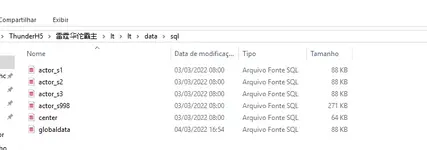
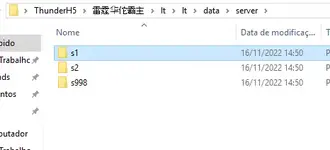
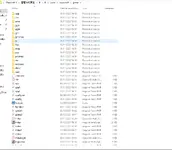
I'll leave a printscreen here.

Well, I'll update here with the download link, I think it's not enough just for me to ask for help if you can't test it.

Download GoogleDrive:
Original Download:

remembering that I just threw it to google drive because the original link is kind of time consuming, but anyway if you want to test the original link is there.
 

Attachments

  • 24e6548e9f0e4615acb7c9b92ccfc57d - Thunder Legends H5! Help installation guide. - RaGEZONE Forums
    24e6548e9f0e4615acb7c9b92ccfc57d.webp
    76.3 KB · Views: 337
  • 1 - Thunder Legends H5! Help installation guide. - RaGEZONE Forums
    1.webp
    37.3 KB · Views: 266
  • Screenshot_1 - Thunder Legends H5! Help installation guide. - RaGEZONE Forums
    Screenshot_1.webp
    13 KB · Views: 226
  • Screenshot_2 - Thunder Legends H5! Help installation guide. - RaGEZONE Forums
    Screenshot_2.webp
    6.6 KB · Views: 210
  • Screenshot_3 - Thunder Legends H5! Help installation guide. - RaGEZONE Forums
    Screenshot_3.webp
    49.4 KB · Views: 247
Last edited:

try this one i guess ?

if u got an error regarding a refused connection try to double check these

D:\LT_Server\Client\config.php Line 16
D:\LT_Server\bin\S1\gameworld\data\client.lua Line 4
D:\LT_Server\bin\S1\gameworld\GameWorld.txt Line 37.50
D:\LT_Server\bin\S2\gameworld\data\client.lua Line 4
D:\LT_Server\bin\S2\gameworld\GameWorld.txt Line 37.50
Modify the IP address in the above address for your external network IP port and port

Link the database root database password with N11: 0987abc123

Modify the IP in the server inside the database globaldata for your external IP


and restart the machine. sometimes restarting the machine works. cause the settings is not immediately in effect
 
Last edited:
Upvote 0

try this one i guess ?

if u got an error regarding a refused connection try to double check these

D:\LT_Server\Client\config.php Line 16
D:\LT_Server\bin\S1\gameworld\data\client.lua Line 4
D:\LT_Server\bin\S1\gameworld\GameWorld.txt Line 37.50
D:\LT_Server\bin\S2\gameworld\data\client.lua Line 4
D:\LT_Server\bin\S2\gameworld\GameWorld.txt Line 37.50
Modify the IP address in the above address for your external network IP port and port

Link the database root database password with N11: 0987abc123

Modify the IP in the server inside the database globaldata for your external IP


and restart the machine. sometimes restarting the machine works. cause the settings is not immediately in effect
I tested this method, but it seems that the files I have are not the same executables to start the server.
 
Upvote 0
Back